 |
|
|
|
|
|
|
|
|
|
|
|
|
|
|
|
|
|
|
|
|
|
|
|
|
|
Ubuntu Linux and VMware |
|
|
|
This page will describe the following:
Dual-booting Ubuntu Linux and Windows XP.
Installing VMware Server (a free download) on Ubuntu to run Windows XP in a virtual machine - not any installation of Windows XP but Windows XP from its native partition.This has the following advantages: only one copy of Windows XP resides on the computer, it can be booted in native mode via the dual-boot feature, it can be booted in a virtual machine under Ubuntu by using Vmware Server.
How to run seamlessly windows applications on the Ubuntu Gnome Desktop: this will bring up the Windows Start menu inside Gnome and allow you to run, use and install any Windows app (that can run in a VM) inside your existing desktop.
For the time beeing: some screenshots.
|
|
|
|
 |
|
|
|
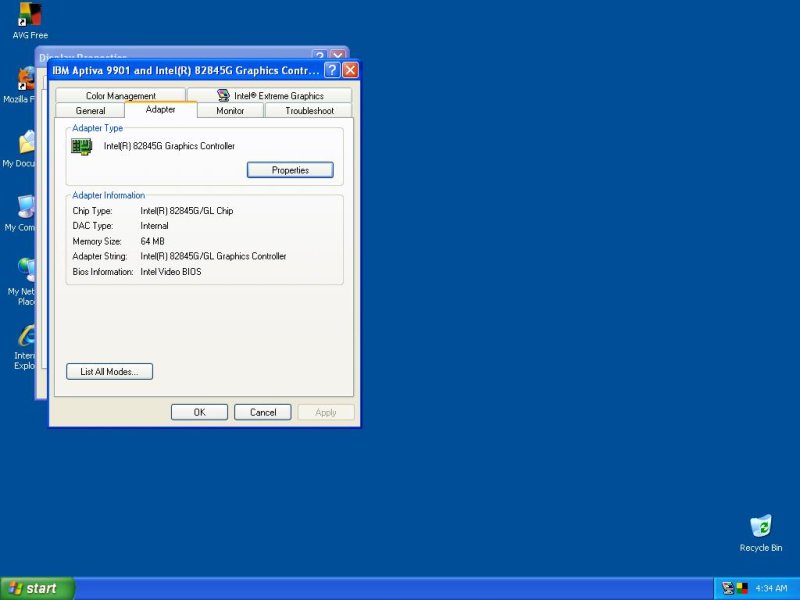
Windows XP running in native mode. Notice the Intel 82845G Graphic Controller which is the built-in display adapter of the machine. |
|
|
|
 |
|
|
|
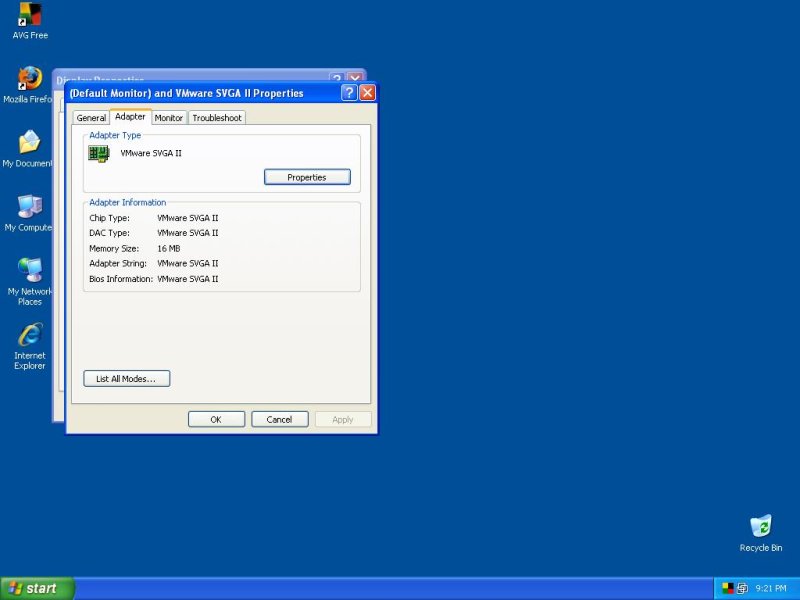
The same installation of Windows XP running full screen in a virtual machine. Notice the VMware SVGA II display adapter. You can also see the VMware Tools icon in the Task Bar, between the AVG anti-virus icon and the time display. |
|
|
|
 |
|
|
|
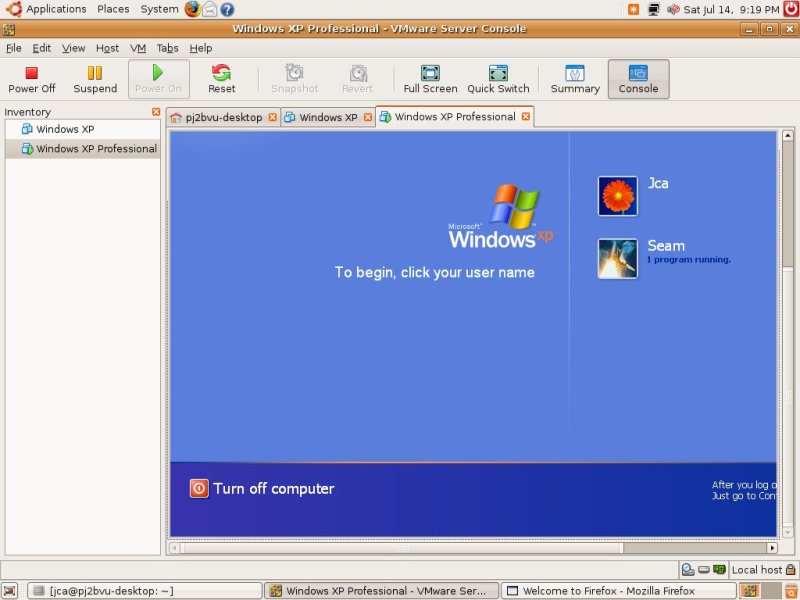
Windows XP running in a window using the VMware Console. The user "Seam" is connected remotely - on the same machine - using Windows Terminal Services in order to run seamlessly Windows applications on the Gnome desktop. |
|
|
|
 |
|
|
|
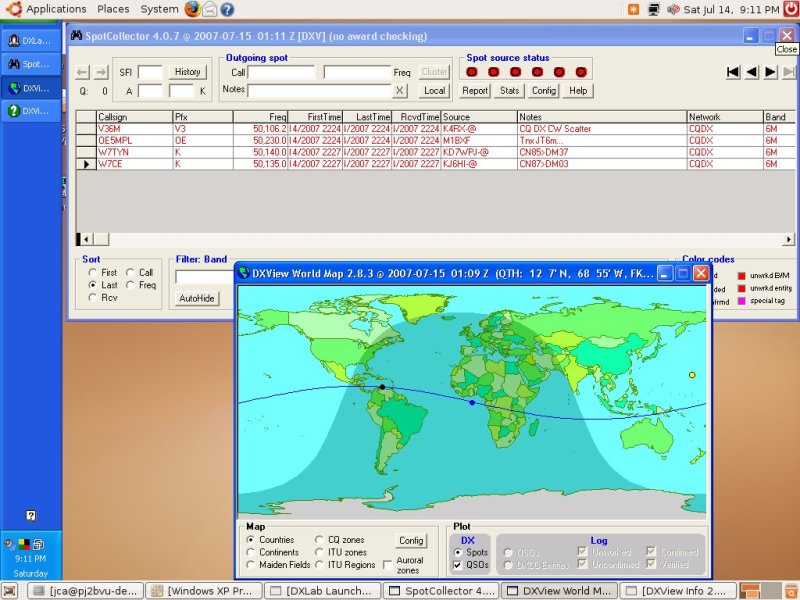
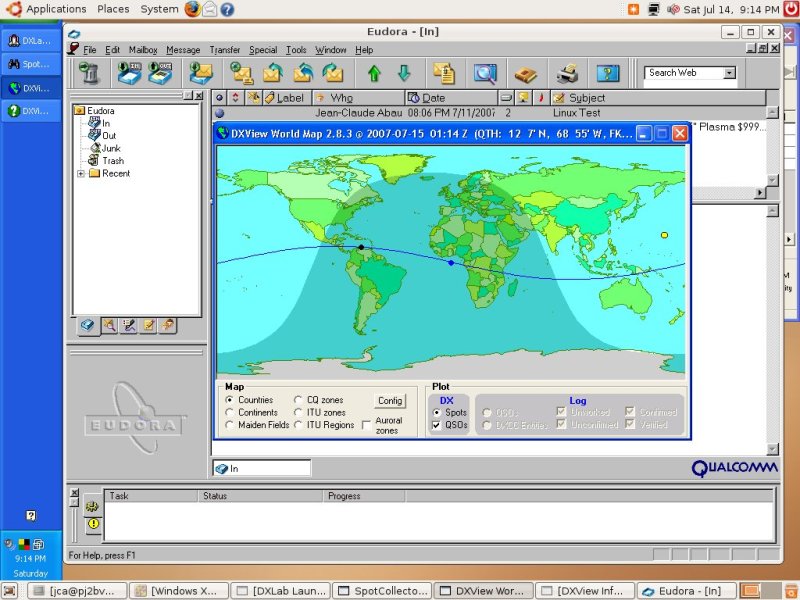
The user "Seam" is connected remotely to Windows XP running in the virtual machine - on the same machine - using Windows Terminal Services and is running seamlessly several Windows applications on the Gnome desktop. The Windows Task bar is on the left of the Gnome desktop, the Windows applications running belong to the DXLab Suite and have been launched by "DXLab Launcher" - minimized. The 2 applications launched are "SpotCollector" and "DXView" - only the DXView World Map window is visible, the DXView Info window is minimized. |
|
|
|
 |
|
|
|
This screenshot is very similar to the previous one with a new program running: the mail program Eudora which is also a Windows program. Here Eudora is not running in the virtual machine but using Wine - see the wine glass on the left of the word File in Eudora main menu. |
|
|
|
Ubuntu & VMware Page 2 |
|
|
|
Back to Home Page |
|