- Name Service Switch Configuration
Copy /etc/nsswitch.nis file to
/etc/nsswitch.conf (then edit, if necessary).
- Specifying NIS domain
Specify NIS domain name, then save it in file [to obtain from on re-boot].
# domainname class.sun
# domainname > /etc/defaultdomain
- Initializing data base
Create directory (e.g. /etc/.ypfiles) and copy/symlink into there
all necessary files from /etc directory (in my setup all users'
home directories should be automounted from student1 server):
# touch /etc/ethers /etc/bootparams /etc/locale /etc/timezone
# mkdir /etc/.ypfiles ; cd /etc/.ypfiles
# grep -v ^+auto_master ../auto_master > auto_master
# echo "* student1:/export/home/&" > auto_home
# echo "* type:=nfs;rhost:=student1;rfs:=/export/home/${key}" > amd.home
# ln -s ../bootparams .
# ln -s ../ethers .
# ln -s ../group .
# ln -s ../inet/hosts .
# ln -s ../locale .
# ln -s ../netgroup .
# ln -s ../inet/netmasks .
# ln -s ../inet/networks .
# grep -v ^root: ../passwd > passwd
# ln -s ../inet/protocols .
# ln -s ../publickey .
# ln -s ../rpc .
# ln -s ../inet/services .
# grep -v ^root: ../shadow > shadow
# ln -s ../timezone .
- Editing the Makefile
A few thing should be reflected in the /var/yp/Makefile file -
new source directory (/etc/.ypfiles instead of /etc),
paranoidal security requirements in sendmail MTA (since version 8.9.x,
it insists [by default] that all the directories on the path to
aliases file must be writable by owner ONLY!), and additional
maps, locale.byname and amd.home (latter one for Linux-based
clients, who use amd instead of Sun's automount).
# cd /var/yp
# patch -bcl Makefile < Makefile_diff.txt
- Building NIS master maps
New master maps may be created with the following command:
# ypinit -m
If you just changed one (or several) of source files, rebuild NIS maps
this way:
# cd /var/yp ; /usr/ccs/bin/make
- Starting NIS services
# /usr/lib/netsvc/yp/ypstart
On system boot this command will be executed as part of
/etc/rc2.d/S71rpc init script.
- Name Service Switch Configuration
Copy /etc/nsswitch.nis file to
/etc/nsswitch.conf (then edit, if necessary).
- Specifying NIS domain and servers
Specify NIS domain name, then save it in file [to obtain from on re-boot].
# domainname class.sun
# domainname > /etc/defaultdomain
Initialize the system as YP client. When prompted, enter names
(or IP-addresses; but both name and IP-address must be present in
/etc/inet/hosts file) of master server, then all slaves.
If this host is supposed to become NIS slave server, enter its
own name first, then name of master server, followed by names of
other slave servers.
# ypinit -c
- Give a chance to automounter
By default, automounter config files (/etc/auto_master and
/etc/auto_home) provide references to NIS+ tables with right
the same names, but NIS/YP maps have names with dots ('.')
instead of underscores ('_').
# cat >>/var/yp/nicknames <<EOF
auto_master auto.master
auto_home auto.home
EOF
- Starting naming service on boot
NIS software will be started on boot (/usr/lib/netsvc/yp/ypstart)
as part of /etc/rc2.d/S71rpc init script.
- Using /bin/vi
- Specifying NIS domain and servers
The following lines should be added to /etc/nis.conf file:
domain class.sun server 192.168.0.1
ypserver 192.168.0.10
- Starting naming service on boot
By default, there are the following files in the
/etc/rc.d/rc[345].d directories:
S15inet -> ../init.d/inet
S20netmount -> ../init.d/netmount
S21nis-client -> ../init.d/nis-client
Guess, it would be better to try to mount NFS resources after
start-up of naming services, so, the netmount should be started
after nis-client, not before!
# cd /etc/rc.d
# rm rc[345].d/S20netmount
# ln -s ../init.d/netmount rc3.d/S22netmount
# ln -s ../init.d/netmount rc4.d/S22netmount
# ln -s ../init.d/netmount rc5.d/S22netmount
But the S21nis-client file in appropriate directory is not enough
to start service on boot! The following line should be placed into
/etc/sysconfig/daemons/nis-client file:
ONBOOT=yes
- Give a chance to LISA/COAS
The following section should be edited in the /etc/system.cnf file:
# NIS/YP Server:
#
CONF_NIS_DOMAIN="class.sun"
CONF_NIS_SERVER1_IP="192.168.0.1"
CONF_NIS_SERVER2_IP="192.168.0.10"
CONF_NIS_SERVER3_IP=""
Although these two lines are present in the /etc/lst.cnf file
# NIS/YP setup
#
FILE_NIS_CONF=/etc/nis.conf
FILE_NIS_DEFAULTDOMAIN=/etc/defaultdomain
the defaultdomain file will not be created by LISA, nor COAS, and
this file isn't created by default, and even it's not necessary (as NIS
domain name would be obtained from nis.conf file on boot).
|
- Using LISA
- Specifying NIS domain and servers
Start OpenLinux Installation & System Administration program with
"lisa --nis" command, then go to NIS
client configuration menu:
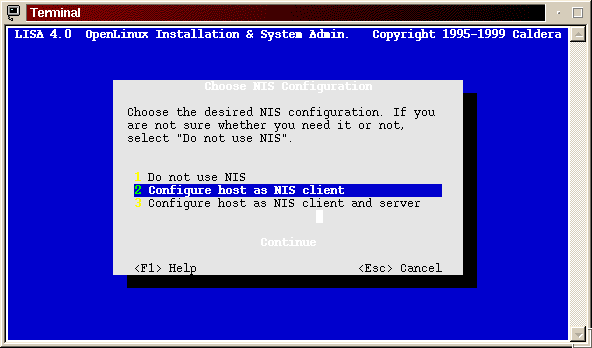
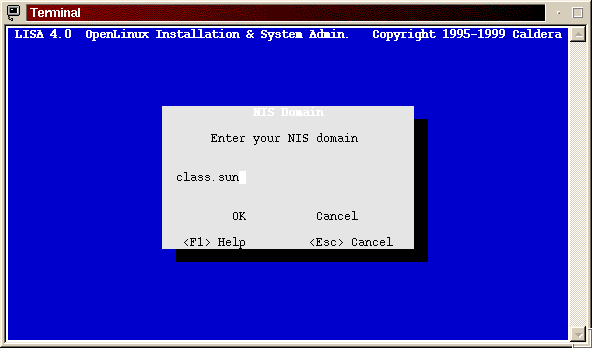
Specify NIS domain name
(LISA2),
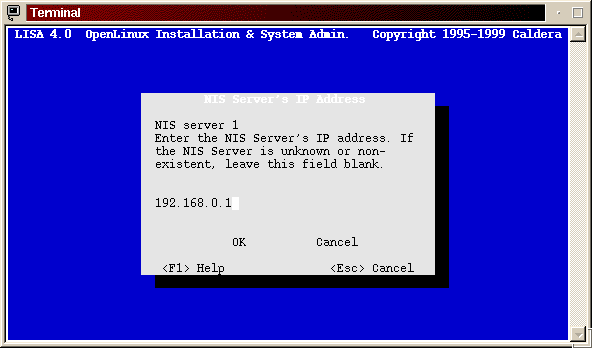
then press Enter, and in the next three dialog windows
specify up to three NIS servers
(LISA3).
- Starting naming service on boot
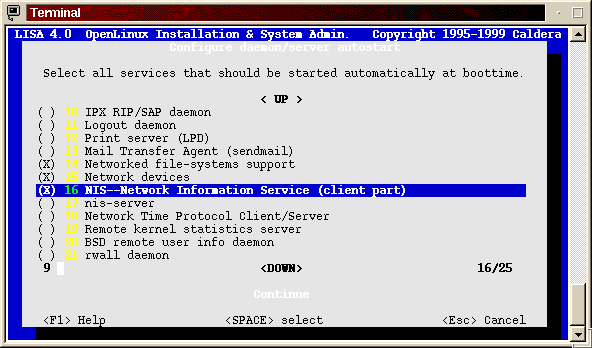
Start LISA with "lisa --daemons" command,
find NIS (client part) service, select it with Space tab, then exit
the program.
- Using COAS
- Specifying NIS domain and servers
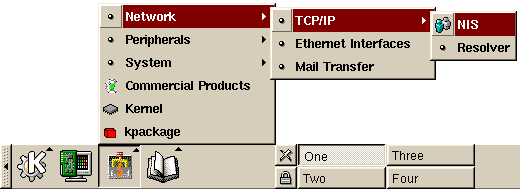
Press on COAS (Caldera Open Administration System) icon,
choose Network, then TCP/IP, NIS.
See
5th Chapter
of OpenLinux eServer 2.3 System Administrator's Guide for future details
(as I was unable to start this subsection of COAS on my Darvin,
sorry about that).
- Starting naming service on boot
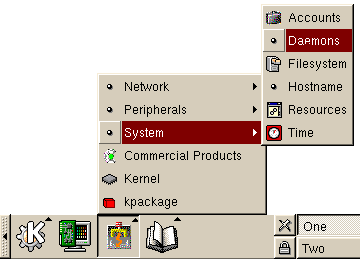
Press on COAS icon, choose System, then Daemons
(COAS2).
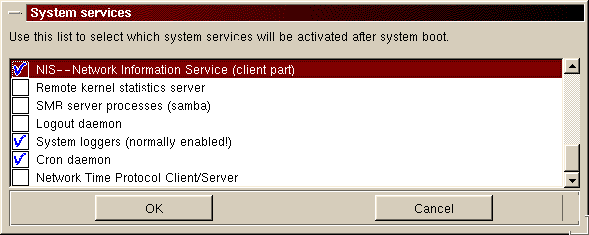
Find "NIS ... (client part)" in the list of System services,
tick it, then press on OK button:
- Using /bin/vi
- Specifying NIS domain and servers
Add the following in to /etc/sysconfig/network file:
NISDOMAIN=class.sun
NIS servers should be listed in /etc/yp.conf:
ypserver 192.168.0.1
ypserver 192.168.0.10
- Starting naming service on boot
Run control init scripts (/etc/rc.d/rc[345].d/S17ypbind,
by default) should be created with the following command:
# chkonfig --level 345 ypbind on
- Using linuxconf --text
- Specifying NIS domain and servers
Start linuxconf program in text mode and go to NIS client
configuration section:
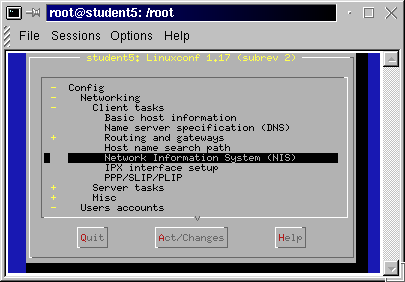
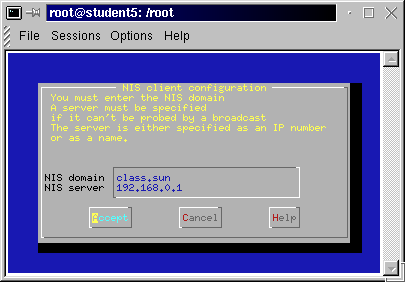
Type in NIS domain and nearest server's IP address
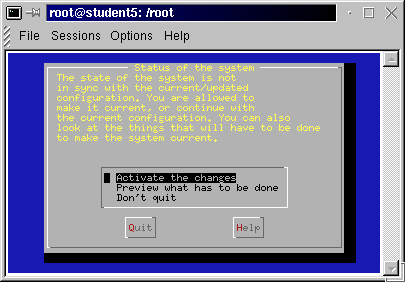
(LINUXCONF2
one server only :-(), and don't forget to activate your changes
(LINUXCONF3) on exit.
- Starting naming service on boot
All the tasks of chkconfig command (above) may be accomplished
in more "visualized" fashion with
"ntsysv --level 345" command:
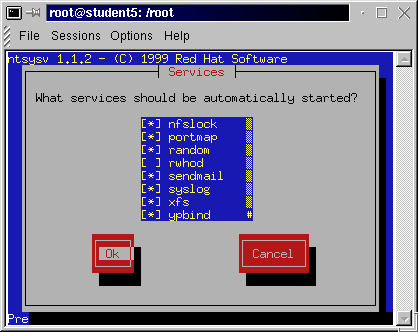
Mark "ypbind" service (by pressing Space tab), then
confirm your choice with Ok.
- Using linuxconf --gui
- Specifying NIS domain and servers
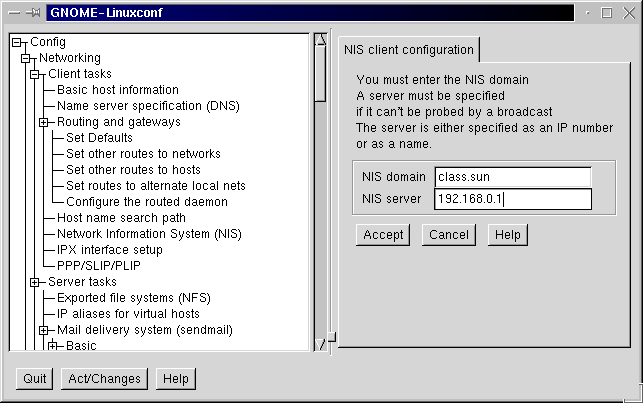
Using linuxconf program in GUI mode, one can specify (right as in
text mode) one NIS server only :-(
(LINUXCONF4).
- Starting naming service on boot
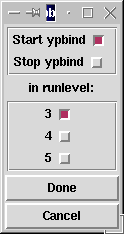
Tksysv, the SYSV Runlevel Manager
("tksysv 3 4 5") may be used to place
ypbind run control script into appropriate director(-y|-ies):
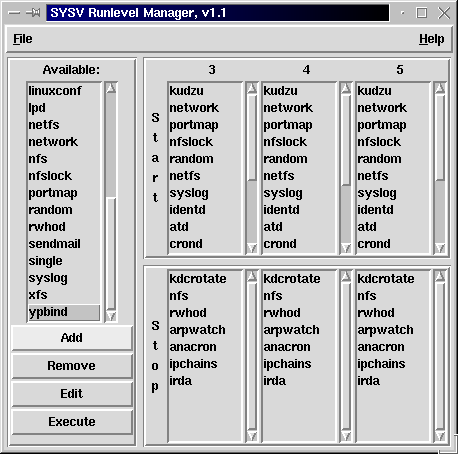
Adding script, one has to specify an appropriate init level
(TKSYSV2), and
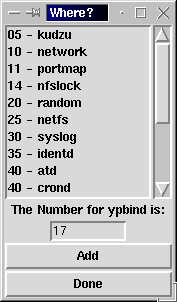
then choose sequence number (default value, as specified in the
comment line in /etc/rc.d/init.d/ypbind, will be present
to you by program)
(TKSYSV3).
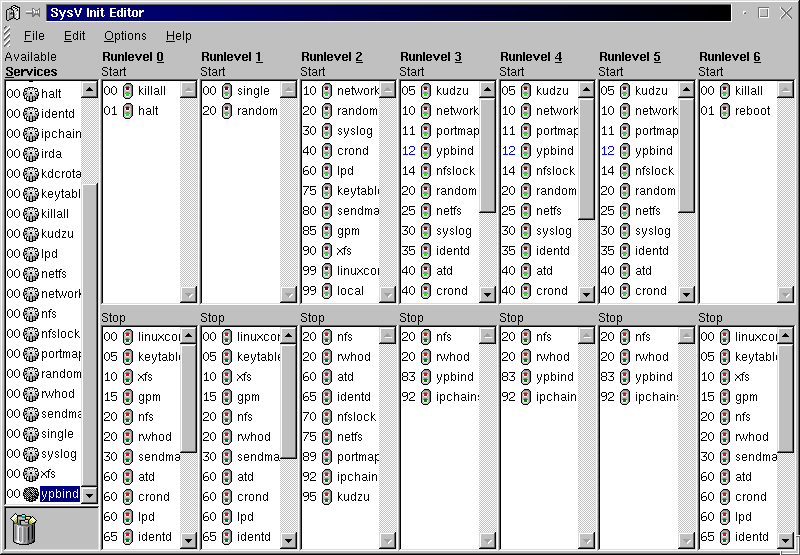
Another program, SysV Init Editor, may be applied here as well:
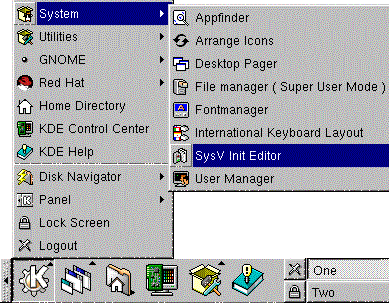
Select "ypbind" in the list of Available Services, then
drag-and-drop it into appropriate Runlevel
(SVIE2).
Then Save Configuration in File pull-down menu.
- Switching to SunOS-compatible [encrypted] passwords
To downgrade from MD5 hashes to en-crypt()-ed passwords (as we'll obtain
passwords from SunOS/Solaris-based NIS-server!) the "md5"
keyword to be removed from both /etc/pam.d/login ...
#%PAM-1.0
auth     required /lib/security/pam_securetty.so
auth     required /lib/security/pam_pwdb.so shadow nullok
auth     required /lib/security/pam_nologin.so
account  required /lib/security/pam_pwdb.so
password required /lib/security/pam_cracklib.so
password required /lib/security/pam_pwdb.so nullok use_authtok md5 shadow
session  required /lib/security/pam_pwdb.so
session  optional /lib/security/pam_console.so
... and /etc/pam.d/passwd files:
#%PAM-1.0
auth     required /lib/security/pam_pwdb.so shadow nullok
account  required /lib/security/pam_pwdb.so
password required /lib/security/pam_cracklib.so retry=3
password required /lib/security/pam_pwdb.so use_authtok nullok md5 shadow
- Configuring automounter (autofs-3.1.4-4)
There are two options here - to add a line to default /etc/auto.master
file (installed as part of RPM package), or fully rely on NIS maps provided
by server(s):
# echo "/home yp auto.home" >> /etc/auto.master
or
# mv /etc/auto.master /etc/auto.master~
then
# chkconfig autofs on
# /etc/rc.d/init.d/autofs start
/etc/rc.d/init.d/autofs run control script will read master map
from /etc/auto.master file, if present, or try to retrieve the
auto.master NIS map from server. In both cases, the auto.home
indirect map will be retrieved from NIS server too, and autofs
script will convert auto_home map name (as supplied by Solaris-based
NIS master server in master map) to auto.home, so, no need to add
anything to /var/yp/nicknames.