
Version 2.0
| 2.5 Transfer Files |
[Back to Homepage]
|
If you're working from home, you may want to upload your files from your home computer to your EECS account. Or perhaps, after the semester is over, you want to save your work from your account to your home computer. There are several ways to transfer files back and forth.
The first way is to use ssh.
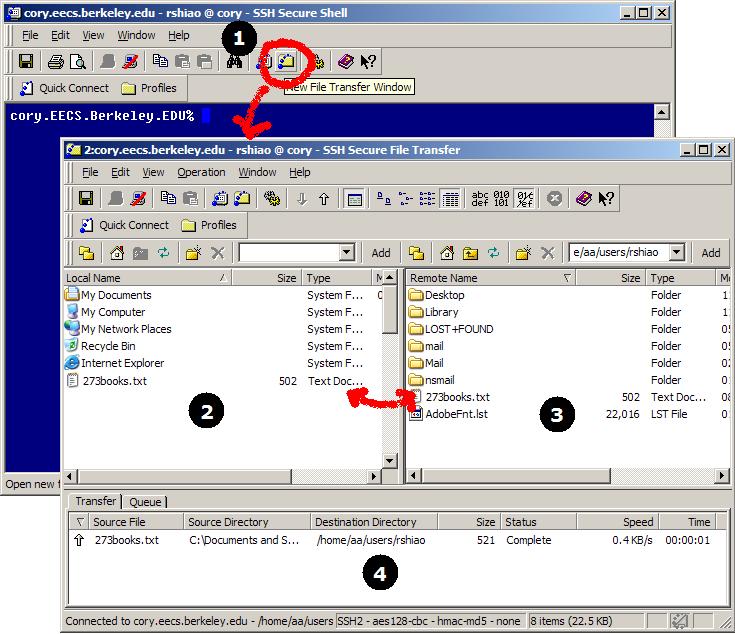
If you are using Windows, you can click on the Secure File Transfer icon (1), and you'll get a window with a familiar Windows Explorer interface displaying the folders on your home computer (2) and the folders on your account (3). Now, you can simply drag and drop files from directories on your home comptuer to directories on your account, and vice versa. You will see the transfer status on the window below (4).
A second way is to use email attachments. This is a quick fix if you've got a few small files, but can be unwieldy if you've got a ton of files.
A third way is to use scp on Unix.
Note that ftp will not work, since it is not secure. It sends account names and passwords in plaintext.