Backing up work onto CD (This assumes you are using Roxio) If you are not using Roxio, let me know and I will help you out once I know what you are using
Please make sure to save everything you want to backup to the same folder (usually your My Documents Folder by default).
On the desktop, double click on the Roxio icon.

When this opens, click on CD Creator Classic
The next thing you must do is make sure to select C: at the top of the screen and then click on the folder you want to back up (usually My Documents).
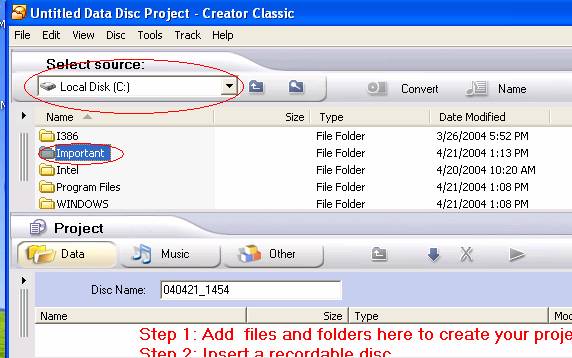
Double Click on the folder to see what is in it
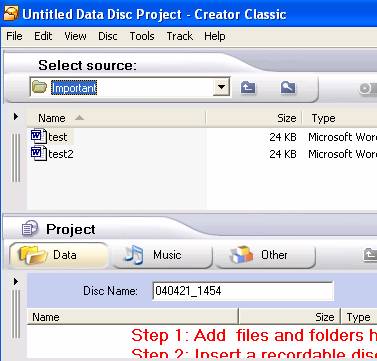
Click on the items you want to back up by holding down the Shift key and clicking on the item.
Once, you have highlighted everything you want to put on the cd, go up to the menu at the top and click on Edit.Then click on Add to Project.This will add the items to the bottom box.
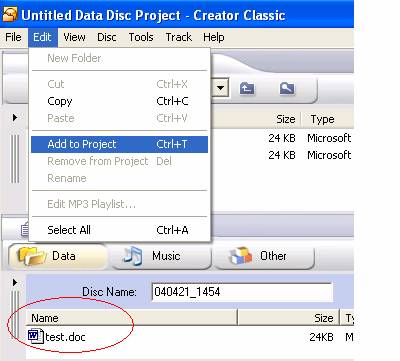
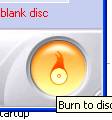
Once everything is in the bottom box,� click on this button in the bottom right corner.
The next screen you see will look like this, just click ok

Let the copy continue until you get a pop up that looks like this:
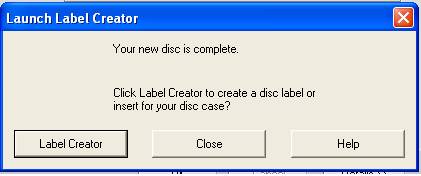
Click on Close.�� At the next screen just click ok.

When you receive the next screen, click No
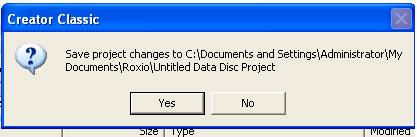
You are finished now and can close Roxio by clicking on the X in the upper right hand corner. Make sure to put the date on the CD so that you know when the backup was completed.