|
XingPE - 4
free |
|
cause being a Computer Technician is hard enough... (Bart say) Versi Bahasa Indonesia |
| When you
read this site, you might think that I use strictly PE Builder by Bart
Lagerweij. Of course I do, why not? cause is easy to make windows run with
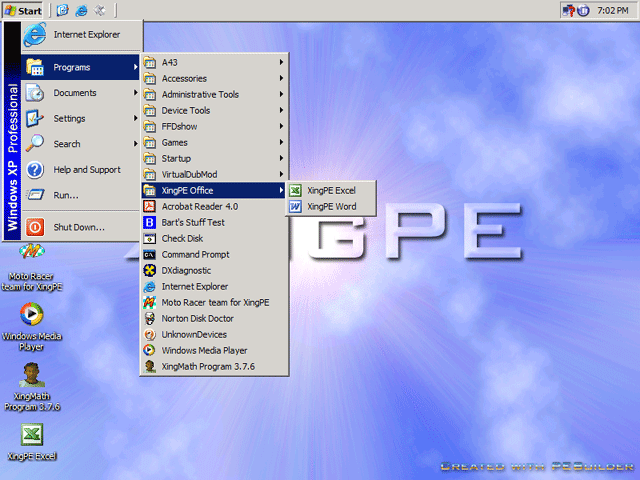
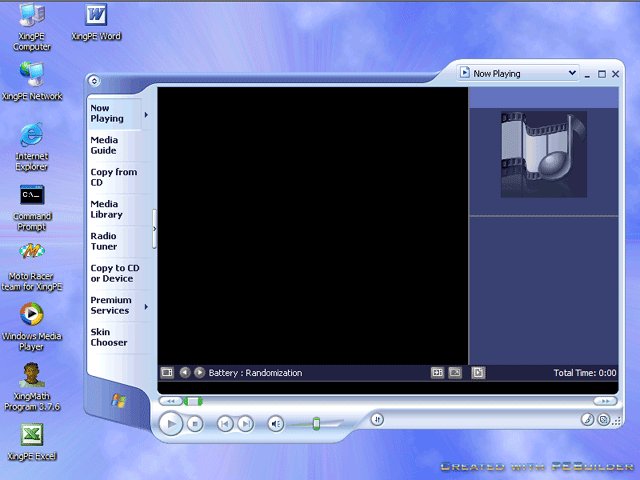
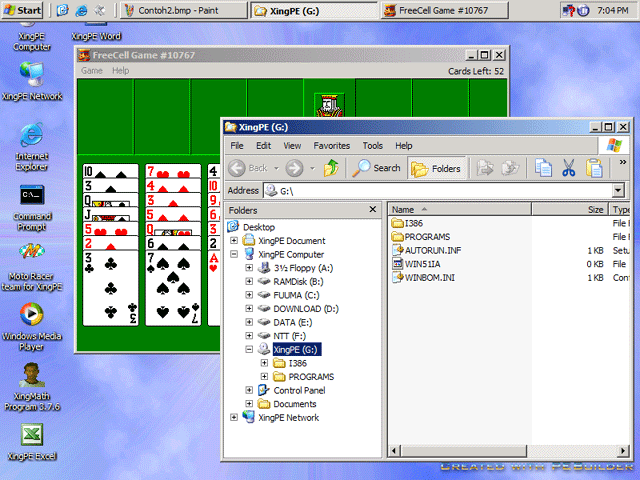
CD only. What is PE Builder? you can see Bart's site for more details but I called the other side of WinPE. With BartPE & WinPE we can make Windows boot from CD without any harddisk, it's like Linux Live CD. This Windows (XingPE; I call later) have good screen support until 1024x768 resolution, with start menu like Windows, more games, see movie and other things... In an effort to make BartPe more like the Windows XP Classic Explorer shell then I use the XPE plugin created by Sherpya. The name of this site is XpPe since this is the name of Windows XP on CD was given by Sherpya, so I called my own as XingPE that I created from any plugin and source that all is free. My XingPe CD look more like the Windows XP Classic Explorer shell. |

![]() |
![]() |
The advantage of XingPE is it can boot the CD to one shell & a system that is already running Windows XP. Bart's PE Builder can use your installed Windows or purchased CD of Windows XP [SP1 or 2] or Windows Server 2003. I was made an ISO Image so you can stricly use some CD Burner Software to create XingPE. Click here to download XingPE ISO Image. But if you use want to be advance and customize your BartPE, you can download my XingPE.zip. This file must be extract to the XingPE Folder. Because of the popularity of PE Builder there are numerous people writing plugins with their slant on want a plugins should look like. I suggest you to see Bart's Site to look for any plugin or request in any other site and join with the Forum of PE Builder. |
| How to build
XingPe. with ISO IMAGE You can burn some CD with ISO IMAGE file use CD Burner Software like Nero, WinOnCD and others... with XingPE.zip Extract the XingPE.zip file to XingPE folder. Copy your i386 folder from your cd to [drive]:\XingPE if you don't have service pack 1 on your CD then download it at www.microsoft.com/windowsxp/pro/ downloads/servicepacks/ sp1/sp1lang.asp Now run the PE Builder.exe. If PE Builder asks you for your "Path to your Windows installation files:" Browse to "[drive]:\XingPE" in the first box Leave the 2nd box blank and click Next (unless you want to add stuff that's not on a menu). |
![]() |
![]() |
Click Next Now you'll see the Plugin List (keep in mind that not all plugins work together nicely but if I recomended that you aren't change anything, so you should enable all plugins). Click Next Now you'll get your Output dialog box "[drive]:\PE Builder" This is a temporary directory where all the files are copied to & the ISO is created from. The second prompt is the name of the ISO file & where you want the ISO's created "pebuildr.img". Location of the ISO file default is where ever you have pebuilder.exe installed "[drive]:\XingPE" If successful, then no errors... so you can burn the ISO file with your CD Burner Software. I use Nero, but some times wit WinOnCD. |
| Please do not contact Microsoft for support on the pre-installation environment that has been created by PE Builder! Microsoft does not provide support for PE Builder or for the pre-installation environment created by PE
Builder!!!. The PE Builder program (pebuilder.exe) runs on Windows 2000/XP/2003. It does not run on Windows NT4/ME/9x. It's not an ilegal because Bart noticed the end-user license agreement for Microsoft software that is included with WinPE 1.2 (eula.txt). In section "1. ELIGIBILITY." it states the following: ..."You may only install and use the SOFTWARE PRODUCT if you are an active Microsoft Software Assurance Member ("SAM") for the systems product pool or servers product pool, if you currently have license coverage for Microsoft Windows operating system (OS) Upgrades via a Campus Agreement or School Agreement, "... |
![]() |