Trackback Publisher
A trackback is basically a way for blog owners to keep track of other blog owners
that are linking to their blog posts.
When one blogger sends another a trackback, it sends them a “ping”, it will add
what is basically a comment to the blog post.
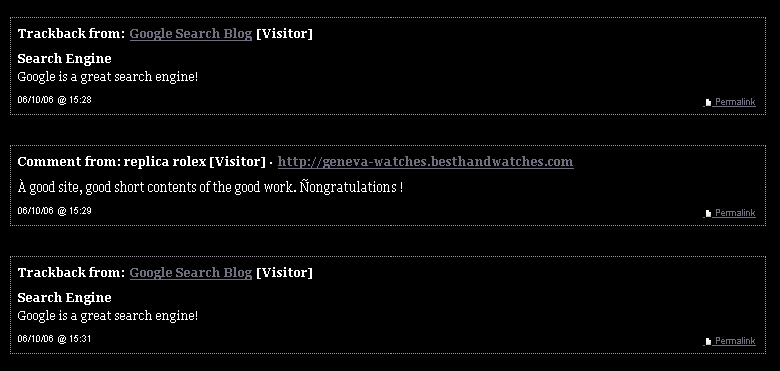
Here is 2 examples of a few trackback comments on a blog page:
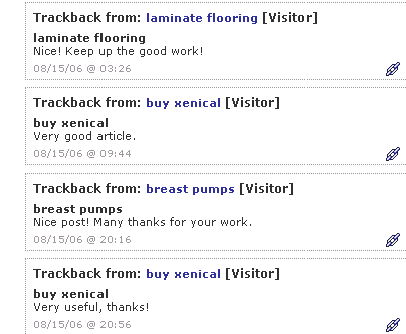
You can see that the people leaving trackbacks are getting anchor text links back
to whatever websites they want. It doesn't even have to be a blog. This is how
you can get baclinks to your website without even lifting a finger.
When you send a trackback, you send 4 things:
1. URL: The URL that you want placed on the comment
2. Anchor Text: The text that is linked to your website (for SEO ranking).
3. Excerpt: This is normally used to send a portion of the blog post that is
sending a trackback, which is then displayed on the blog. I just send the
anchor text again.
4. Blog Name: The name of the blog that is sending the trackback, I also just
send the anchor text again.
But how do you send a trackback?
First, you need to find a blog that accepts trackback comments. There are various
search strings that you can run through Google to find them, such as:
"trackback address for this post" Google Search
If you go to that Google search above, you will see it found about half a million or
so blogs with “trackback URLs”. This is the URL that you send a trackback ping to.
Once you click the blogs, you will find something like this:
Trackback address for this post:
http://advocacynet.org/blogs/htsrv/trackback.php?tb_id=788
This is the URL that we want to send the “ping” to. The more of these URLs that
you have, the more links you can get to your website(s). Are you beginning to
see the possibilities?
Now, it is time to send the ping using a special script. Here is a link to a site that
lets you send trackbacks:
http://www.aylwardfamily.com/content/tbping.asp
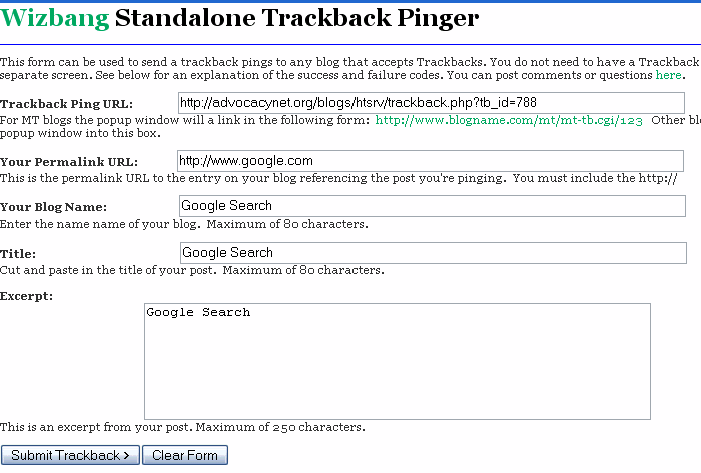
I have gone ahead and filled out the form on that page with the needed
information to send a trackback ping, here is a picture below of what I filled in to
get a link to google.com with the anchor text “Google Search”.
Now, after I click the submit button, we want to find the text:
<error>0</error>

This means that there were no errors, and the trackback submitted successfully.
The trackback will show up immediately on the blog unless they have some sort
of spam prevention module that will require it to be approved first.
This is not a problem however due to the huge amount of bloggers that don't use
spam protection modules and don't even check their blogs anymore.
That's all there is to trackback spamming. I do consider this a black hat SEO
method and I wouldn't recommend that you use it on a white hat website.
That being said, I have used this on white hat websites and they have not been
penalized/banned. However, I still do not recommend using this on white hat
sites just in case...
Now you might say, that is going to take a hell of a lot of work to get enough
links to my site through trackback spamming.
It's your lucky day then. I have made a program that does every single step I
just described to you 100% automatically.
I am calling it “Trackback Publisher”...
There's the demo version there.
The demo version restrictions:
Only first page from search results returns;
Only 10 trackbacks posts
You can purchase full version via http://www.regsoft.net or
directly via www.moneybookers.com for 50$
If you have questions don't hesitate to e-mail me.
Igor Vlasov
http://www.geocities.com/igorvlassov