- What is the minimum amount of RAM required to run Windows XP?
- 64 MB
- 128 MB
- 32 MB
- 256 MB
- What is the minimum monitor resolution required for Windows XP?
- 640 x 480
- 800 x 600
- 1024 x 768
- 1200 x 800
- What is the minimum hard disk space recommended for installing Windows XP?
- 0.5 MB
- 1 MB
- 1 GB
- 2 GB
- Which feature is provided by Windows XP Media Center Edition?
- the ability to use the TV instead of a monitor with a computer
- the ability to directly connect to the web through a satellite connection on the TV
- the ability to watch live TV and record TV programs
- the ability to replace the external speakers of the computer with included hardware
- In which two situations does Windows XP create a restore point?
- after the installation of the operating system & after an upgrade of the operating system
- after the installation of the operating system & every 48 hours
- after an upgrade of the operating system & every 48 hours
- after a user logs out of a multiuser computer & & every 48 hours
- What is required for two hosts attempting to use the Remote Assistance function with Windows XP?
- Both must be on the same hub.
- Both must have an additional 32 MB of RAM installed.
- Both must have Windows XP installed.
- At least one of the hosts must have Windows XP installed.
- A user has three instances of Internet Explorer open and two Word documents. By default, how does Windows XP handle the multiple open windows?
- The open windows are kept in a separate button on the taskbar.
- The open windows are listed only in the start menu, not on the taskbar.
- The open windows are organized horizontally on the taskbar according to the type of application.
- The open windows are handled the same as in previous versions of Windows.
- Which Windows XP GUI troubleshooting tool is used to restore the system to a previously working condition?
- System Configuration
- System Restore
- Recovery Console
- Registry Restore
- What is the first installation step of Windows XP?
- file copy
- text mode setup
- GUI mode setup
- Windows Welcome
- Which type of Windows XP operating system installation allows the user to preserve an existing operating system?
- clean
- upgrade
- dual boot
- backup
- Which command starts a Windows XP operating system upgrade on an existing Windows 2000 Professional operating system?
- setup
- install
- winnt32
- xp
- What is the recommended file system for Windows XP Professional?
- FAT
- FAT 32
- NTFS
- UFS
- Which two features describe differences between Windows XP Home Edition and Windows 2000?
- Windows XP Home Edition improves software and hardware compatibility & provides enhanced multimedia support.
- Windows XP Home Edition improves software and hardware compatibility & provides more complex security.
- Windows XP Home Edition provides enhanced multimedia support & provides more complex security.
- Windows 2000 provides fast user switching & provides more complex security.
- Which three situations would make a Windows administrator prefer Windows XP Professional over Windows XP Home Edition?
- Users work mainly with their PCs in their homes, the administrator must have flexible control over groups of users & users require access to their settings no matter where they log in.
- Users require remote access to their PCs, the administrator must have flexible control over groups of users & sers require access to their settings no matter where they log in.
- Users work mainly with their PCs in their homes, the administrator must have flexible control over groups of users & users require remote access to their PCs,
- The administrator must have flexible control over groups of users, Users work mainly with their PCs in their homes, & users work mainly with their PCs in their homes
- Which operating system enables users to take advantage of advances in home entertainment, personal productivity, and creativity on home PCs?
- Windows 98 SE
- Windows Me
- Windows XP Media Center Edition
- Windows XP Professional x64 Edition
- Who are the recommended users of Windows XP Home Edition?
- large businesses
- companies that have high security needs
- businesses that connect to their home office computer network
- users who do not need to be connected to corporate networks
- How has computer technology changed over the past 20 years
- Processing power and cost have increased.
- Processing power has increased while cost has decreased.
- Processing power and cost have decreased.
- Processing power has decreased while cost has increased.
- In an enterprise environment, what is an advantage of using networked PCs instead of a mainframe?
- security
- centralized computing
- lower-cost devices
- uniform maintenance costs
- What is a characteristic of asynchronous data transmission?
- A dumb terminal is required for server access.
- No clock or timing signal is required.
- Timing information is communicated between two or more locations.
- The PC clocking signal is used
- A teacher needs to change the screen resolution setting on the lab computers to 1024 x 768 pixels. Which Windows display property is used to make this change?
- appearance
- background
- effects
- settings
- Which display property can be used by a technician to change the text and background of applications in a Windows GUI interface?
- appearance
- background
- effects
- settings
- A technician needs to prepare a PC for a student who is visually impaired. Which Windows display properties will enable the technician to select a large font size without affecting the screen resolution?
- appearance
- background
- effects
- settings
- In a Windows operating system, which key combination allows the user to switch between multiple active windows?
- Alt-Enter
- Alt-Tab
- Ctrl-Alt-Delete
- Ctrl-Enter
- Which function is performed by pressing Alt-Tab on a Windows computer?
- restoring a deleted file
- deleting a file
- changing between display properties
- changing between open programs
- A graphic designer must locate an old company logo on the hard drive of a PC running Windows 2000. Which process will enable the designer to find the necessary file?
- Click Start > Run.
- Click Start > Settings > Find.
- Click Start > Search.
- Click Start > Documents > Search.
- A graphic artist is having trouble reaching the files stored on the company server. The technician is called in to check network connectivity and configuration of the Windows XP PC. How can the technician open an MS-DOS command window to troubleshoot the problem?
- Click Start > Settings > type cmd.
- Click Start > Run > type find.
- Click Start > Search.
- Click Start > Run > type cmd.
- A secretary has just deleted the only copy of the corporate annual report file on a Windows XP PC. How can a technician recover the file?
- Click Start > Run > type undelete.
- Click Start > Control Panel > Restore.
- Double-click the My Computer icon, then click Undelete on the C: drive.
- Double-click the Recycle Bin icon, then click Restore.
- A technician has installed new drivers on a Windows PC. The install program has informed the technician that it is necessary to restart the computer. Which two actions are recommended to restart the computer?
- Press Ctrl-Alt-Delete and then click Shut Down > Restart & Click Start > Shut Down > Restart.
- Press the Reset button & Click Start > Shut Down > Restart.
- Click Start > Shut Down > Restart & Press the PC power button for 5 seconds, then press it again to turn the computer back on again.
- Press the Reset button & Press the PC power button for 5 seconds, then press it again to turn the computer back on again.
- What software can be used to repartition the drive without reformatting and reloading all of the software on the drive?
- CheckIt
- Microsoft Windows 2000
- Norton AntiVirus
- Partition Magic
- Which two actions will enable a Windows user to access the computer shutdown process?
- Click the Start button & Press Ctrl-Alt-Delete.
- Press Alt-Tab & Press Ctrl-Alt-Delete.
- Press Ctrl-Alt-Delete & Press Ctrl-Alt-Enter.
- Click the Start button & Press Ctrl-Alt-Enter.
- A technician is considering upgrading a system from Windows 98 to Windows XP. Which is the easiest method that the technician can use to determine the processor being used and the amount of installed memory?
- Reboot the system and check the BIOS setup.
- Use the Ipconfig tool from the command line.
- Shut down the PC and open the case to view the hardware ID numbers.
- Use the System Information tool.
- Which Windows display property would a teacher use to configure the energy saving features of the PC in his or her classroom?
- appearance
- effects
- screen saver
- settings
- Which two products are operating systems?
- Linux & Microsoft Word
- Microsoft Windows XP & MAC Works
- Linux & MAC Works
- Linux & Microsoft Windows XP
- While repairing a computer, when is a computer technician advised to use an ESD wrist strap?
- loading an operating system
- installing memory
- replacing a power supply
- troubleshooting a monitor
- How should network interface cards be stored when not installed in a computer?
- in an unopened cardboard box
- on a shelf in a cool, dry area
- in an antistatic bag
- in a refrigerated area
- A computer worm can damage or delete files on a computer. What software can be installed on the hard drive to avoid having a worm damage the system?
- CheckIt
- Norton AntiVirus
- Partition Magic
- SpinRite
- When used to clean computer components, which product can contaminate electrical connections?
- contact cleaner containing a solvent and lubricant
- swabs with foam or chamois cloth ends
- rubbing alcohol
- isopropyl alcohol
- Which type of slot is a dedicated high-speed bus designed to support the demands of graphical software?
- AGP
- EISA
- ISA
- PCI
- Which two interfaces allow devices to be hot-plugged?
- FireWire & USB
- parallel & USB
- serial & USB
- parallel & fireWire
- What is the default ID of the SCSI controller card?
- 0
- 6
- 7
- 8
- What is the maximum number of devices that can be connected to a typical SCSI-1 controller card?
- 5
- 6
- 7
- 8
- What is the maximum number of devices that can be connected to a Wide SCSI-2 channel, including the SCSI-2 card?
- 7
- 14
- 16
- 21
- Which two statements describe EPROM?
- EPROM contains instructions that can be directly accessed by the microprocessor & the programming can be changed with ultraviolet light.
- PROM is unable to retain its contents when the computer powers down & the programming can be changed with ultraviolet light.
- EPROM contains instructions that can be directly accessed by the microprocessor & Data transfer from EPROM is faster than from RAM
- Data transfer from EPROM is faster than from RAM & the programming can be changed with ultraviolet light.
- What is the IRQ for the Real Time Clock?
- 8
- 9
- 10
- 11
- hat is the Interrupt Request (IRQ) assigned to LPT1?
- 4
- 5
- 6
- 7
- Which computer resource allows a device to bypass the processor and directly access memory?
- IRQ
- DMA
- RAM
- cache
- Which direct memory access (DMA) channel is used for the floppy controller?
- 2
- 4
- 6
- 8
- What is the I/O address of COM1?
- 3F8
- 3E8
- 2F8
- 2E8
- Which keystrokes are necessary to perform a warm boot in DOS?
- Press the Delete key
- Press the Ctrl-Alt-Shift keys together.
- Press the Ctrl-Alt-Delete keys together.
- Press the Ctrl-Alt-Insert keys together.
- What is the first device checked by POST?
- CPU
- directly connected devices
- RAM
- ROM
- Which two actions may be performed by POST when errors are detected?
- restarts the computer immediately & attempts to load the operating system from another device
- sends errors in the form of beeps & attempts to load the operating system from another device
- attempts to load the operating system from another device
- sends a message to the computer monitor & attempts to load the operating system from another device
- Which three devices are most commonly searched for the operating system during the boot process?
- CD-ROM, floppy disk & hard disk
- CD-ROM, floppy disk & RAM
- CD-ROM, hard disk & RAM
- floppy disk, hard disk & RAM
- What is done immediately after the bootstrap finds the operating system boot record?
- The internal CPU record is changed to match the boot record
- The record modifies the ROM.
- The record is copied to the computer RAM.
- The boot record looks for files on the hard disk.
- Which three statements describe BIOS?
- contains the instructions and data to control the boot process, is built-in software that determines what a computer can do without accessing any programs & makes it possible for a computer to boot itself
- contains the instructions and data to control the boot process, is built-in software that determines what a computer can do without accessing any programs & is burned into a RAM chip
- is built-in software that determines what a computer can do without accessing any programs, makes it possible for a computer to boot itself & is burned into a RAM chip
- contains the instructions and data to control the boot process, makes it possible for a computer to boot itself & is burned into a RAM chip
- Which three processes are the responsibility of the BIOS?
- hosting the setup program for the hardware, testing the system in a process known as POST & ensuring hardware and system compatibility
- hosting the setup program for the hardware, testing the system in a process known as POST & controlling early aspects of the boot process
- hosting the setup program for the hardware, ensuring hardware and system compatibility & controlling early aspects of the boot process
- testing the system in a process known as POST, ensuring hardware and system compatibility & controlling early aspects of the boot process
- Which two types of ROM can be erased by either electricity or ultraviolet light?
- EEPROM & EPROM
- EEPROM & EROM
- EPRAM & EPROM
- EROM & EPROM
- Which three statements describe Flash ROM?
- It is an advanced type of EEPROM, can be erased very quickly & can be reprogrammed using special software.
- It is an advanced type of EEPROM, can be erased very quickly & retains data only while the computer is powered on.
- It is an advanced type of EEPROM, can be reprogrammed using special software & It retains data only while the computer is powered on.
- Can be reprogrammed using special software, can be erased very quickly & it retains data only while the computer is powered on.
- Which type of memory is installed at a 45 degree angle, then rotated to the vertical position?
- DIMM
- RIMM
- DIP
- SIMM
- How many pins are on an ATX motherboard power connector?
- 8
- 10
- 12
- 20
- What does the colored stripe on a data cable represent?
- termination
- pin 1
- pin 40
- pin 34
- Which of these issues will cause the floppy drive light to stay on constantly?
- The CMOS is set up incorrectly for the floppy drive.
- The floppy drive does not have a data cable attached to it.
- The data cable is reversed on either the motherboard or the floppy drive.
- The floppy drive is attached to the middle of the data cable.
- How should AT power supply P8 and P9 connectors be connected to the motherboard?
- The P8 connector should be toward the back of the computer.
- The P9 connector should be plugged into the motherboard first.
- The black wires of P8 and P9 should be in the middle of the connectors.
- The red wires of P8 and P9 should be in the middle of the connectors.
- How can a PC technician reset a forgotten CMOS password?
- Use the Password utility in Control Panel.
- Reinstall the operating system.
- Clear the password by using the CMOS reset jumper on the motherboard.
- Bypass bootup and reset CMOS to default.
- Which computer component is dangerous to work with while wearing an antistatic wrist strap?
- floppy drive
- motherboard
- monitor
- hard drive
- A new PC has been assembled and the operating system loaded. However, the hard drive activity LED has failed to light up. What is the most likely cause of this problem?
- hard drive has failed
- hard drive LED plug not connected properly
- hard drive was not installed properly
- keylock switch is enabled, causing the PC to be locked
- In order for the PC to look for a bootable floppy disk first, which boot sequence must be selected in the CMOS?
- A, C, CD-ROM
- C, A, CD-ROM
- C, CD-ROM, A
- CD-ROM, C, A
- How are hard drives configured to be a master or slave drive?
- with CMOS settings
- with BIOS settings
- during the partitioning of the drives
- with jumpers
- How many pins are on the connector of an IDE hard drive?
- 40
- 50
- 34
- 68
- How many pins are there on a floppy drive cable?
- 34
- 40
- 44
- 60
- How should the boot IDE hard drive be configured?
- primary master
- primary slave
- secondary master
- secondary slave
- What is the recommended CMOS setting for IDE hard drives?
- typical
- custom
- default
- auto
- How can the CMOS setup utility be started?
- It is started by pressing the Delete key.
- It is started automatically every time that the machine is powered on.
- It can vary from one BIOS manufacturer to another.
- Click the proper icon when the operating system has loaded.
- A technician has upgraded the memory on a system that contains two DIMM banks. Initially the system contained two 128-MB DIMMs and registered the full 256 MB of RAM. A 256-MB and a 512-MB DIMM were installed during the upgrade, but the system registers only 512 MB of RAM.
What is the most likely cause of this problem?- The maximum capacity that the main board can handle is 512 MB.
- The technician put the smaller DIMM in the first bank.
- The 256-MB DIMM is defective.
- The maximum capacity for a single DIMM bank is only 256 MB.
- Where is the BIOS configuration data stored?
- in a reserved area on the hard disk drive
- in a Flash RAM chip
- in a CMOS chip on the system board
- n a BIOS ROM chip
- Which two outcomes are reasons to upgrade the system BIOS on a computer?
- to allow an older machine to function with a new operating system & to fix errors in the BIOS code
- to allow an older machine to function with a new operating system & to upgrade the video resolution
- to fix errors in the BIOS code & to upgrade the video resolution
- to improve system capabilities & to fix errors in the BIOS code
- How can the system BIOS be upgraded on a computer?
- Replace the BIOS CMOS chip.
- Use a special program from the manufacturer to update the BIOS.
- Use a hex editor to make changes to the BIOS code.
- Use the automatic update feature contained in all new BIOS chips.
- Which three functions does BIOS serve in a computer system?
- tests hardware at boot up, loads the operating system & supports the transfer of data between hardware components
- tests hardware at boot up, loads the operating system & provides a method for communication between application programs and the operating system
- tests hardware at boot up, supports the transfer of data between hardware components & provides a method for communication between application programs and the operating system
- loads the operating system, supports the transfer of data between hardware components & provides a method for communication between application programs and the operating system
- A technician wishes to upgrade the hard disk drive in a computer by installing a disk with a higher capacity than is supported by the current BIOS. What should the technician do?
- Select a lower-capacity drive that is supported by the current system BIOS.
- Update the system BIOS to provide support for the new drive.
- Select a drive from a different manufacturer that is supported by the current BIOS code.
- Change the system board to one that contains a BIOS chip from a different manufacturer that does support the drive.
- Which memory area usually contains the system BIOS, plug-and-play BIOS, and video BIOS?
- conventional memory
- upper memory
- high memory
- extended memory
- Which memory area is the first 64KB of extended memory?
- conventional memory
- upper memory
- high memory
- expanded memory
- Which hardware component is responsible for moving data between virtual memory and RAM?
- Windows processor manager
- memory management unit
- virtual memory manager
- interrupt controller
- Which editor, available in Windows 95, is used specifically for editing of configuration files?
- Edit
- Edlin
- Regedit
- Sysedit
- What is the name of the Windows 2000 swap file?
- PAGEFILE.SYS
- SWAPFILE.SYS
- SWAP.SYS
- WIN386.SWP
- Which file is responsible for executing AUTOEXEC.BAT?
- CONFIG.SYS
- IO.SYS
- MSDOS.SYS
- COMMAND.COM
Which file or program is responsible for managing extended memory?- EMM386.EXE
- HIMEM.SYS
- IO.SYS
- CONFIG.SYS
- Which DOS bootup file specifically loads the file management functions?
- COMMAND.COM
- AUTOEXEC.BAT
- IO.SYS
- MSDOS.SYS
- Which file is used to load real-mode device drivers for those devices not supported by any 32-bit operating systems such as Windows 9x?
- AUTOEXEC.BAT
- CONFIG.SYS
- MSDOS.SYS
- COMMAND.COM
- Which three files are essential for DOS to boot a computer?
- MSDOS.SYS, COMMAND.COM & IO.SYS
- MSDOS.SYS, COMMAND.COM & CONFIG.SYS
- COMMAND.COM, IO.SYS & CONFIG.SYS
- MSDOS.SYS, IO.SYS & CONFIG.SYS
- Which DOS command only displays the contents of a text file?
- set
- edit
- attrib
- type
- Which DOS command displays the status of a disk?
- format
- chkdsk
- edit
- edit
- Which DOS command erases a directory including all files and subdirectories that are in it?
- del
- erase
- deltree
- remove /all
- Which command checks to see whether a file is copied correctly?
- copy /y
- copy /v
- copy /b
- copy /a
- Which CONFIG.SYS line will load the mouse driver into upper memory blocks?
- DEVICEHIGH=C:\DOS\MOUSE.SYS
- MOUSE.SYS=HIGH
- LOAD MOUSE.SYS,UMB
- LOADHIGH=C:\DOS\MOUSE.SYS
- What does the DOS command format A: /s do?
- performs a quick format of the disk in drive A:
- formats the disks in the A: and S: drives
- automatically formats the disk in the A: drive upon booting
- copies the system files after formatting the disk in the A: drive
- Which situation will generate a general protection fault?
- One application tries to access the same memory location as another application.
- An application is closed improperly.
- Data is written incorrectly to the virtual memory.
- The virtual memory of the computer is full.
- Which component of an operating system is responsible for organizing data?
- user interface
- kernel
- file management system
- device interface
- Which operating system component is responsible for loading and running programs?
- user interface
- kernel
- file management system
- device interface
- Which memory area can be addressed in real mode?
- 0 - 640K
- 0 - 1024K
- 640 - 1024K
- above 1024K
- What should be done when any new hardware is installed to ensure maximum performance?
- Check that the new hardware works with every application program installed on the system.
- Ensure that the entry in the Windows registry is correct.
- View the entry for the device in the Control Panel.
- Access the manufacturer website for the latest driver.
- Which type of format routine marks off the disk into sectors and cylinders and defines their placement on the disk?
- quick format
- high-level format
- mid-level format
- low-level format
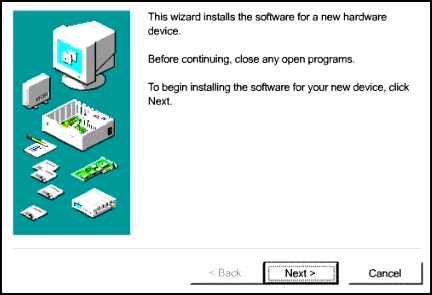
Refer to the exhibit. Which Windows 98 Control Panel applet is illustrated in the exhibit?
- Add/Remove Software
- Add New Hardware
- System
- Performance
- What is the minimum RAM requirement for a complete Windows 98 installation?
- 8 MB
- 16 MB
- 32 MB
- 48 MB
- A PC was donated to a charity, with a 486DX 66-MHz processor with 32 MB of RAM, a 160-MB hard drive, and a monitor with a maximum resolution of 800 x 600. The charity can afford to upgrade one component of the PC. Which component is most essential to upgrade in order to successfully run Windows 98?
- hard drive
- monitor
- processor
- RAM
- Which two files are required for a Windows 98 system to be successfully uninstalled?
- UNIST98.SYS & WINUNDO.INI
- WINUNDO.DAT & WINUNDO.INI
- WINUNDO.INI & WINUNIST.DAT
- WINUNIST.DAT & WINUNDO.INI
- Which utility allows the user to control the system startup of Windows 98 by giving quick access to CONFIG.SYS, AUTOEXEC.BAT, SYSTEM.INI, WIN.INI, and other important configuration files?
- Hwinfo
- Msconfig
- Startup
- Wscript
- In Phase 1, Preparing to Run Windows 98 Setup, the setup process creates a log file to track each step of the installation process. What is the name of this log file?
- INSTALL.LOG
- WINSTALL.TXT
- RECOVER.TXT
- SETUPLOG.TXT
- Which System Properties tab would be accessed to make changes to Windows 9x Virtual Memory?
- General
- Device Manager
- Hardware Profiles
- Performance
- A Windows ME user wishes to upgrade to Windows XP. What is the recommended upgrade procedure?
- Upgrade the operating system, retaining the existing data.
- Perform a clean install, removing the current operating system and data.
- Back up the data, and then perform a clean install before reinstalling the data.
- Defrag the disk before overwriting the current operating system with the new system.
- A user has just finished installing Windows 98 on a PC but finds that the system will not successfully boot. The system shows the initial Windows 98 screen but progresses no further. The user reboots the system but still has the same problem. What should the user try next?
- Boot from a Windows 98 startup floppy disk.
- Check the cable to the hard drive.
- Check the CMOS configuration.
- Check that the keyboard and mouse are properly connected.
- Which undocumented Windows 98 command is used to repair the master boot record of a disk partition?
- fdisk /mbr
- fixmbr
- partfix
- scandisk
- Which Windows 98 command is used to back up and repair the system registry?
- regedit
- register
- scanreg
- sysedit
- A user has installed a new application on a PC, but it does not work properly with the installed sound device. Which approach should the user take to try to enable the application to work with the sound device?
- Use the Add Hardware Wizard to find a driver from the Windows stock drivers.
- Use the Add Hardware Wizard to load a driver from the CD-ROM provided with the device.
- Download the latest driver from the Microsoft website.
- Download the latest driver from the manufacturer website.
- When is the FAT created in a Windows 98 system?
- when a high-level format is performed
- when a low-level format is performed
- when a disk is partitioned
- when a disk is defragmented
- How is a device that has been disabled shown in the Control Panel?
- The device will no longer appear in the Control Panel.
- The device will have an exclamation mark (!) next to it.
- The device will have an X next to it.
- The device will have a question mark (?) next to it.
- What is the name of the hierarchical database containing all of the information needed by the Windows operating system?
- Registry
- Windows Explorer
- HWINFO.EXE
- Device Manager
- Which three files make up the registry in a Windows 98 system?
- POLICY.POL, SYSTEM.DAT & USER.DAT
- POLICY.POL, SYSTEM.DAT & WIN.INI
- SYSTEM.DAT, USER.DAT & WIN.INI
- USER.DAT, WIN.INI & POLICY.POL
- Which utility is used to skip a driver when the operating system fails during bootup?
- WSCRIPT.EXE
- HWINFO.EXE
- ASD.EXE
- SCANDISK.EXE
- Where in Windows 9x would a user access information on the status of a print job?
- right-click on the Desktop and select Printers
- Start > Settings > System, select Printers from the Device Drivers tab
- right-click on the Taskbar and select Printers from the Properties menu item
- Start > Settings > Printers, double-click on the printer
- A hard drive is divided into chunks of 512 bytes each. Which term describes these chunks?
- clusters
- tracks
- cylinders
- sectors
- A user wishes to upgrade from Windows 95 to Windows 98. Which file on the Windows 98 CD-ROM should the user run to upgrade the system?
- INSTALL.EXE
- SETUP.EXE
- UPGRADE.EXE
- WIN95298.EXE
- What does Windows 2000 use to work with different types of processors from different manufacturers?
- Hardware Abstraction Layer
- Dynamic Link Library
- Plug-and-Play System
- Network Operating System
- Which component must be upgraded to allow Windows 2000 to be installed on a computer containing a Pentium II processor, 32 MB of RAM, a 6-GB hard drive, and a VGA monitor?
- CPU
- hard drive
- monitor
- RAM
- What needs to be loaded after installing new hardware in an already functioning system?
- device driver
- operating system
- video settings
- word processor
- How many copies of the file allocation table do both FAT16 and FAT32 maintain?
- one
- two
- four
- unlimited
- Which tool would a technician use to verify hardware compatibility before installing Windows 2000?
- Executive Services
- Hardware Abstraction Manager
- Hardware Compatibility List
- Operating System Hardware Detector
- Which two types of file systems are available when installing Windows 2000 Professional?
- DOS & NTFS
- FAT & NTFS
- NTFS & WinNT
- DOS & WinNT
- Which Windows 2000 setup option gives the technician the greatest amount of flexibility during the installation process?
- compact
- custom
- portable
- typical
- Which Windows 2000 Computer Management tool is used to convert a disk from basic to dynamic?
- Logical Drives
- Disk Management
- Services and Applications
- System Information
- A computer is configured to dual boot between Windows 98 and Windows 2000 with an NTFS partition. In order to access an accounting application in both operating systems, where should the application be installed?
- Windows 98
- Windows 2000
- either Windows 98 or Windows 2000
- both Windows 98 and Windows 2000
- Which Windows 2000 Pro Administrative Tool allows the administrator to control and manipulate the computer hard drive(s)?
- Services
- Local User accounts
- Local Security Policy
- Disk Management
- What is the main difference between basic and dynamic disks?
- Basic disks can be striped.
- Dynamic disks apply only to the local system drive.
- Dynamic disks can be created in both FAT 32 and NTFS
- Dynamic disk volumes can be created and expanded while the operating system is active.
- Which specification was developed to resolve the problem of hardware conflicts?
- HAL
- IRQ-and-DMA
- OSR2
- Plug-and-Play
- Which dynamic disk is also known as RAID-0?
- simple volume
- spanned volume
- striped volume
- mirrored volume
- Which NTFS feature provides services with the use of a public key?
- Access Control Entry
- Access Control List
- Encrypted File System
- Fault Tolerance
- Which type of information does NTDETECT.COM gather during the boot process of a PC using the Windows 2000 operating system?
- network connectivity
- system authentication
- non-operating system software installed
- hardware components
- Which Windows 2000 Pro feature is a library of hardware drivers that operate between the operating system and hardware installed on the user's system?
- Hardware Abstraction Layer (HAL)
- Hardware Compatibility List (HCL)
- Microsoft Device Driver Library (MDDL)
- Microsoft Windows 2000 Professional Device List (MDL)
- Which function occurs in the preboot sequence for Windows 2000?
- NTDETECT.COM gathers information about the computer hardware
- HAL.DLL is loaded
- device drivers are loaded and initialized
- POST
- A technician needs to run the Windows 2000 Recovery Console and has navigated to the i386 folder of the Windows 2000 CD-ROM. Which command will start the Recovery Console program?
- recovery /cmd
- recon /winnt32
- winnt32 /cmdcons
- cmd /recon.exe
- Which key allows a user to enter Safe Mode during the boot process?
- Alt
- Ctrl
- Enter
- F8
- Which hierarchical database is used to store hardware and software settings?
- Configbase
- HKEY_CLASSES
- Registry
- Systembase
- Which file permission allows the users to change permissions and take ownership, plus perform the actions permitted by all other NTFS file permissions?
- read and execute
- modify
- full control
- administrator
- Which registry subtree contains software configuration data about all the software that is installed on the computer?
- HKEY_USERS
- HKEY_CURRENT_CONFIG
- HKEY_CLASSES_ROOT
- HKEY_CURRENT_USER
- Critical files have become corrupted on the hard disk. Which Windows 2000 Professional administrative tool can be used to repair the files?
- chkdsk
- Emergency Repair Disk (ERD)
- File Services
- Computer Management
- Which current Windows file system offers good file utilization, more administrative tools, and increased security?
- FAT16
- FAT32
- HPFS
- NTFS
- What is an important step in avoiding electrostatic discharge?
- Wear silk clothing to reduce ESD potential.
- After attaching the ESD wrist strap, allow 15 seconds to pass before touching any sensitive electronic components with bare hands.
- Always store sensitive computer components in nonconductive plastic bins to avoid the buildup of ESD
- If adding power to a motherboard while outside the computer system chassis, place the board on its shielded antistatic bag
- Which of the following represents approximately 30 billion bytes?
- 30 MHz
- 30 KB
- 30 MB
- 30 GB
- What is a unit of frequency that is used to measure CPU speed and is equal to one cycle per second?
- hertz
- bit
- byte
- megabits per second
- Which component of an application window displays the name of the document and application?
- menu bar
- status bar
- title bar
- scroll bar
- Which process occurs when the computer is turned on using the power button?
- warm boot
- cold boot
- CMOS setup
- BIOS setup
- Which of the following would prevent a user from moving icons on the desktop?
- The user is not logged in as administrator.
- The user does not have the correct permissions to move the icons
- The Auto Arrange setting is enabled.
- The Auto Arrange setting is disabled.