
::Paint::
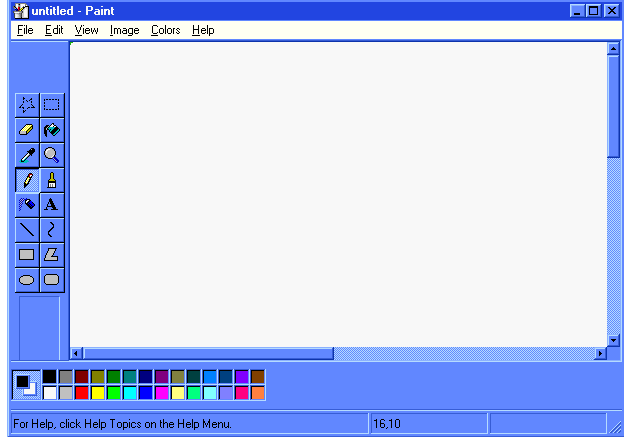
To get on to paint click Start,Programs then Accessories and the paint file will be there. Open paint and then selecet File then New.
The most simple commands on the paint control bar, is the paint brush. Select that and then you will beable to see the different types of paint ends you can have. Down the bottem of the paint program you can see a colour bar, left clicking on one of the colours once will select that colour as you main colour. Right clicking on the colours once will select the colour as a "back" colour which means when you clikc the right clikc button down it will select that colour. The pencil icon next to the paint brush icon is just the same as the paint brush with the "smallest dot" but doesnt have the choice of other brushes like the brush does. The paint bucket "pours" a colour of your choice in a blocked area. The spray can gives the effect of a "spraying effect" on the page. The letter A is atual where you can type on the page, selecting view then text toolbar while the text command is opened you can change your text font and size. The magnifie glass zooms up on the page or moves futher away by selecting the magnifcation level. The tit can select a colour on your picture and set it as a colour which you can use again. The eraser deleltes any thing that it is passed over. To pick a colour which isnt on the colour table double click on a colour and a new colour area will open up, click define custom colours and move the mouse over the colours till you pick a colour you want and then set it as a main colour.
::Photo-Paint::
-=Still getting infomation on=-
::Paint shop pro::
-=Still getting infomation on=-