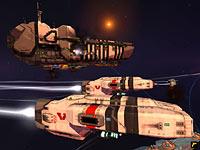
Homeworld 2 (PC)
Who says you can't go home again?
By Allen "Delsyn" Rausch | June
13, 2003
When Homeworld was released, it was considered a work of absolute
genius. The game was groundbreaking in dozens of ways, from the innovative
cinematic storyline to the incredible graphics to the true 3D battlefield
that your ships would slug it out on. Unfortunately, the one nagging problem
was an utterly unintuitive interface. The camera was tough to control and
setting the destinations for your ships required you to set an X and Y
location along with the Z axis. Could this be overcome?
Sure. In fact, most players did and the game has since been rightfully
acknowledged as a strategy game classic. Some who might have enjoyed the
game, though, probably never bothered to climb over the considerable
learning curve to unearth the strategic delights buried within.
Homeworld 2 promised to change this, or at least that's what was
promised when we first examined the game at the
GDC and
E3. That's
why I was a little nervous when the producer of Homeworld 2, Dan
Irish, stopped by the GameSpy offices to let us get some hands-on time.
"Don't mess with the game" I thought, "just clean up the damn interface and
make this game as awesome as I know it can be."
Irish seemed to read my mind as he fired up the Alpha version of the game
for me to play. "The first thing to realize," he said, about to repeat a
mantra we've heard several times, "is that when it comes to Homeworld 2,
think evolution -- not revolution. We're not trying to re-invent the wheel
here, we're just enhancing the best aspects of Homeworld and fixing
up the game's weaknesses."
Did that mean the interface?
"Especially the interface," he said.
A Matter of Control
As I sat down to play, the first thing I noticed was that Irish was telling
the truth; the interface has been dramatically redesigned. Unlike in the
original game, where bringing up build managers and launch managers for ship
construction would pull you away from the action in space, this interface
has all of the possible commands in the game placed into a tight, well
designed interface bar that runs across the bottom of the screen. Clicking
on the function buttons cause supplementary screens, such as the ones that
manage research and ship production, to pop up along the side of the screen.
All of them are transparent, meaning that even while I managed my ship
production, I could keep an eye on how things were going in space.
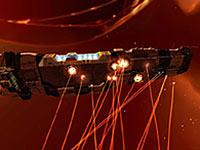
A capital ship under attack.
The camera interface has been redesigned as well. Relic is introducing a
couple of standard real-time strategy game conventions that should make
camera movement much more intuitive. The 3D world still rotates on the Z
axis when the right mouse button is pressed, but the camera now also pans
right, left, up and down when the cursor reaches the edge of the screen.
This helped enormously as I tried to follow the actions of three different
groups of ships in battle.
The camera in Homeworld was always centered on one of your ships. If
you wanted to select a new group of units, you either had to swing your
perspective around so you could get the ship in your field of vision or pull
all the way back to the sensor view where you had to figure out which ship
you wanted from a very complicated display filled with ships. The greater
zooming capability and the fact that ships are now automatically grouped
into formations of five means that there's a lot less micromanagement of
them and it's much easier to select the ones you want to give commands to.
Movement has also gotten much easier. In the original game, players had go
through a 2 or 3-step process to set a ship's destination. This time, Relic
has incorporated what Irish calls "1-click movement". Basically this means
that clicking on a ship and moving the mouse will generate a 360 degree
circle in a plane around your ship. It also creates circles with line
attached to them for all the different destinations on the map. Clicking on
the circle lets the game know you'd like that ship to approach that object.
The system was incredibly intuitive and easy to use. I was able to send my
resource harvester to mine an asteroid the very first time I tried it,
something that it took me 10 minutes to figure out in the first game. Irish
pointed out that for old-school Homeworld fans, the original control
scheme is in the game too, but after using this one, it's hard to see why
anyone would want to use it.
Article credited to
http://www.gamespy.com
|