Finding and downloading images on the Internet
1. Open MyHeritage1 in Netscape Composer (the editor)
and save it as MyHeritage2
2. Make sure your page title is "My Heritage – The Cultures
of My Family":
a. Right click on a blank area on
your page that is not inside a table.
b. Select Page Properties
and go to the
General tab.
c. Save. (Ctrl S)
3. Remove the text in the right column of your table
that describes the symbols you'll be using.
You will be replacing that text with
pictures.
4. Search for images using Netscape Navigator
(the browser): Go to images.google.com
5. Type a word or phrase like "Native American symbol"
or "African American flag".
Be as
specific as possible! Search for "Cherokee" rather than for "Native
American" if you know you have some Cherokee in your family.
download
an image from a Google
images page. click on the image to get to the
original
context page - the page Google found the image on.
Download (save) the image from
the original context page and copy its URL (Web address) so you
can paste it in as a link when you insert the image into your page. See
instructions below:
6. To download a picture from the Internet
a. Right click
the image and select
b. Make sure
the image is a .jpg or .gif file, not
a .html file!
c. Change the file name if
it needs a clearer description, like MexicanFlag
Never
use "image" or "images" as the filename!
d. Make sure
the image gets saved to your
drive
e. Copy the URL (Web address)
of the Web page you have just saved the image from:
Right
click the "Location" field (white box) and select
copy
How to insert images
1. To insert an image into your Composer page,
go to Insert - Image - Choose file
(Always use
Choose
File!)
2. To link your saved image to its source
(the Web page you got it from):
a. Right click the image
in your Composer page - Image Properties - Link tab - paste
the URL
b.
your page and :
Click on the image
to make sure it goes back to the source page.
| The culture of each grandparent on your mother's side
of the family - your mother's mother's and your mother's father's cultures
(In complete sentences!) |
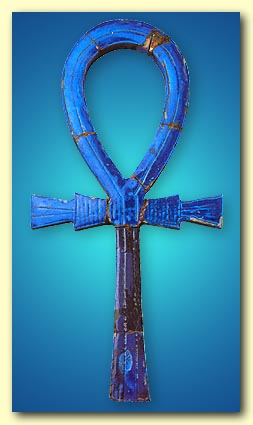
Egyptian Ankh
|
| The culture of each grandparent on your father's side
of the family - your father's mother's and your father's father's cultures
(Complete sentences!) |
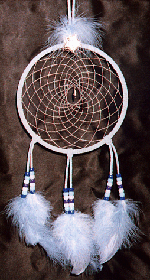
Native American dream catcher
|
Last updated: November 21, 2004