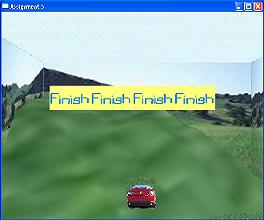
In this Grand Prix, we build our unmanned Go-Kart according to our own specification and let it run/race in our favourite game environment. The main points of this assignment are to construct a simple 3D world using at least 3 objects (Terrain, Sky box and Go-Kart). Simple collision detection should be provided to make sure that the Go-Kart always stays on top of the terrain and simple mouse/keyboard input should also be implemented to initiate the movement of the racing machine.
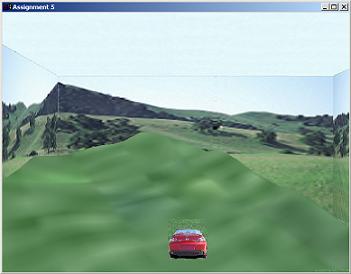
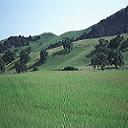
The cube is textured with pictures of grassland and sky to feature the open field environment. The Go-Kart is implemented using a cube. To make it look more like a car, the face of the cube is textured with pictures of a red car.
The terrain was constructed using a height map which determined the height of the terrain. A .raw file that stores the height map values was read and the terrain was rendered using triangle strips. A texture is then mapped over the terrain to show more realism.
A 3D game should allow the player unrestricted movement, thus the game is implemented in such a way that as the camera/Go-Kart move, the background scene also move. In this way, the Go-Kart will never go out of the scene and makes the player feel like they are in an unlimited 3D world.

If you cross the finishing line successfully, a message box will pop up to indicate that you have win the game.
(Note: You can only win when you cross UNDER the banner. Crossing outside the boundary of the finishing line is not considered a win.)
Key UP - Move forward toward the finishing line
Key DOWN - Move backward away from the finishing line
Key RIGHT - Move to the right
Key LEFT - Move to the left
Key S - Stop the car from moving.