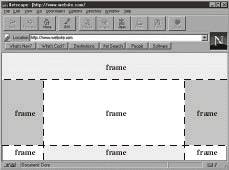
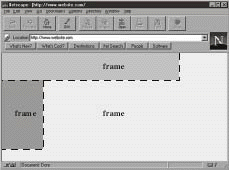
Frames separate the space on your page into straight vertical and horizontal sections.
You can have as many sections as you wish, although the more frames you have on your
page, the messier it will look. Frames are best used when kept simple and the number of
them kept down to a minimum. You can not have a frame that is polygonal in shape. A frame can only be rectangular in shape.
What you can do with frames:
What you cannot do with frames:
The frame structure for a website is set in the site's index page. The HTML code that sets
the frames tells the browser to place a specified file inside a designated frame space. The
actual HTML code for the pages that are contained in the frames are not written in the
same file as the one that sets the frames. Framing files work like a "pointer", in as much
as it tells the browser to "go grab this html page file and put it inside this frame here".
For this lesson, you will only be dealing with two vertical frames. The left frame will
contain your navigation buttons, and the right frame will contain your individual pages.
The advantage to having your website set up in this manner is that if you decide to add
pages later on, all you need to do is create the new page(s) and add the appropriate
navigation button(s) to the left frame. If you do not have your site set up with frames,
you would have to add the new button(s) to each individual page. Displaying your navigation
buttons in a separate frame is a more efficient way of handling your website if you are
prone to revising it on a regular basis.