A GTG is an acronym for a GetToGether. The girls on the Houston Nest have GTGs for every area of town. They are not planned by one person specifically and there is no specific date to them. They are announced and often, the girls on The Nest will vote on a convenient time/date.
All current GTG info for every area of town is listed in the Houston Bio along with a map to the destination.
The Houston Bio is a Bio made up of all the user names of the girls on The Houston Nest. It includes GTG information, birthdays and anniversary dates. It's currently run by zannadanna. Occassionally, the Houston Bio username will post asking for new girls to add their information to the bio.
BOTB is an acronym for Babies on the Brain. This is the women who are either trying to conceive, currently pregnant or have children already. The BOTB girls have their own GTGs and a post is made listing all those who are trying to conceive, are currently pregnant or are new moms. There is also a Babies on the Brain message board as well. For more info on BOTB, click here BOTB.
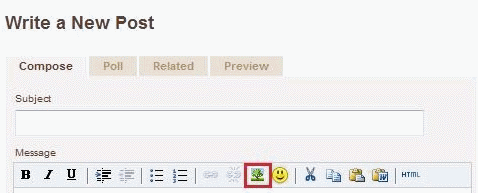
Click the Tree Icon located to the left of the happy face on the tool bar at the top of the reply box.
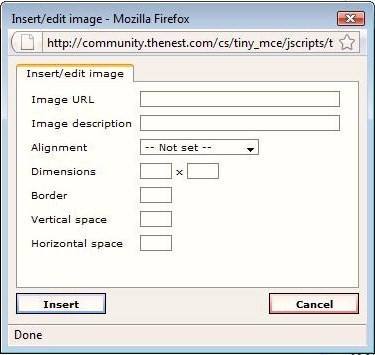
A pop-up window will appear and ask for a lot of information. All you need to do is fill in the Image URL and possibly the size if you wish. You can also align the picture here as well.
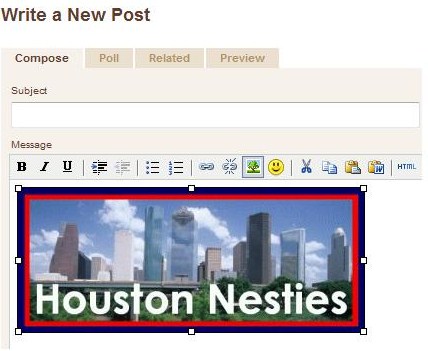
Click insert and your picture will appear in your post.
You can adjust the size of the picture AFTER placing it in your post as well. Before clicking the Post button, click on the picture and adjust it using the white corner dots:
The easiest way is to save the photo to your desktop and use tiny pic. Copy the Direct Link for Layout link that tinypic gives you.
The next step is to update your bio. Click on the My Profile link at the top of the Houston Nesties page. Next, click on Edit Profile underneath your profile picture on the left side.
Scroll down to the signature block and use the following code: [img src="tinyurl"] except replace the [] with <>. You can change the size of the picture by using this code [img width=200, height=200 src="url"]. Again, replace the [] with <>. Experiment with the numbers for the size. Depending on the pic, it may be different than 200.
If all else fails, e-mail me at [email protected] and I will help you through sig issues:)