
Quick and Dirty Scan Lines
This mini-tutorial will give you a really quick, really easy way to create scan-lines in your computer-manipulated art. This is far and away the easiest way to do it that I've seen, involving about two minutes of setup.

Open a new image in your image editor of choice. The image should be a whopping 1 pixel wide by a similarly huge 4 pixels high. The background should be white. Use your pencil tool, set to a 1 pixel radius, to fill in the bottom two pixels with black. You should probably zoom to maximum size for this - the screenshot at right is at 1600%. Now, under the Edit menu, there should be a command something like "define pattern." Click that, give it a name, and close the microscopic image you just made. No need to save it unless you're excessively paranoid.
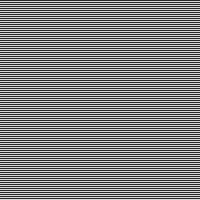
Create a new layer, above whatever layer you want to "scan". Fill the layer with white, then fill it with the pattern you just created. You should have something like the effect at left.
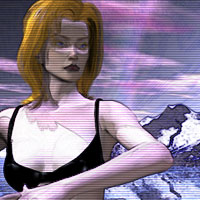
Now, in your layers palette is a menu that affects the layer's "Blend Mode." Click "Overlay" in here, and lower the layer's visibility to about 10% - lower if the image is pretty large, higher if it's particularly small. At this low a level, the effect created is unobtrusive.
Return to the Tutorial Menu