
BANGALI
Bangla Writing Software
Bangali Developed by :
Md. Tanvir Al Amin Popel
Department of CSE
BUET
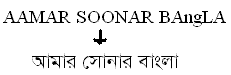
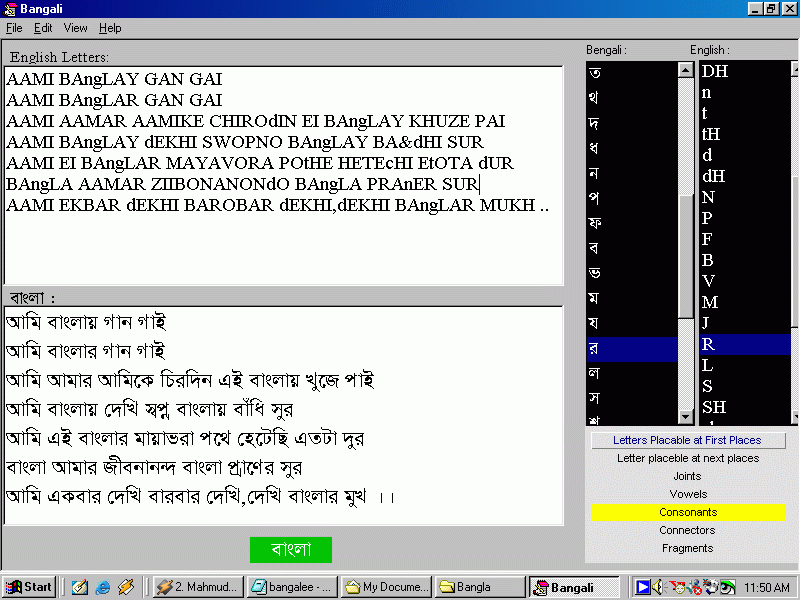
Bangali is an easy Bangla writing Software. I presented this software in 25th National Science fair in 2002. This software has an easy interface. All you have to do is write english letters matching the bangla pronounciation and Bangali will change it to Bangla letters.
For Example :
Installation notes:
>> Unzip the bangali.zip file
>> Run setup.exe
>> After installation is complete restart your machine
>> Run Bangali from Start menu >> All Programs >> Bangali >> Bangali 3.0
>> You need to
Register
it for free.
How to Register:
>> Run Bangali
>> You will get a message that the software was not registered
>> Press "Yes". A new window will appear
>> This will give you a code named "Serial Code". Copy this
>> You have to put the "Key Code" against this serial code.
>> Click here to register. If you are connected to Internet a page will open in the default browser.
>> Complete your registration there. Write/Paste the serial code in the page.
>> You will be provided with the "Key Code". Copy it. Return to Bangali. Paste it in the registration Dialog box. And Click "Register"
>> You are now registered.
Site Maintained by : Popel
Date : 30 January, 2005