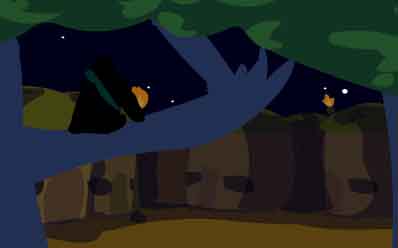
I WAS SENT HERE TO DESTROY ALL CLOCKS
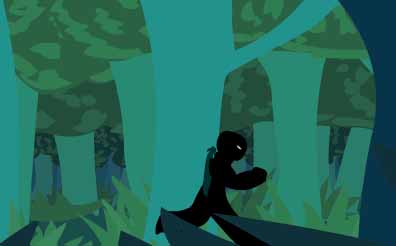
Lately I've been messing around with some midi's I downloaded from VGMUSIC.com (I've been downloading a ton of them lately, I have a couple thousand all together, but not just from VGMUSIC.com, but from all over the Internet). I was sorting out some of them and started listening to the Starfox 64 ones. This particular one called "sf64zoness.mid" kinda struck me and gave me a vision of a ninja running through a forest, then approaching a city.
After deciding to discontinue the "Clocks and Chaps", I decided to use this idea of the ninja to start a new anti-clock animation. I came up with the story, then the title, then I thought "okay, here I go" and just started to draw.
I recently discovered a method of first outlining the image I want with the pencil tool, then drawing underneath that outline (on a different layer) with the brush tool. It helps because I can make all the mistakes I want with the outline, since I just trash that layer afterwards. I set the brush-tool to 100% smoothing, because it uses up less kilobytes than 50% smoothing (the default setting), and thought it would be good to do it all in 100% smoothing so I could make the Flash file small enough to load quicker, yet have the animation run for a longer period of time to tell more of the tale.
I have gained the habit of making the animation inside symbols ever since I tried to do "Welcome to Happyland", using actionscript to go to the next symbol once the first one is finished (this is opposed to using scenes, which seperate the different parts of the animation). The reason for this is because it just seems a little more organised, and there was this one time I was trying to make an animation with scenes, but everytime it changed to the next scene the sound started lagging, and there was nothing I could do about it.
There are eight layers in the opening shot. Five of those layers are trees and grass, one layer is a background color which fills in little gaps that might appear, one layer is the ninja running and the seventh layer is the black fade-in. To animate the trees moving I used a looping technique. I first tiled the trees, then inside its own symbol I scrolled the trees across to the exact point where the second pile of trees are in the place that the first pile of trees were in, then on the last frame I used action script to make it go back to the first frame. It's hard to explain I guess, but the effect is that it skips the last frame and goes back to the first frame, so that it looks like a continuous loop.
The foreground trees that whiz past really quick (the darker blue-ish ones) are the exact same trees as the lighter blue-ish ones in the front of the background, but they are inverted. You can't really notice it anyway. I was just too lazy to draw more trees, and I think it saves space when you just use the same symbol twice, rather than having the same image re-drawn (a mistake I made while making my OMGWTFTETRIS? animation). Having things moving in the foreground is pretty cool, it gives a little more depth to the scenery.
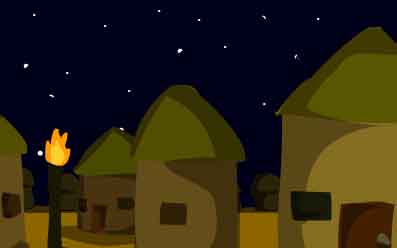
This is quite similar to the forest run, but instead of trees there are huts moving across the screen. I guess I wanted to keep the movement going again after the ninja had a little break on a tree-branch. This part is very brief, and stops when a passionfruit clock comes into the screen. I hope it looks like a passionfruit because that's what it's supposed to be. I chose a passionfruit because their insides are kinda orange-red-ish colour and it would make a really cool blood-spray up against the black background.
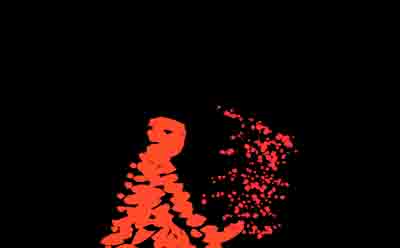
The swift ninja-running across the screen was the same ninja-running symbol that I used for when he was running through the forest. The ninja sneaking up behind the passionfruit was just one-frame symbol which I motion-tweened him bobbing up and down (his arm coming out and reaching for the sword was frame-by-frame), but when the ninja strikes the passionfruit I used frame-by-frame (seventeen frames). This animation is in 24 frames per second. Usually I'd only use 12 FPS because it's less effort, but 24 makes the animation more smoother, and I can have more precise timing. Doing frame-by-frame in 24 fps shouldn't occur very often though because it's very time-consuming, and not much gets done. But when there is action scenes, frame-by-frame makes things looks way better than normal tweening, unless you're using up about ten layers just to animate one character.
April.12.2005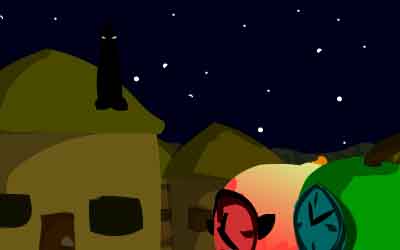
After a long period of life changing experiences and mostly sleeping alot, I re-read this website and realized that I should be finishing this animation. I also realized that even though it's far from unfinished, this is probably the most visual animation I've ever made. Anyway, back to it.
Here is the introduction to Smith (granny-smith apple) and PinkLady (pink-lady apple). They are a couple walking down the street of their peaceful villiage at night. In my own opinion, I think one of the coolest designs for a character I've made is Snapples from "Clocks & Chaps" (not the best one though, the dude from "Down Under" is my favourite). I didn't want to have the same design, since Snapples is more of a warrior, and the overall designs of C&C were a result of inspiration from Juho's work. I didn't want that reflected in this because it would have been a bitch to animate.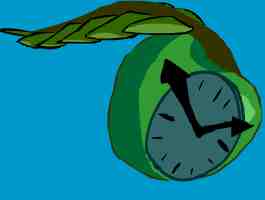
The Starfox64 music fades out here, then the Ryu Stage music begins. Originally I was going to start in a new frame, but I decided not to, so I could mix in the Ryu beat at the last moment of the Starfox64 song, which I think is more effective. As I was listening to my midis, I enjoyed the percussion side to Ryu's Stage from Street Fighter III: 3rd Strike. So I re-edited the song to start off with just percussion, then music comes in later. I don't know how it's going to turn out in the way of the animation but I think it's going to be cool. One of the more exciting things about a large project like this is that through time I change my fascinations and obsessions, so that this movie will seem like a real progressive work. Although I have gone back and changed a few things at the beginning, like adding a spear to the passionfruit clock, turning him into a guard, because I plan to use more passionfruits as guards later on.
An interesting touch I added is that when the Ryu Stage music starts, the view becomes more shaky, as if it was being shot on a hand-held camera. It's just been one of my current fascinations I guess. I first animated without the shakiness, but it looked a little plain, so I went back and made a keyframe for every two frames, and re-positioned all the objects by hand. It takes alot of time but it's pretty fun.
There is a moment where there's a close up of the ninja on the roof, then it zooms out quickly. The zoom-out lasts for 9 frames, but in those 9 frames I re-drew the landscape (except for the stars). The reason why I did a frame-by-frame zoom-out instead of the usual tweening method is because I wanted a blurry effect for the zoom-out, similar to the ones you see in the animatrix piece "Beyond", which looks pretty cool.