I'm using her:
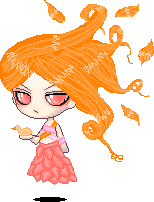
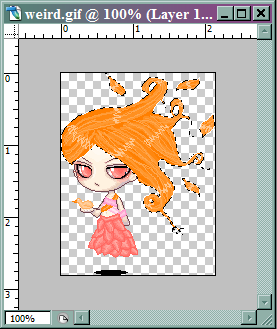
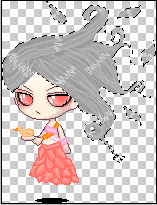
First, select the hair. It's easier if your hair's on its own layer. Mine is not so I used the magic wand and then deselected the other orange bits on the doll. It should look like this:
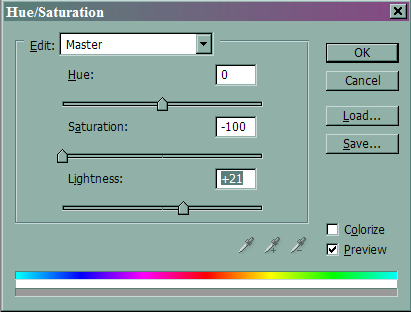
We're now going to turn the hair to a light gray by opening the hue and satration menu (ctrl+U).
Turn saturation down to -100. Depending on the hair, you may need to lighten or darken it a little. *Tip-Try to keep the lightness between -30 and 30 for best results.
Next, go to the gradient tool (right click on the paint bucket) Select either spectrum or transparent rainbow.
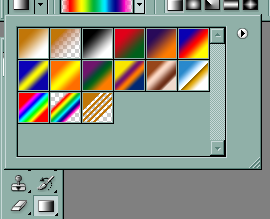
On a new layer (Shift+ctrl+n), play around with the gradient until you get something you like. For this tutorial, I'm wanting a lot.
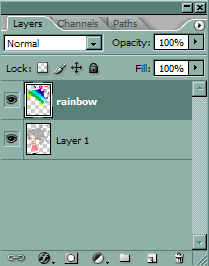
Your doll should look like this:
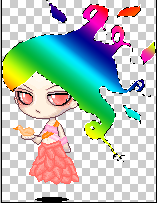
Now we're going to turn down the opacity to somewhere between 20-30%.
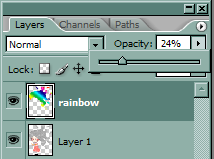
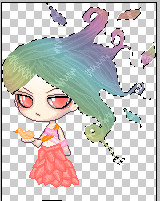
You'll want your hair to show the color, yet still be muted and a bit flat.
Merge your layers (ctrl+e)
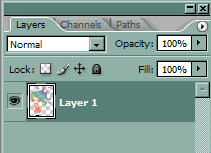
This is the tricky part. Open the Brightness/Contrast menu (Image>Adjustments).
Turn the contrast up (no more than 40) until you can see the shape of the hair better. 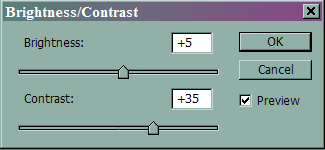
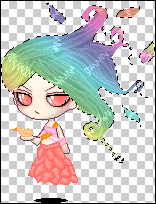
Usually, you'll have to darken it to counter the brightness that more contrast adds. In this case, I had to lighten it. You'll want your hair to be slightly darker than it'll end up. Make sure you don't overdo the contrast. If you're unsure, go with less, and add a bit more after the next step I show you. The hair should look less flat, but still slightly muted.
Last of all, open the Hue/saturation menu again. Slide the saturation up until the colors look vibrant, but not overpowering.
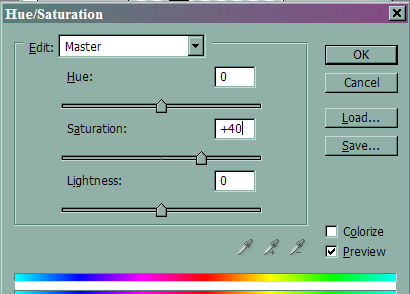
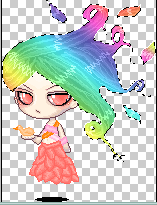
While you're here, you can also play around with the hues or lightness. If you want to make it A LOT darker or lighter, you may need to go back and mess with the contrast again when you're done so it doesn't become flat or muted.
And here's the finished product:
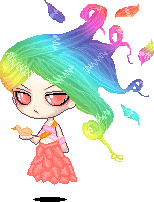
It can be a little tricky at first, but once you get a feel for it, it becomes second nature. When you do, you can do all kinds of fun things. I also use this technique for putting logos on teeshirts and making tattoos.