|
WMR-918
WMR-968 Weather Machine ver 3.0 (Pre-release) |
||
|
|
||

Welcome to my Weather Machine homepage, free software for the WMR-918 and WMR-968 weather device from Oregon Scientific.
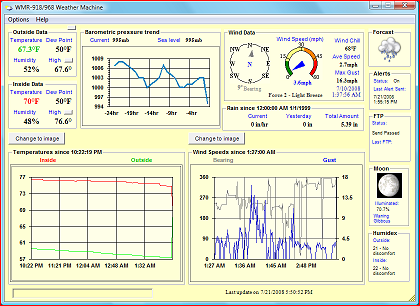
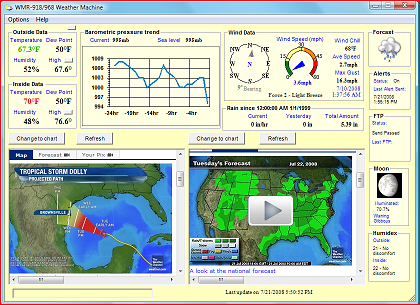
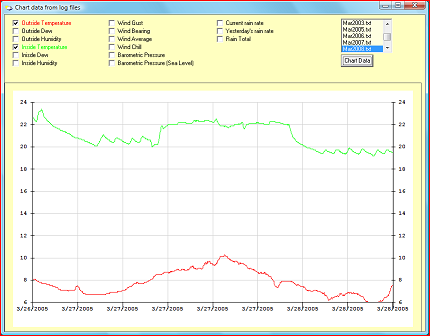
Some of the features of the Weather Machine:
- Supports the WMR-918 and WMR-968 Weather Station from Oregon Scientific
- Lightweight; on my box (even with 2 animated gifs running) it only takes 5 meg of RAM and never goes over using 2% CPU
- Minimizes to the system tray (right by the clock on the taskbar) and not on the task bar
- Displays all the information from your weather station including the extra sensors
- Logs all of the information to a file (in the format of <monthyear>.txt) every five minutes
-
Displays and logs in either
celcius/kph or farenheit/mph
-
Displays the byte
information from the weather station
- High and low for all temps and a max gust which can be reset at anytime
- Can display two web images (even supports animated gifs)
- Runs on Windows Vista, XP, 2000 and Windows 98, 95
- Transfer data to and from an ftp site or to a web site.
- Supports email alerts: sends email when a single or multiple condition(s) are met. I have only tried this with Windows XP, Vista and outlook express but it should work with all versions of Microsoft operating systems and most e-mail programs. On some later versions of outlook express you may have to do the following:
o Open Outlook express, click on Tools then select Options and in the Security tab and uncheck: "warn when another program tries to send mail as me".
- Humidex
- Displays the Beaufort wind scale
- New chart data application that lets you chart all of your data from the log files, click here for an example.
- Supports all universal times (12 hour clock and 24 hours clock) and dates
- Supports English, German and French. If you would like it translated in you language, let me know.
Instructions:
- To install the application, click here to download -> http://www.geocities.com/hanspar/WeatherMachine3.0.zip
- Save the file to your machine and the unzip it and run setup.exe.
- After setup is complete, select the Weather Machine application from the start menu, or the new Chart Data application.
- Basically just connect your WMR weather station to a COM port on your machine and let the Weather Machine software know which port your are using by selecting the "Options/Change Com port..." menu item.
- All of the other menu items should be self explanatory (as well as the buttons, just click to find out) - if not let me know.
If you've run into a bug or would like to request a feature, feel free to send me an e-mail at [email protected]