** HOME **
Can I input ringtone to Ericsson mobile phone by using cable?
I have seem the same question asking in News Group for many times.
The answer is YES and NO !
If you are using Ericsson T39, T65 and R520, the answer is YES!
If you are using T68 and T68i, I think the answer is NO!
I am not sure about the other models, for example R380 and T300 .. etc! You may test it and let me know the result.
How?
1) You have to download Ericsson Phone Setting software from:
http://www.sonyericsson.com/downloads/FullFunctionalityOutlook_R4A_english.exe (30MB)
2) Install this program, you will have 3 very usefull softwares:
This software is wonderful, it works with T68i, T68, T65, T39, R520 and etc
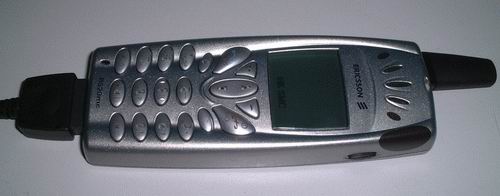
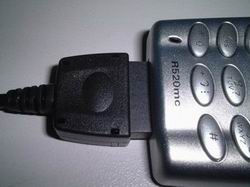
3) Connect the cable to your phone. I use my R520mc here, as an example:
I bought this cable in China for HK$10 only. It can be used for my T68i, T39 and R520!
4) Start the "Ericsson Phone Setting" software
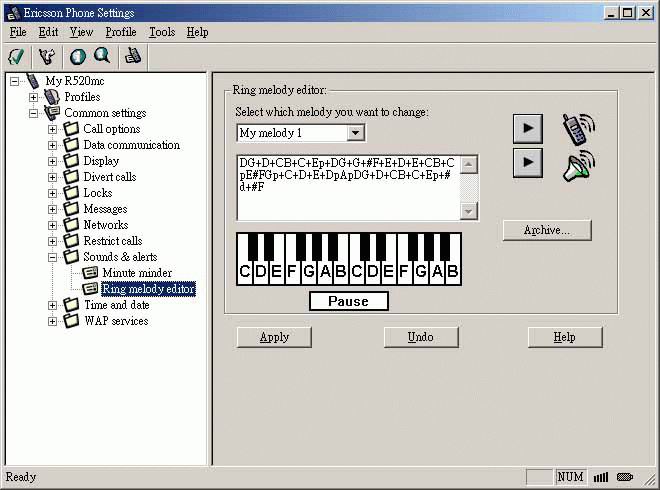
Go to "Ringtone melody editor" option. You can input your own ringtone here with the keyboard or you can import (by using copy-and-paste) a ringtone from somewhere else.
*If you phone does not support ringtone input, you will see this option unavaliable!*
5) You need a ringtone converter software to convert from midi to Ericsson key-in format. You can find a ringtone converter called Nok2Phone in www.ringtonecity.com
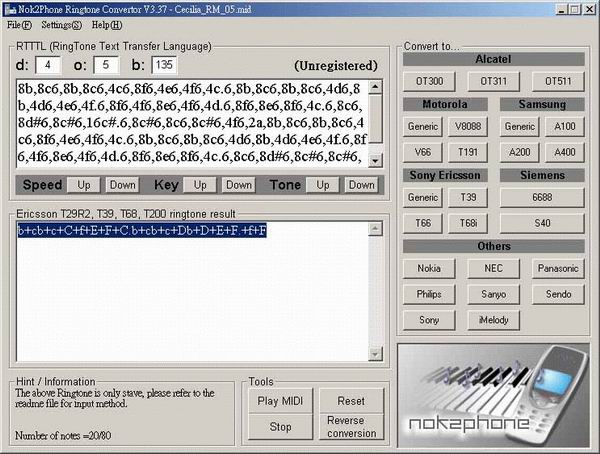
6) In Nok2Phone, open a midi file and press "T39" button under the "Sony Ericsson" group to convert the ringtone. You will get the ringtone result for T29R2, T39, T68 and T200 in the result box. Highlight this result and press "Control C" to copy the result. Unregistered version of Nok2Phone produces 20 notes only!
7) Now, go back to the Ericsson Phone Setting software, and paste the ringtone result from Nok2Phone by using "Control V"
8) Press "play" button to hear the result. If it is OK, press the "Apply" button to upload this rigntone to you phone.
Feedback
I did not try all Ericsson mobile phones myself, because I only have T68i, T39 and R520. If you have T65, T66, T200, T300 and so on, please try this method and let me know the result, so that we can share with others.
Please send your testing result to [email protected]
Thank you!
** HOME **