- Affine transformation
- Amplitude scaling
- Lookup-table modification
- Linear combination of bands
- Color conversion
- Convolution
To filter a BufferedImage using one of the image operation classes, you
- Construct an instance of one of the BufferedImageOp classes: AffineTransformOp, BandCombineOp, ColorConvertOp, ConvolveOp, LookupOp, or RescaleOp.
- Call the image operation's filter method, passing in the BufferedImage that you want to filter and the BufferedImage where you want to store the results.
The following applet illustrates the use of four image-filter operations: low-pass, sharpen, lookup, and rescale.
..............
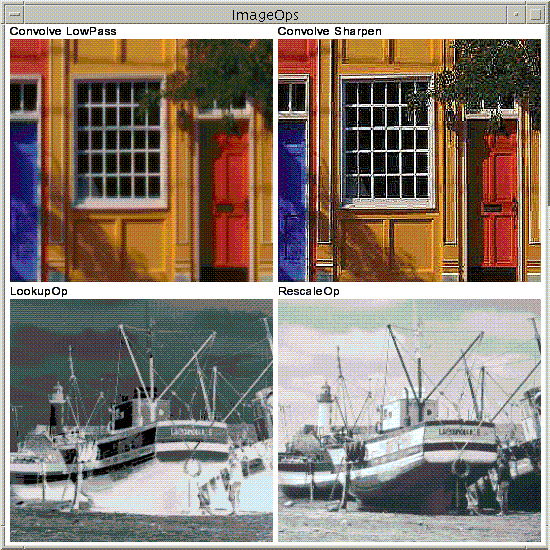
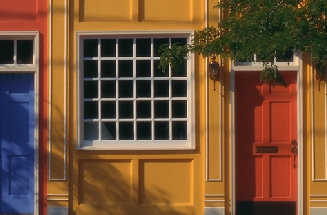
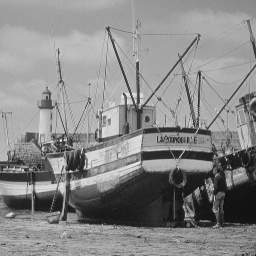
You can see the complete code for this applet in ImageOps.java. The applet uses these two image files: bld.jpg and boat.gif.
The sharpen filter is performed by using a ConvolveOp. Convolution is the process of weighting or averaging the value of each pixel in an image with the values of neighboring pixels. Most spatial-filtering algorithms are based on convolution operations.
To construct and apply the sharpen filter to the BufferedImage, this sample uses code similar to the following snippet.
public static final float[] SHARPEN3x3 = {
                            0.f, -1.f, 0.f,
                            -1.f, 5.0f, -1.f,
                            0.f, -1.f, 0.f};
BufferedImage dstbimg = new
              BufferedImage(iw,ih,BufferedImage.TYPE_INT_RGB);
Kernel kernel = new Kernel(3,3,SHARPEN3x3);
ConvolveOp cop = new ConvolveOp(kernel,
                                ConvolveOp.EDGE_NO_OP,
                                null);
cop.filter(srcbimg,dstbimg);
The Kernel object mathematically defines
how each output pixel is affected by pixels in its immediate area.The
definition of the Kernel determines the results of the filter.