Playing Sounds from an Applet
The mechanism for playing sounds from an applet is unchanged in JDK 1.2. To play a sound file, you can load the clip by using Applet.getAudioClip and control playback through the AudioClip play, loop, and stop methods. For example, to play a WAV file from an applet, you could
- Call Applet.getAudio clip and pass in the URL where the .wav file is located.
- Call play or loop on the AudioClip.
You can also use Applet.play to play any of the supported types of audio files. However, when you use Applet.play, the audio data is not preloaded. The first time the user initiates playback of a particular sound, your applet's drawing and event handling will freeze while the audio data is loaded.
Example: SoundApplet
The applet shown below plays several types of audio clips: an AU file, an AIFF file, a WAV file, and a MIDI file. (The AIFF and WAV files used in the examples for this trail were provided by Headspace, Inc.)
..................
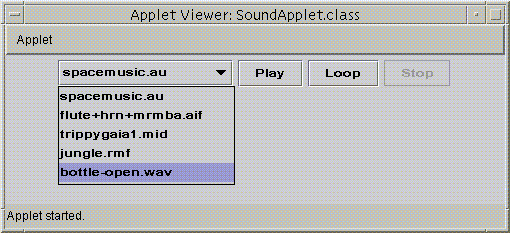
This is a picture of the applet's GUI. To run the applet, click the picture. The applet will appear in a new browser window.
You can find the complete code for this program in SoundApplet.java. The applet also requires two more source files, AppletSoundList.java and AppletSoundLoader.java, and the following sound files:


