Test the Network connection
You have installed the network card and have verified in the Device Manager,
that the Network Card is listed as "working properly" ?
You have adjust the Network configuration and configure the Network protocol
?
Before attempting to access data on the other system, I strongly suggest to
use the Diagnostic
tools provided with Windows to verify that the electronics
on the network card working and the
cabling is in good
condition.
There is no menu-function to select, no option to be selected,
no button to be pushed,
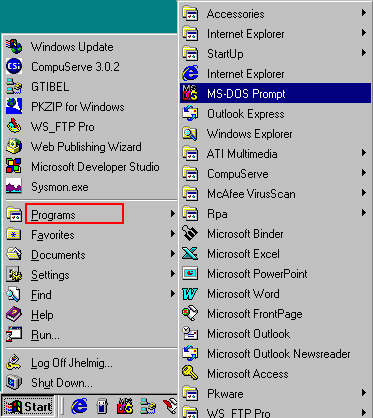
it required to use the "MS-DOS
Prompt" or "Command Prompt":
 Windows
95/98/ME : Windows
95/98/ME :
 |
PC-DOS from IBM and MS-DOS from
Microsoft
Windows95/98 (and I think also ME) still
use MS-DOS version
7 to start the boot-process, before switching over to the graphical
User-Interface.
And some jobs can be done better using a DOS-command,
and Windows offers the possibility to enter such command in
the
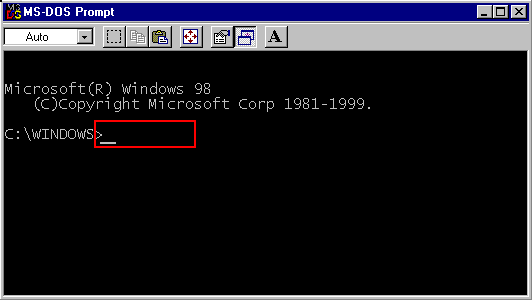
"MS-DOS Prompt" windows
(often also
called a "DOS-box") : |
I know from experience, that "younger people" (you work out yourself what I
mean with that) very
often have no knowledge of DOS-commands, so here is your
chance for a few of them.
One of the most powerful command (and at the
same time) least known command is : NET
NET is a nice DOS-command, giving you
help when you ask for it, via : NET /help":
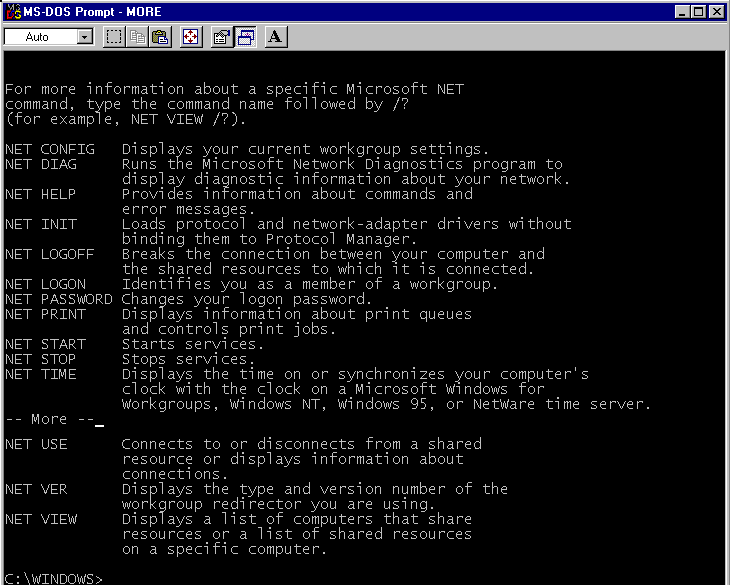
(it actually takes more than one
windows to display, I did copy/paste 2 screen together to display all)
Requires Windows95/98/ME
on both
system.
( This diagnostics is NOT available on Windows2000 / XP, please use
Ping
At the prompt, please
type: net diag
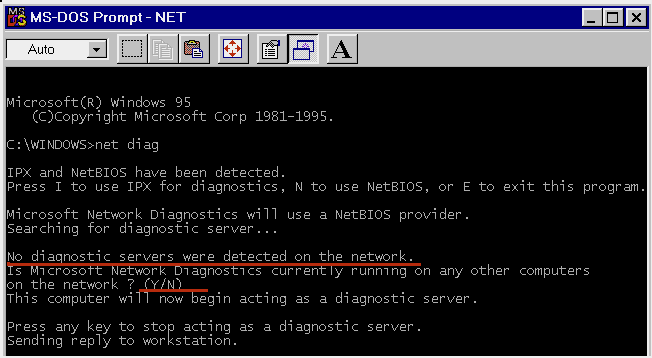
If multiple protocols are installed,
select the one to be used for the test.
Since this is the first system
running the test, there is no answer from the network.
Answering now with
'N' will have the system act as 'Diagnostic
Server'.
On the other system(s), enter also a
DOS-window and type also: net diag:
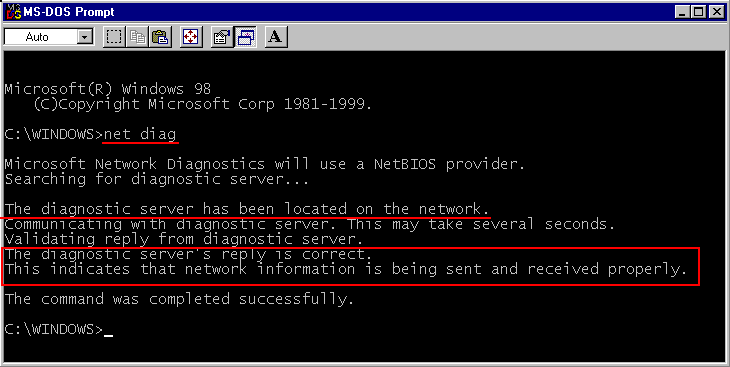
Again, define the protocol, if you are
asked for it.
If the network hardware is in good condition, the 'net diag'
on this station should now locate the 'Diagnostic Server' on the
other system and display a message like above, you are ready to continue with
next step of the setup.
However, if you are asked again,
whether the 'Diagnostic server is already running', then there
was
no communication and you have to check
your hardware and cabling
 TCP/IP
protocol
TCP/IP
protocol


The TCP/IP protocol comes
with its own diagnostic utility, called : PING.
And as soon you install
TCP/IP protocol, it install automatically a diagnostic responder
(so no need as on NET DIAG to first install a Diagnostic Server) :Any system configured with
TCP/IP (a PC, a
UNIX-system, a mini-computer, a network printer,...)
has this diagnostic
responder and will reply to the PING signal
(exception: systems with a
firewall may not respond to a PING signal )
Type at the prompt: "PING
192.168.1.1", where 192.168.1.1 in this example is the IP-address
of system#1
on my small network:
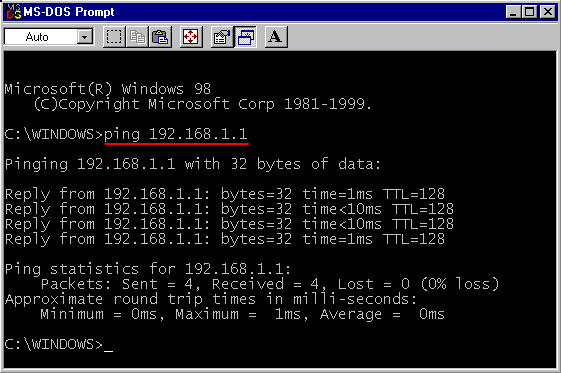
I
am getting a reply back, a network signal passed through my network card on the
network cable through the network card on the other system, and was then send
back the same way, verifying that the electronics of the network card is working
and the cabling is ok.
Please, run this test on
ALL systems on your network and PING all other systems !
It is possible
that a system can send out PING signals and receives the return signal,
while itself is not responding to a PING signal and receive a return
signal, while itself is not responding to a ping signal (as it can be
caused by a personnel Firewalls ).
|
if I try to : "PING 192.168.1.3": there is no answer: A signal was send out
to contact it, but no reply.
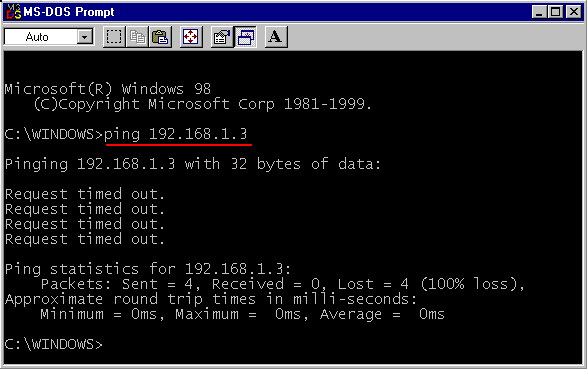
(in this example I know the reason: there is no system #3
with IP-address 192.168.1.3)
If you have a
system configured with this IP-address and it is powered on and
connected to
the network cable and you get no PING-reply: sorry, start Trouble
Shooting.( If you used personal firewall than most probably it is not configure
properly.)