Backup your Outllook Express AddressBook
Note! This will NOT work if you also have Outlook Installed and set to share contact information with Outlook Express.
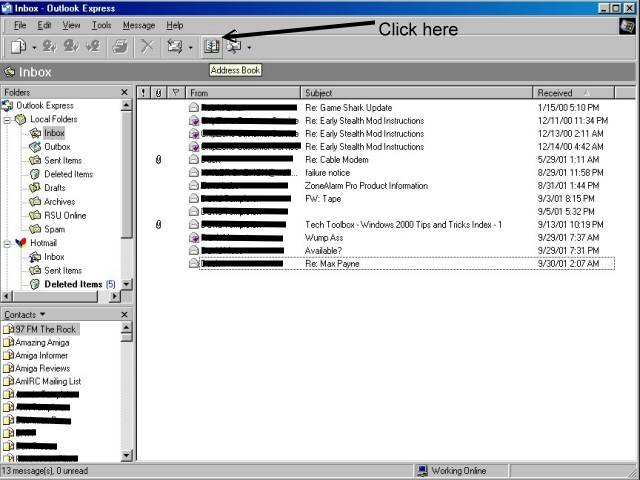
Step 1: From Outlook Express click on the "AddressBook" icon located on the toolbar.
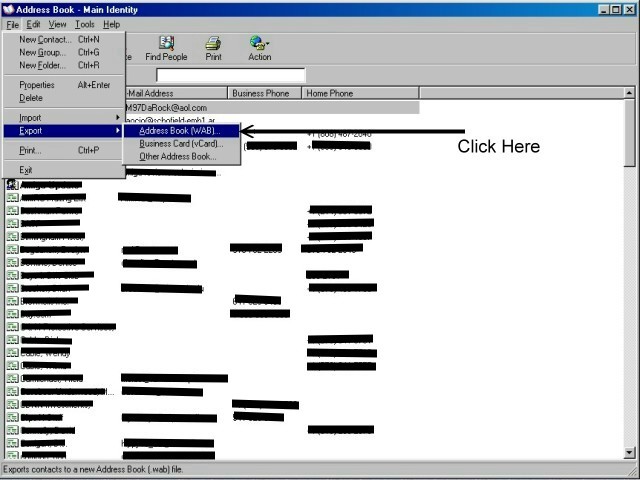
Step 2: Click on the "File" Menu / Export / Address Book (WAB)
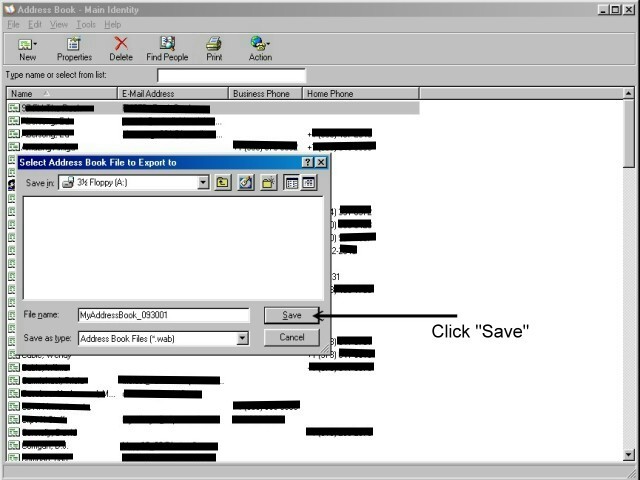
Step 3: Select a location to save the file to from the "Save in:" drop down box, type the filename in the "File name" box, and click "Save".
Note: Check out the "Restoring an Outlook Express Address Book" tutorial for instructions on how-to restore your backup.