Name:
 s_4me
s_4meSubject: ImagegrabberII...inside for tutorial, dl, etc. NM
Date: 10:29:26 on Thursday, June 22, 2006
Name: s_4me
Subject: ImagegrabberII...inside for tutorial, dl, etc. NM
(right click, save target as)
http://www45.brinkster.com/antworkz/media/ImageGrabberII.zip
(orginal file from developer, no spam, no virus)
ImageGrabberII
I found the original author's website for version2 of the program. You can view the movie in it, capture as it goes, save actual normal viewsize images individually or still save them as thumbnail size images on one sheet (image). It really is a better program.
I have scanned the download before, after installing, used it several times, scanned again, did a full system scan twice...all with Trojan Hunter and with Norton's, no virus, no trojans, no adware, nothing.
This program is safe to use has not been altered by a spammer like the first version of the program had been, which, of course, was circulated on the Net without the consent or knowledge of the original developer.
This is version2 of that program and it is the latest copy of it, hosted at the developer's website.
The author says it will capture from the following file formats: avi, mpg, dat, asf, wmv, qt, mov, rm, rmvb, vob. I have only tested it on .avi, .mpg, and .wmv.
The file is just under 1MB, fast download, and no spam at the website. The program is absolutely FREE.
Here is a screenshot of the program. I have a vid loaded in it, in this screenshot. Unlike the first version of the program, the 2nd allows you to actually view the vid, taking screenshots (preview pics) as you play it or of course, you can pause it and just move the advance tool to whereever you want (click to view image):
http://img23.imagevenue.com/img.php?loc=loc121&image=5b1_IG2SS.jpg
Under File, which you see here (click to view image):
http://img110.imagevenue.com/loc156/th_a57_options.jpg
You can choose whether to save your preview pics as individual files or as one single sheet featuring all of the pics (Save File/Save Multiple). Examples of both are at the bottom of this post.
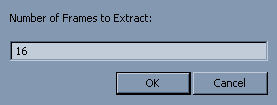
There is also an auto-extract feature, where you can tell ImageGrabberII how many preview pics you want and it will automatically create the preview pics for you, taken at various points throughout the movie(click to view image):
http://img44.imagevenue.com/loc219/th_494_autoextract.jpg
Under Options, you can control how many columns to put the pics in, if one image is made of all the pics, how big you want those thumbs to be, the percentage quality of final image (90% is default), the background color, the spacing between columns, whether you want a shadow effect to be used, if you want the file details shown, etc. It really is quite versatile (click to view image):
http://img120.imagevenue.com/img.php?loc=loc7&image=f11_optionsdetail.jpg
Sometimes I like to choose exactly what spot in a movie I make a preview pic for and post those individually and sometimes I just like to randomly (automatically) pull those screenshots and post them in one big image/sheet of the thumbsize pics. I use to use ImageGrabber version 1 for one and SnatchIt! for the other (or MediaPlayerClassic or BSplayer)...now, I can do exactly what I want with one program. Even if you want to take one normal size screenshot of the vid, just set the image (tile) size to the same view as the movie and take the one pic.
Here are examples of individual screenshots/preview pics made. They are at the normalsize view of the vid, which is 320x240 (click to view image):
http://img110.imagevenue.com/img.php?loc=loc197&image=779_00_00_03.jpg
http://img16.imagevenue.com/img.php?loc=loc117&image=45a_00_00_45.jpg
http://img120.imagevenue.com/img.php?loc=loc17&image=f42_00_01_21.jpg
http://img104.imagevenue.com/img.php?loc=loc18&image=d6b_00_01_57.jpg
http://img43.imagevenue.com/img.php?loc=loc159&image=bbf_00_03_07.jpg
http://img21.imagevenue.com/img.php?loc=loc151&image=4e6_00_03_18.jpg
You can see how good the quality is. Now, here is an example of 6 thumbnail size pics made into one large, single .jpg image. I set the number of columns to 3, since I had 6 pics. I have the quality set to 90% so the end filesize will be easier for members to load up. Notice the details of the vid put on this image, handy for downloaders(click to view image):
http://img42.imagevenue.com/img.php?loc=loc125&image=60a_IG2example.jpg
Even if you ended up with an odd number of pics to use, just tell it how many columns (across) you want and it will do the job. I set columns to 4 and had 11 pics to use(click to view image):
http://img11.imagevenue.com/img.php?loc=loc89&image=67a_11.jpg
If you want to use it to make one single normal viewsize image as your preview pic for posting, it's best to just open the movie file, pause it, and choose where to take the screenshot; ie, if you use autoextract and set it to "1", it will take the screenshot from the exact middle of the clip.
This really is the BEST program for taking screenshots and making preview pics that I have found. It is small in size but carries a big punch, loaded with all the features you need. I have checked this program for spam, viruses, trojans, and spybots and came up with nothing. Download it, check it out, and hopefully, it will make your posting life a little easier. And for any newbies to posting vids, it makes learning how to post preview pics a breeze.
s_4me 10:29:26 06/22/2006 s_4me 09:10:58 06/23/2006