Page 2
Now go to Effects~ 3D Effects ~ Drop shadow and use the following settings.
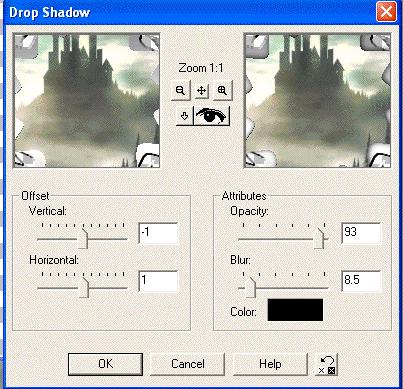
Apply the same two drop shadows again.
All you have to do now is add your tube. Most of mars Tubes have 3 layers, make sure you use the layer that shows the tube only. Right click o the blue border and choose copy. Now go back to your frame image and right click the blue border, choose
Pase as a New Layer. Now you can move it aroung to where you want it. I adde the same drop shadows as before. I also added a couple of sparkles and my name.
Thats it. Hope enjoyed this tutorial.