| Step 6. |
 |
| Ok now find the shortcut you just created. Once again for the sake of all the stupidity in this world. If your running CS Retail your picture will look different. If by now you can't realise that yours will say "Shortcut to cs.exe" and have a different Icon its best you don't even load the game...ever. |
| Step 7. |
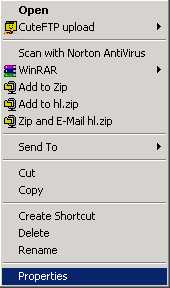 |
| Now right click on it and click properties. You are about 95% done so far. |
 |
| Step 8. |
| Alright you will want your target box to look like the examples I have here. |
| Half-Life: TFC: CS: CS Retail: |
 |
 |
| C:\SIERRA\Half-Life\hl.exe -game tfc -console |
| C:\SIERRA\Half-Life\hl.exe -console |
| C:\SIERRA\Half-Life\hl.exe -game cstrike -console |
| C:\SIERRA\Counter-Strike\cs.exe -console |
| I didn't think it took a rocket scientist to understand what step comes next but after a few emails I'm going to have to explain it. TO USE THE CONSOLE YOU MUST LAUNCH HALF-LIFE WITH THE SHORTCUT CREATED! |
 |