Beginning HTML
For the HTML Impaired
By Jade Rocket
Hi! Have you always wanted to make a cool website for yourself, but have never known how to? Well, this is your lucky day! Okay, you probably expected me to say something like that, huh? But, anyways. This here will only help you make a website as basic as mine. Obviously, I can only show you what I know, and what I know is on my own webpage!
Now, I have seen many people type HTML in all caps, which is really annoying. HTML does not care whether you type it in CAPS, in lowercase, or in ToGgLe CaSe as long as your file names are in the same case they are saved on your computer. Since many people will use Geocities free webpage builders, I highly suggest that your file names do not consist of Capital letters or spaces, and that they be gif or jpg, because otherwise you cannot upload it onto Geocities, and then you will have to go back and change every file name in every page of your website, which is always annoying...
HTML, Hyper Text Markup Language, is very easy when it is only basic things like making text bold, underlined or italic. However, it can get very confusing when you want to make tables and do things like frames. Frames I do not know how to do, and whenever I make a table, I always mess it up and have to fix it. But, if you aren't Dyslexic like me, you shouldn't have any problems with tables, and I shall try to show you one. Feel free to copy mine and then just put your information in place of mine. You might have to add or subtract rows or columns, but this is easy. I have already shown you three basic tags, but there are others that will be helpful for you.
When I type examples of tags for you, I obviously cannot use the brakets ( < , > ) because they will make the tag work, instead of just showing it to you. So, in their stead, I will use these ( [ , ] ). Get used to it, okay? One thing that is useful to know is how to make a break, or a line space, in your page. The tag for this is [br]. Now, I have a special thing I do with these and horizontal rules, [hr], but I will talk about that later.
 |
As you can see, there is a picture on each side of these words here. That is a result of a table that I made. This is hard to do, so I suggest you just copy what I have done by viewing the source and trust that when you use it, you will understand it. (Just to show you that it doesn't matter how you type HTML, I typed the font color tag in ToGgLe CaSe, just for fun!) |  |
 |
Now, this is another row of the same table. Above was the first row. As you can see, this table has three columns and two rows. Make sure that you put the font color in every row of the table. Messing up as I usually do for the first time with my table, I forgot to do this, and it ended up that I could not see these words until I fixed it. | 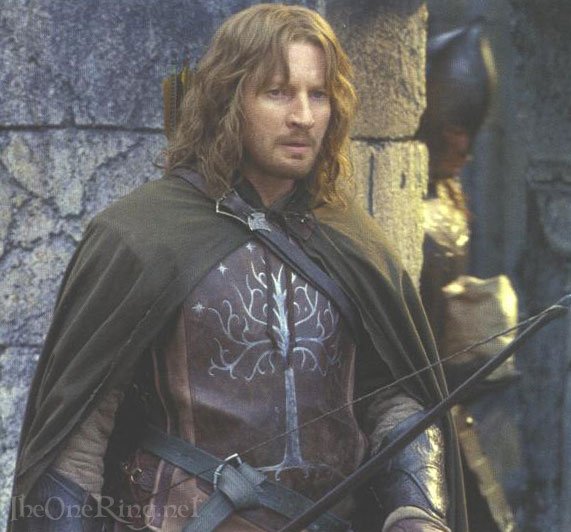 |
Now, for one thing, when you look at the source of this thing, you will see my famous "[br][br][hr][br][br]" thing I do throughout my pages. When I want to use it again, I just copy and paste it where I want it, instead of typing the whole stupid thing again. But, anyways, below you will see the thumbnails. In one of them, I have also showed you how to put a link in a picture.
Look! It's a thumbnail for a pic of Eowyn! How cool is that?!
This link will take you back to the webpage, but you can link it to anything by changing where it says rachelswebsite.html to whatever other filename. Like, if you links page was called rw_links.html, you would make it say rw_links.html in place of where it says rachelswebsite.html. Get it? Got it? Good...
This here is just another thumbnail. Read below the horizontal rule to see why I put two thumbnails.
With my thumbnails above, I didn't type the whole thing again for my Eowyn Banner, I just copied what I typed for Eowyn and typed eowyn_banner2 in place of eowyn13. You can do that too, with your own picture archives. Always remember to put the extention, .jpg, .gif, .html, after linking to or putting in any website file or picture. If you are making the website offline using notepad, which I suggest doing first, you will have to have every file in the same folder. If you are already on Geocities, which I do not suggest doing first, every single file you use will have to be uploaded into the same account.
Just for fun, I decided to change the font face here. Always remember this tag, as it will be helpful in making your website have a cool font. However, it is suggested that you do not use fonts that are not common to most people's computers. You see, I have downloaded Ringbearer font, the font of the logo for Lord of the Rings, onto my computer. But, I don't use it, because if other people don't have it, they will not be able to see the words on my page, which is never good, as it sort of ruins the entire point of my page...
Now I will show you how to make a bulleted list. It is very easy, and helpful in organizing links and other information on your page.
- First, you type [ul] to start the bulleted list.
- Then, for each bullet you want, you type [li] at the beginning of the line.
- Don't forget to end your bulleted list by typing [/ul].
Now, I changed the font back to Copperplate Gothic Bold, the font I started out with. This page will be updated, so if you haven't learned something you wished to learn, hopefully I will put it here later. Please feel free to e-mail me any questions about this or anything that has to do with my website. Thanks for visiting, and I hope this was helpful to you. If you want, you can go home.
