Assignment #4
Go Cart Collision
| Our peaceful hotel is be besieged by alien ice-cubes! Can you save the hotel from being destroyed? You play Zappy, the rebel Ice-cube who is the only alien friendly to the human cause, and your task is to get rid of the other aliens by "eating" them. Touching them will result in annilation of the evil ice-cube. But beware! each ice-cube's death will generate a shockwave that will turn the whole world upside down! Are you brave enough to face the challenge? | 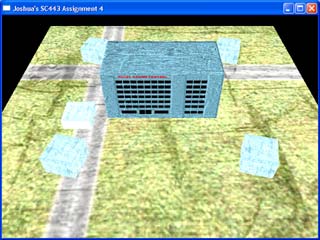 |
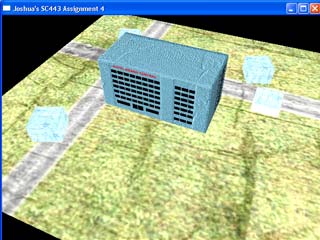 |
The game starts off with 4 rotating ice-cubes surrounding the Grand Central Hotel. The view is a 45 degree perspective of the whole playing area. Initially, the playing area is static but as the game progresses, the difficulty of the game will be raised, such as rotation of the playing area. Each time an ice-cube is eaten, the difficulty is increased. |
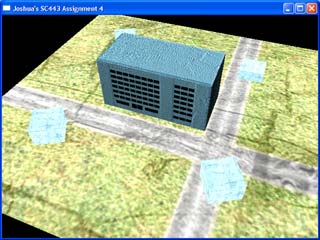 |
Players will have to navigate Zappy through the game using the arrow keys. The direction of travel for Zappy will not change regardless of the orientation of the playing ground. This is what makes Zappy a challenging character to control. |
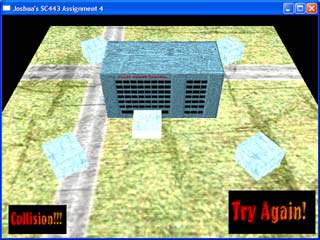 |
Collision detection is mainly on the Grand Central Hotel itself. Due to the unique design of the game, Axis-Aligned Bounding Box (AABB) is the best model for collision detection in this game. AABB gives excellent results, accurately detecting collisions between Zappy and the Hotel effectively and quickly. Once collision is detected, the user is warned, and encouraged to avoid the collision. Another feature is that once collision is detected, Zappy can only move backwards to avoid the collision: he cannot slide along the building and happily continue. This is to prevent users from completing the game through random pressing of keys. |
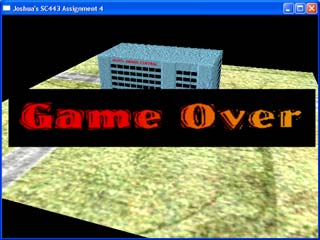 |
At the end of the game, when all the ice-cubes have been eaten, the game ends and a Game Over Insignia shows up indicating a victorious finish. |
| Key | Function |
| Left - Right Arrow Keys | Zappy Slide Left - Right Control |
| Up - Down Arrow Keys | Zappy Slide Forward - Back Control |
| Page Up | Zoom Out |
| Page Down | Zoom In |
| Caps Lock | Rotate Left (Start of Game) |
| Tab | Rotate Right (Start of Game) |
Software Used |
DEV C++ Adobe Photoshop |
Credits and Acknowledgements
|
|
|