Assignment #3
Bumps in Singapore: Can You Feel It?
| Now, we are to extend our scene in assignment 3 to create bumps on the building so as to provide realism to the texture of the building. With textures, the building will have a proper skin and shape, but it is the unevenness of the surface that gives any object the feeling that it is "real", and not a inanimated 3D Rendering. | 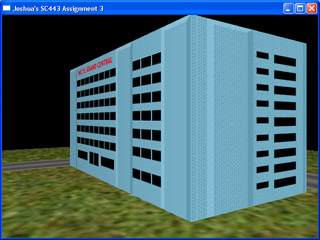 |
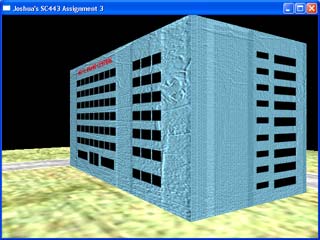 |
As you can see, with the bump map used, a simple building has been turned into a dilapidated one, with cracks and wrinkles all over. However, the bump map used may not be the best for the realism that the author wants. Hence, the author experimented with a number of bump maps to acheive the best effect. The scene on the left uses this bump map:
|
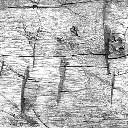 Bump4.bmp
 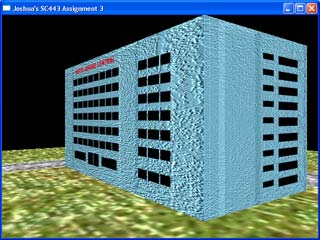 |
A slight adjustment to the brightness and contrast of the bump map yields a much grainy texture. Though resulting in a bump map which looks "bumpier", but does not produce a better visual effect.
|
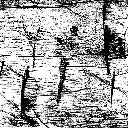 Bump5.bmp
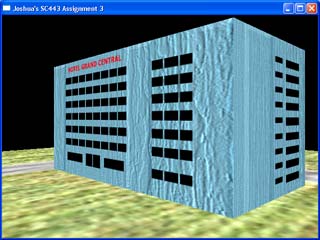 |
This one uses a rather "woody" texture.
From the above experiment, the author understands more about bump maps, and their effect on the realism of the scene. Different bump maps will yield different results and care has to be taken to ensure that the bump map that is more "visually appealing" should be selected. |
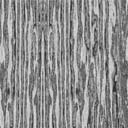 Bump6.bmp
 | Key | Function |
| Left - Right Arrow Keys | Rotate Scene |
| Page Up | Zoom out |
| Page Down | Zoom In |
| B | Bump Mapping Toggle |
Software Used |
DEV C++ Adobe Photoshop |
Credits and Acknowledgements
|
|
|