| ... <title> horse </title> ... |
 |
<Head>
Inside <head> ... </head> are the informations of the page .
Below are the few tags that we can insert between the <head> &</head>.
<title> ... </title>
<meta ... >
<bgsound ...>
<! .... >
All the tags can be written in big or small letter , this will not affect the output of HTML .
| ... <title> horse </title> ... |
|
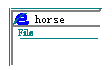
<title> is used to set the words showed behind the symbol of IE (or Mavigator) on the left-top corner of the window.
| ... <HEAD> <TITLE> ......</TITLE> <META HTTP-EQUIV="Content-Type" <<< show types & content of file
<META NAME="description"
<META NAME="keywords"
</HEAD> ... |
Inside <meta> are the informations of the file ,
these informations would not be shown on the window ,
but the variable behind the Content and charset have some effects on the words (discuss later) ,
The NAME= " ... " & CONTENT= " ... " will
lead some searching engines to show your pages
when someone types the keyword and there is the word in your CONTENT.
| <bgsound src="http://...../xxx.mid" loop="3"> |
<bgsound> sets the background sound of the page ,
You can use xxx.mid or xxx.wav coz these two types of sound files would be smaller in size ,
quickly to load.
< ... loop=" x"> means the repeating times of the sound ,
when loop="infinite" , the sound will not stop.
| <! this symbol can be used to write
some information of the file , the words here would not be shown , only for noticing the writer something he had done before.> |
Notice: SSI[Server Side Includes] may use this symbol to show states (disuss later) .
Begin Head Next
Home Kit Fung Yee Main Guest Share Stick Collect Links
background music:
Kuraki Mai ... Happy Days
2001-09-03 08:35:04