
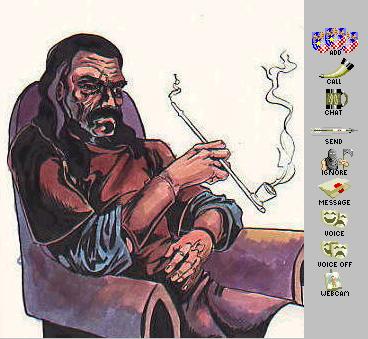
Installing a new theme is very similar to installing the new smileys ... only easier. Click on the "instal theme" link under the picture of the theme you want to download ( at this time there is only one theme ... but there will be more ... I promise ). Pay attention to where the file saves to. Double click the icon of the downloaded file to unzip it, again, paying attention to where it saves to ( default directory is c:\unzipped\ , at least on my computer it is ). Right click on the new unzipped folder and select copy or cut ( your choice ) from the pop up menu. Open folder C:/program files/yahoo!/messenger/skins and paste the new folder in this folder by pulling down the edit menu and selecting paste. Thats it for the complicated steps. Now to use the new theme ... pull up the Yahoo! messenger window and pull down the "log in" menu, go to "preferences" and then "appearance." Under "current theme" click the down arrow on the right side of the box and you should see the name of the folder you just downloaded into the "skins" folder, click on it and voila ... thats all there is to it. Hope you enjoy 'em ... I know I do. If you're having problems, check out the instructions for installing the Smileys ... they may show you some enlightenment. On a last note ... unlike the smileys, or emoticons as Yahoo! calls them, these themes WILL work with Yahoo! V5.5. The only thing that varies is V5.5 added one more icon to the chat window which you will not have a new icon to. Given that it took me aproximately 20 minutes to realize that V5.5 was NOT something I wanted, I don't recall what the icon was.
download the file from the link and unzip it
copy or cut the file and paste it to C:/program files/yahoo!/messenger/skins/
in Yahoo! messenger pull down log in menu
go to preferences
go to appearance
select new theme