

"All the comedy, one forth the time, and moral free. Just the way nature
intended."







This is the help page. You have made a wise move going here. If you haven't used www.filefront.com before.
1. As soon as you get there. There will be a button saying download. Click it. it will look like this
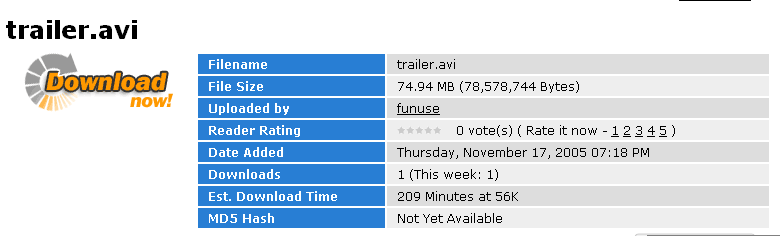
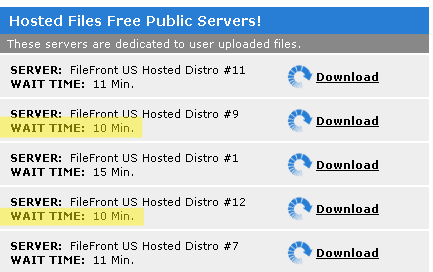
2. It will give you a list of servers to choose from. Of course you should choose the one with the least wait time. The ones with the lowest wait time I have highlighted for you.
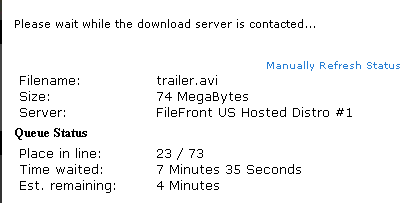
3. You will be taken to a page to show you are waiting in line for service.
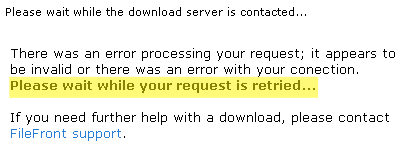
4. If you page shows the image below do not worry. It will go away after waiting. Notice I highlighted the part that says it will.
5. After you have finished and gotten to be the first in line. You will go to
the download page. If it doesn't take you there automatically
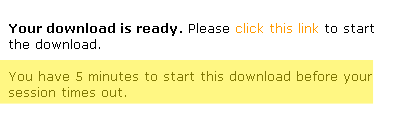
just click the "manually refresh status" button. Important! You only have 5 min
to respond from the time the page goes to this before the download expires and
you have to wait in LINE AGAIN!
6. When you are downloading I highly recommend you SAVE not OPEN the file. Running the file from you computer will give you much better quality. I only recommend OPEN when you are getting the ZIP or RAR file.
7. That is the end of the help guide. Just click movies at the top to go back to downloads.