| . |
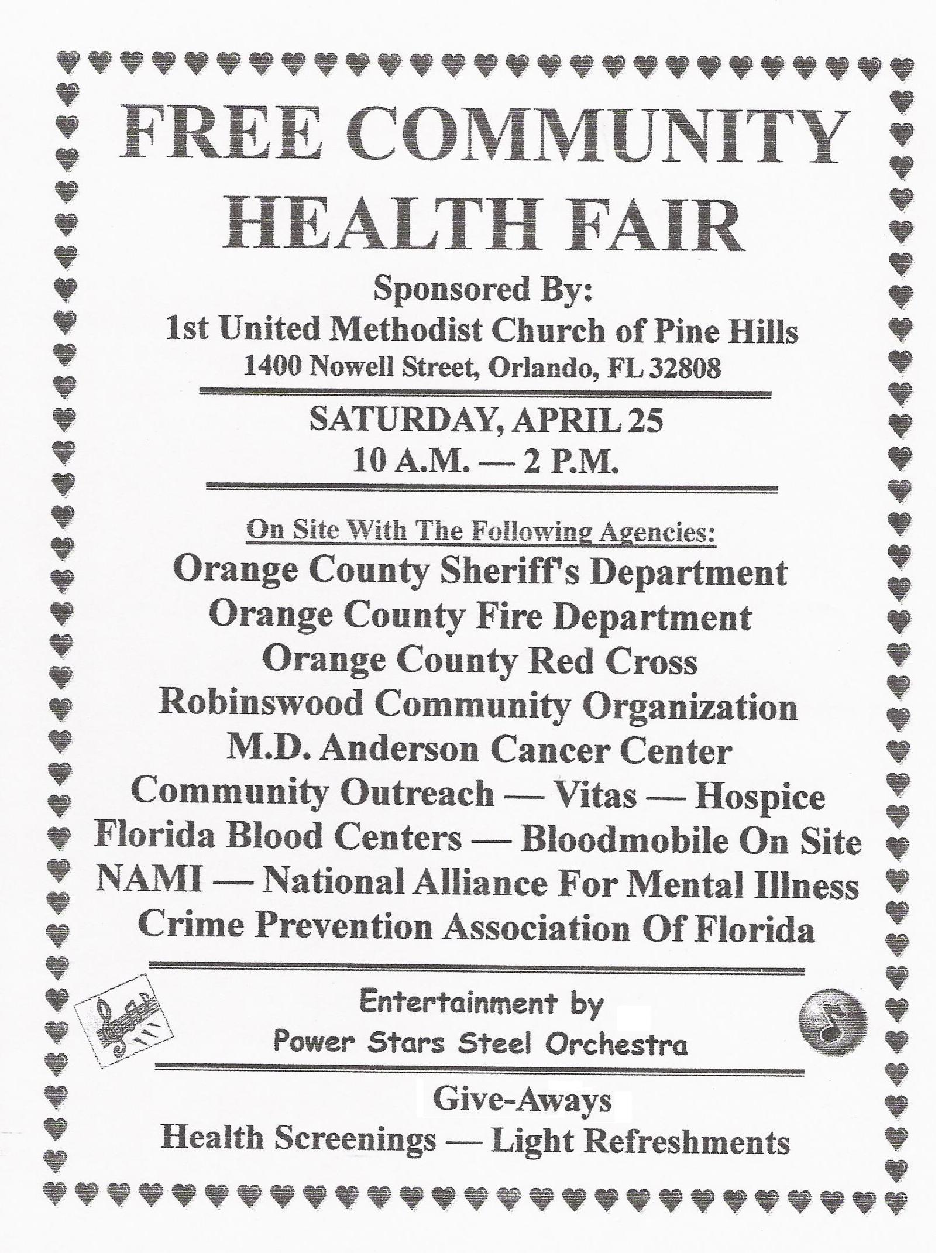 |
1. Right-click on the flyer image below. 2. Click on "Save Picture As". 3. A window will pop up on your screen asking you to save "healthflyer1". 4. Click "Save". 5. After saving it, open the file with your Paint program. 6. Once it is open in Paint, go up to "File". 7. Open "Page Setup". 8. Select "Fit to", and enter 1 to 1, so that the image will fit on one page. Click "OK". 9. Then, go back to "File", and click on "Print". Once the print window opens, click on "Print", and there you go! |
 |
 |
 |
|
| For best results (in order for the image to be centered on one sheet of paper), it is best to follow the instructions below. If all else fails, get flyers from the church office to hand out around town! Helpful Tip: Print the flyer on brightly colored paper, so it will catch the eye of passers-by! |
 |
|