

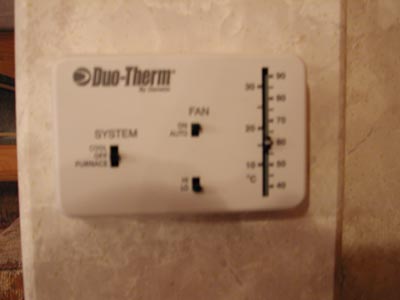
Shut off 120 volt AC and 12 volt DC sources to the AC, Heater and thermostat. (Remember the 12 volt coach battery supplies power even when the 120 volt AC is disconnected.)
Step 2
Remove old thermostat and note wire colors and connections. Follow directions included with the new thermostat for removal of old thermostat.
Connect orange and blue wires to the connector marked "G". (Connecting both wires to "G" will result in your A/C fan running at high speed. You may add a SPST Switch between the blue wire and the G connector to allow high or low speed fan.)
Connect the white wire to the "W" connector. Connect the yellow wire to the "Y" connector. Connect the black wire to the "Rh" and "Rc" connectors using the jumper included with the thermostat. Leave the red wire disconnected as it is not used in this application.
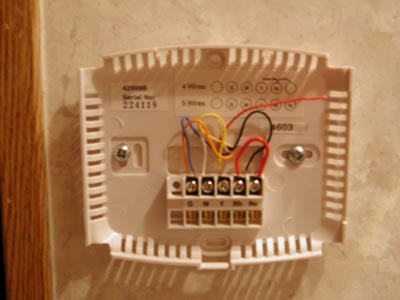
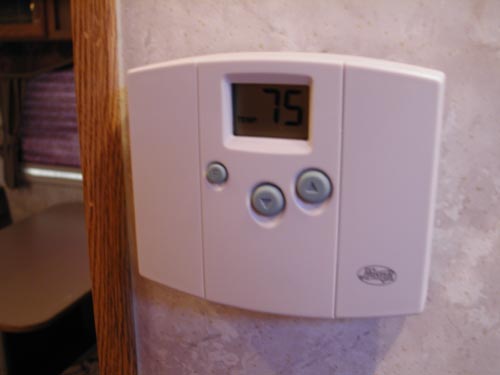
Secure thermostat base to wall using the included screws and snap the thermostat face into position as instructed in installation instructions.
Step 5
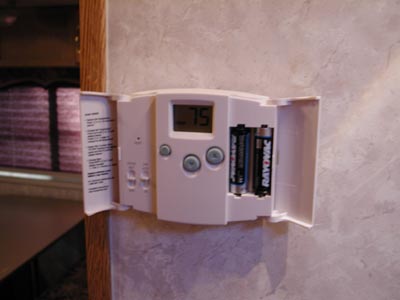
Install 2 AA batteries (These must be installed for A/C and Heat to work - make sure you keep spares in coach.)
Restore AC and DC power to the coach.
Step 7
Set thermostat and enjoy
Links to related sites for installation of digital thermostats in RVs.:
Coleman A/C, RV Thermostat

