This is a rather messy but hopefully
useful guide to using a palm for something which is similar to
flashcards. It is not the same as flashcards, and it would be nice to
have a real flashcard program to do the job, but as far as I know there
aren't really any good programs out there for exporting study lists
onto the palm for flashcard programs.
You will need:
- A palm
- A 16MB memory card or above
- Around 4mb of internal memory
- If you have a Japanese device, just skip to number 2. J-OS or CJKOS can both display japanese on non-japanese devices. They aren't free but have a 30-day trial limit. Whichever way, you will need one of these. J-OS is recommended.
- Download and install WDIC and download dictionaries. Dictionaries are available here.
- Download and install one of these pre-made lists.
- Go into CJKOS/J-OS on the palm and enable it.
This package uses the EDICT and KANJIDIC files. These files are the property of the Electronic Dictionary Research and Development Group at Monash University, and are used in conformance with the Group's licence.
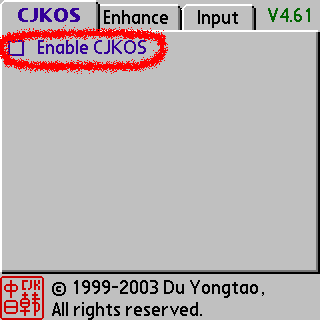
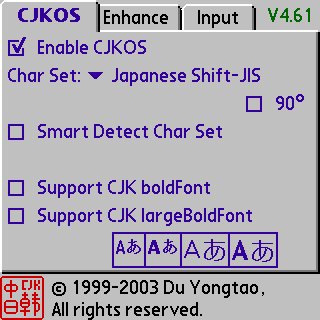
(Insert J-OS pictures here)
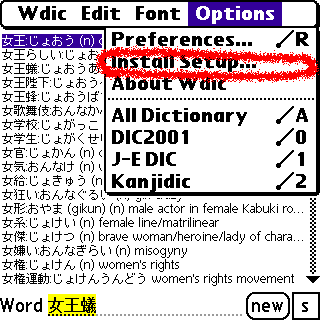
- Go into wdic on the palm, and go into menu -> options -> install setup. Press enable installing PDIC. Enter "J-E DIC" in the "New Dictionary" field. (You could call it whatever you like.)
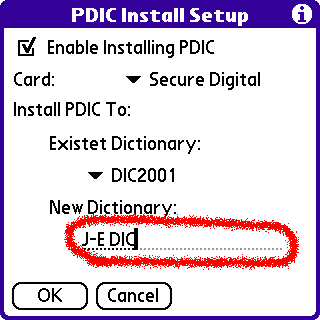
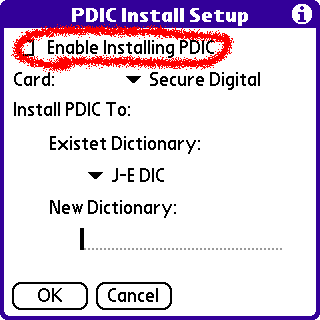
- Use an unzip program like winzip to unzip the lists. Hotsync the "All together again.dic" file to the memory stick.
- Go into wdic again on the palm, and go into install setup again. Press enable installing PDIC, and call the dictionary "Kanjidic" (Or whatever you want to call it).
- Hotsync the "Kanjidic2.dic" file to the memory stick.
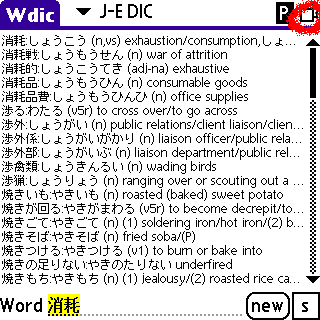
- Go into wdic and press the button in the top-right hand corner in wdic. Study lists will appear. Change dictionaries by going into the menu and select J-E Dic. Either highlight the entire of a word and press it or press the start of the word and a definition will appear. Kanji definitions can be found by selecting and pressing kanji in the screen which comes up.
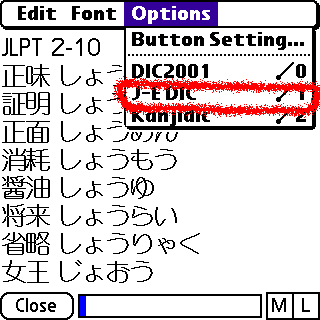
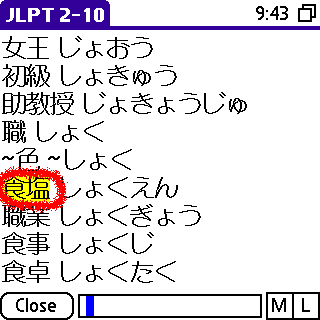
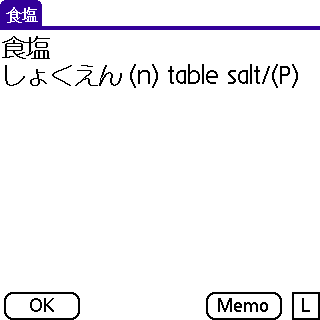
The major problem with this method is that the words can't be made random; they are always in order. It isn't the same as flashcards, but it works. It allows for scan-reading and quickly checking whether you know the words.