
Nokia Secrets
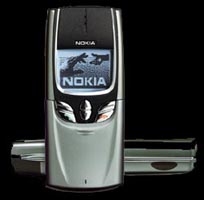
General Nokia 8810
IMEI number
*#06#
Software Version
*#0000#
1st Line - Software Version
2nd Line - Date of Software release
3rd Line - Phone Type.
Serial Number
*#92702689#
1st Screen - Date of phone manufacture
2nd Screen - Serial #, IMEI
3rd Screen - Purchasing date
4th Screen - Last Repair Date.
Nokia 101 Cell phone Locked Code
Nokia 101 cell phones set up by Bell Mobility in Toronto can have their lock code circumvented by the following method:
Type: * 3001 # 12345 [STO] 00
Wait for: NOT DONE
Type: [RCL] 01
Clear old lock code (the last four digits) and enter a new lock code. Be very careful not to delete other characters.
Type: [STO] 01 [STO]
Turn power off.
Nokia 101 cell Phone Locked Code
Nokia 101 cell phones set up by Bell Mobility in Toronto can have their lock code circumvented by the following method:
Type: * 3001 # 12345 [STO] 00
Wait for: NOT DONE
Type: [RCL] 01
Clear old lock code (the last four digits) and enter a new lock code. Be very careful not to delete other characters.
Type: [STO] 01 [STO]
Turn power off.
Nokia 1610 / 1611
*#06# for checking the IMEI (International Mobile Equipment Identity)
*#170602112302# shows the SW version.
Latest software version on Nokia 1610: v 5.15 (25.02.97) NHE-5NX - older version V 4.19
Latest software version on Nokia 1611: V 4.03 NHE-5SX
Nokia 2010
To view IMEI number *#06#
To view Software Version enter *#9999#
Nokia 3210
*#06# for checking the IMEI (International Mobile Equipment Identity) Information you get from the IMEI:
XXXXXX XX XXXXXX X
TAC FAC SNR SP
TAC = Type approval code
FAC = Final assembly code
SNR = Serial number
SP = Spare
*#0000# To view Software Version.
#746025625# [*#sim0clock#]
Checks if the sim clock can be stopped. Sim clock stop is a kind of stand-by mode which will save battery time. This code doesn't work with software version 4.59.
*#92702689# [*#war0anty#] takes you to a secret menu with 6 choices:
1. Displays Serial Number.
2. Displays the Month and Year of Manufacture (0997)
3. Displays (if there) the date where the phone was purchased (MMYY)
4. Displays the date of the last repairment - if found (0000)
5. makes you capebel of transferring user data if you have the gear for it
6. shows how many hours the phone has been on
Latest software version: V 5.02 NSE-8/9
V.4.41 NSE-8/9 (17-08-99)0
V 4.11 (???)
V 3.10 NSE-8
*#3370# - Enhanced Full Rate Codec (EFR) activation. It will automatically restart.
*#3370* - Enhanced Full Rate Codec (EFR) deactivation. It will automatically restart.
*#4720# - Half Rate Codec activation. It will automatically restart
*#4720* - Half Rate Codec deactivation. It will automatically restart
Enhanced Full Rate will give you much better sound quality when you enable it. The new Enhanced Full Rate CODEC adopted by GSM uses the ASELP (AlgebraicCode Excitation Linear Prediction) compression technology. This technology allows for much great voice quality in the same number of bits as the older Full Rate CODEC. The older technology was called LPC-RPE (Linear Prediction Coding with Regular Pulse Excitation). Both operate at 13 kilobits.(but you take up more space on the network, so they can charge you more) - Talk-time is reduced with about 5%
Nokia 3810
To view IMEI number *#06#
To view Software Version enter *#3810#
Nokia 6080 / 6081
*#06# for checking the IMEI (International Mobile Equipment Identity)
*#0000# shows the SW version.
Latest software version on 6080 V 4.80 NHE-2
Latest software version on 6081 V 5.14 NHE-2A
Nokia 6120 / 6160 / 6162 (TDMA phones)
*#92772689# for checking ISDN number.
*3001#12345# for field test mode and nam selection and some other stuff...
*#9999# shows the SW version.
Nokia 6150
*#06# for checking the IMEI (International Mobile Equipment Identity)
*#0000# shows the SW version.
*#92702689# to enter service menu.
Latest software version 5.22 (10-11-99) NSM-1
Older versions:
5.20 (20-09-99) NSM-1
5.17 (01-07-99) NSM-1
Updates:
1. Updated GSM-list
2. *4720# and #4720# (activate/deactivate Halfrate) doesn't work anymore!
3. New menu option: 4-4-6 Confirm SIM service actions Lets you select whether SIM service actions are visible and confirmed by you.
4. Automatic menu-language selection doesn't work anymore!
V 5.02 (02-02-99) NSM-1
V 4.13 NSM-1 (EFR option should be back in this version)
V 4.12 NSM-1 (EFR option removed in this version)
V 4.11 NSM-1 (EFR option removed in this version)
V 4.02 NSM-1
Nokia 6190
*#06# for checking the IMEI (International Mobile Equipment Identity)
*#6190# shows the SW version.
*#92772689# (after removing the analog module) shows service menu.
*3001#12345[OK] to enter test mode.
*#639# to change NAM.
Nokia 7110
*#06# for checking the IMEI (International Mobile Equipment Identity)
*#0000# To view Software Version.
*#3370# - Enhanced Full Rate Codec (EFR) activation. It will automatically restart.
*#3370* - Enhanced Full Rate Codec (EFR) deactivation. It will automatically restart.
*#4720# - Half Rate Codec activation. It will automatically restart
*#4720* - Half Rate Codec deactivation. It will automatically restart
*#746025625# - Sim clock allowed status.
*#92702689# [*#war0anty#] - takes you to a secret menu with 6 choices:
1. Displays Serial Number.
2. Displays the Month and Year of Manufacture (0997)
3. Displays (if there) the date where the phone was purchased (MMYY)
4. Displays the date of the last repairment - if found (0000)
5. makes you capebel of transferring user data if you have the gear for it
6. shows how many hours the phone has been on
Latest software version: 4.77 25-01-00 NSE-5 - EFR and half rate codes do not work with this version.
V 4.76 13-01-00 NSE-5
V 4.75 07-01-00 NSE-5
V 4.73 15.11.99 NSE-5
Nokia 8850
*#06# for checking the IMEI (International Mobile Equipment Identity)
*#0000# To view Software Version.
Latest software version: V 5.11 09-12-99 NSM-2
Older version: V5.08
Nokia 9000/9000i
To view IMEI number *#06#
To view Software Version enter *#8110# Latest Version is under Phone Info.
To view Week and Year of manufacture enter *#3283#
Nokia 9110
*#06# for checking the IMEI (International Mobile Equipment Identity)
*#0000# shows the SW version.
Latest software version: v5.02 (26-08-99)RAE-2
V 4.05 RAE-2
Nokia 2110i
*#06# for checking the IMEI (International Mobile Equipment Identity) Information you get from the IMEI:
XXXXXX XX XXXXXX X
TAC FAC SNR SP
TAC = Type approval code
FAC = Final assembly code
SNR = Serial number
SP = Spare
To view Week and Year of manufacture enter *#3283# [*# D A T E #]
The last two digits are the year. If the year is 95, the first two digits are the month. For 96 the first two digits are the week of the year.
To view the software version on 2110e / 2110i enter *#170602112302# or *#9999#
On newer phones, the code has been changed to *#682371158412125#
Service Prover Lock
The service provider (SP) lock is used to lock the cell phone to the SP's SIM card. Once the cell phone is locked to a specific operator, if one inserts a SIM card from a different operator the phone will refuse to accept it! The cell phone will however accept another SIM card from the same operator.
All Nokia phones (2110 and newer) have four different SIM locks which can be used to lock the phone for upto 4 different providers. But most phones with restriction only have one lock activated. ( lock 1)
The main code used in Nokia phones is:
#pw+(master code)+Y#
This code is able to check, activate or remove Sim card restriction (SP-lock).
Use the * key to get the p, + and w chars.
'Y' has to be 1,2,3 or 4 - depending of what lock you what to deal with.
#pw+1234567890+1# for Provider-Lock status
#pw+1234567890+2# for Network-Lock status
#pw+1234567890+3# for Country-Lock status
#pw+1234567890+4# for SimCard-Lock status
# = DOUBLE-CROSS
W = PRESS "*" THREE TIMES
P = PRESS "*" FOUR TIMES
+ = PRESS "*" TWO TIMES
MASTERCODE = 1234567890
Y = NUMBER 1 TO 4
(master code) is a 10 digit code, based on the phones IMEI number.
(I can NOT give you the master code - SO DON'T ASK ME FOR IT !!!!!!!)
Eg. To remove restriction on lock 1 type following code:
#pw+(master code)+1#
If you just want to check your phone use 10 random numbers Eg. 1234567890 as the (master code)
eg. To check if phone if restricted on lock 1 type the following code:
#pw+1234567890+1#
Please NOTE that these codes could be used with care! A user told me that it's only possible to type in about 3 different codes on each lock! Then something bad will happen ..therefore be careful!
Bypass the SP lock
With a Nokia 16xx/21xx/31xx/51xx/81xx that are SIMlocked to one privider you can bypass the SP lock like this:
1: Insert sim card of diferent provider.
2: Turn on the phone and press the UP VOLUME key for 3 sec. then release it and the phone says PIN CODE?
3: Press the "C" key.
4: Then Press * and wait until it desapear and apear again, then press * one more time and 04*PIN*PIN*PIN#
The phone now says: PIN CODE CHANGED (or ACCEPTED) and the SIM card is accepted until you restart the phone again. NOTE: On version 5.04 Nokia has removed this option !
Cell-sites
To enable display of cell-site names, [MENU] 4 9 1
Received calls
To see received calls. Same As menu options (012)
Enter : * then Memory then Find or * then the down arrow Missed calls
To see missed calls
Same as menu option (01 3)
Enter : + then Memory then Find or + then the down arrow
DTMF tones
Pressing Menu, then Green Phonebutton allows you to transmitt DTMF tones
Carkit Programming
If you use a carkit with handsfree AND additional handset, and you want to switch from handset to handsfree: Press the left menu button, and put the additional handset on hook. Now you are on handsfree
Nokia 3210
Nov, 25 2000 - 19:36
*#06# for checking the IMEI (International Mobile Equipment Identity) Information you get from the IMEI:
XXXXXX XX XXXXXX X
TAC FAC SNR SP
TAC = Type approval code
FAC = Final assembly code
SNR = Serial number
SP = Spare
*#0000# To view Software Version.
*#746025625# [*#sim0clock#]
Checks if the sim clock can be stopped. Sim clock stop is a kind of stand-by mode which will save battery time. This code doesn't work with software version 4.59.
*#92702689# [*#war0anty#] takes you to a secret menu with 6 choices:
1. Displays Serial Number.
2. Displays the Month and Year of Manufacture (0997)
3. Displays (if there) the date where the phone was purchased (MMYY)
4. Displays the date of the last repairment - if found (0000)
5. makes you capebel of transferring user data if you have the gear for it
6. shows how many hours the phone has been on
Latest software version: V 05.36 NSE - 8/9 (25-07-00)
V 5.31 NSE - 8/9 (24-05-00)
V 5.26 NSE - 8/9 (07-04-00)
V 5.02 NSE - 8/9
V 4.41 NSE - 8/9 (17-08-99)0
V 4.11 (???)
V 3.10 NSE - 8
*3370# - Enhanced Full Rate Codec (EFR) activation. It will automatically restart.
#3370# - Enhanced Full Rate Codec (EFR) deactivation. It will automatically restart.
*4370# - Half Rate Codec activation. It will automatically restart
#4370# - Half Rate Codec deactivation. It will automatically restart
xx# - xx position in Phone Book
Enhanced Full Rate will give you much better sound quality when you enable it. The new Enhanced Full Rate CODEC adopted by GSM uses the ASELP (AlgebraicCode Excitation Linear Prediction) compression technology. This technology allows for much great voice quality in the same number of bits as the older Full Rate CODEC. The older technology was called LPC-RPE (Linear Prediction Coding with Regular Pulse Excitation). Both operate at 13 kilobits.(but you take up more space on the network, so they can charge you more) - Talk-time is reduced with about 5%
Free SMS Tip
1st Way:
1. turn our phone off.
2. turn it on and enter your pin.
3. enter *#746025625# 4. now "SIM CLOCK STOP ALLOWED" will be displayed.
now you can send sms for free. if you turn your phone off and later on you have to reenter this code!!!
In some Networks it doesn't work!!!
2nd Way:
Set Menu 4-3-3 on Usergroup 666 (work with German Networks). It's now the group 999, but it's not tested yet.
Nokia 3110
*#06# for checking the IMEI (International Mobile Equipment Identity) Information you get from the IMEI:
XXXXXX XX XXXXXX X
TAC FAC SNR SP
TAC = Type approval code
FAC = Final assembly code
SNR = Serial number
SP = Spare
*#7780# restores Factory Settings..(Memory, language, counters not included)
*#3110# for checking the phone's software (SW) - called firmware revision information.
#746025625# [*#sim0clock#]
Checks if the sim clock can be stopped. Sim clock stop is a kind of stand-by mode which will save battery time. This code doesn't work with software version 4.59.
*#92702689# [*#war0anty#]
Press the following warranty code:
6232 (OK) : Displays the Month and Year of Manufacture (0997)
7332 (OK) : Displays the date of the last repairment - if found ('DATE NOT SAVED'...)
7832 (OK) : Displays (if found) the date where the phone was purchased ('DATE NOT SAVED'...)
9268 (OK) : Displays Serial Number
37832 (OK) : Set the Purchasing Date MMYY (Warning: You can only do this once - So be careful ...)
87267 (OK) : Transfers ALL phone numbers, pictures, sounds from one phone to another
Service Prover Lock
The service provider (SP) lock is used to lock the cell phone to the SP's SIM card. Once the cell phone is locked to a specific operator, if one inserts a SIM card from a different operator the phone will refuse to accept it! The cell phone will however accept another SIM card from the same operator.
All Nokia phones (2110 and newer) have four different SIM locks which can be used to lock the phone for upto 4 different providers. But most phones with restriction only have one lock activated. ( lock 1)
The main code used in Nokia phones is:
#pw+(master code)+Y#
This code is able to check, activate or remove Sim card restriction (SP-lock).
Use the * key to get the p, + and w chars.
'Y' has to be 1,2,3 or 4 - depending of what lock you what to deal with.
#pw+1234567890+1# for Provider-Lock status
#pw+1234567890+2# for Network-Lock status
#pw+1234567890+3# for Country-Lock status
#pw+1234567890+4# for SimCard-Lock status
# = DOUBLE-CROSS
W = PRESS "*" THREE TIMES
P = PRESS "*" FOUR TIMES
+ = PRESS "*" TWO TIMES
MASTERCODE = 1234567890
Y = NUMBER 1 TO 4
(master code) is a 10 digit code, based on the phones IMEI number.
(I can NOT give you the master code - SO DON'T ASK ME FOR IT !!!!!!!)
Eg. To remove restriction on lock 1 type following code:
#pw+(master code)+1#
If you just want to check your phone use 10 random numbers Eg. 1234567890 as the (master code)
eg. To check if phone if restricted on lock 1 type the following code:
#pw+1234567890+1#
Please NOTE that these codes could be used with care! A user told me that it's only possible to type in about 3 different codes on each lock! Then something bad will happen ..therefore be careful!
Bypass the SP lock
With a Nokia 16xx/21xx/31xx/51xx/81xx that are SIMlocked to one privider you can bypass the SP lock like this:
1: Insert sim card of diferent provider.
2: Turn on the phone and press the UP VOLUME key for 3 sec. then release it and the phone says PIN CODE?
3: Press the "C" key.
4: Then Press * and wait until it desapear and apear again, then press * one more time and 04*PIN*PIN*PIN#
The phone now says: PIN CODE CHANGED (or ACCEPTED) and the SIM card is accepted until you restart the phone again. NOTE: On version 5.04 Nokia has removed this option !
Fast silent mode
In the newer versions (v.7.11 or higher) a quick silent mode can by entered. Press Menu then #.
The 54# Tip:
Type 1#, 2#........54# on the keypad (when you're not in the menu) to get the phone number used for with this key when speed dialing.
Nokia 5110
*#06# for checking the IMEI (International Mobile Equipment Identity) Information you get from the IMEI:
XXXXXX XX XXXXXX X
TAC FAC SNR SP
TAC = Type approval code
FAC = Final assembly code
SNR = Serial number
SP = Spare
*#0000# To view Software Version.
#746025625# [*#sim0clock#]
Checks if the sim clock can be stopped. Sim clock stop is a kind of stand-by mode which will save battery time. This code doesn't work with software version 4.59.
*#92702689# [*#war0anty#]
You don't need the warranty-codes any more - you can just scroll through the information like in any other menu. It has the the same data as 81xx and 31xx phones (with "Edit" button for purchase date, and "User data transfer").
Menu:
1: Displays Serial Number.
2: Displays the Month and Year of Manufacture (0997)
3: Displays (if there) the date where the phone was purchased (MMYY) you can here set the Purchasing Date (Warning: You can only do this once - so be careful what you write...)
4: Displays the date of the last repairment - if found (0000)
6: Does anyone know if this is for upgrading the phone's EEPROM?? (Transfer user data?)
Enhanced Full Rate Codec (EFR):
On: Enter *3370# and EFR will be activated after a reboot of the phone ( consumes more power )
Off: Enter #3370# and EFR will be switched off after a reboot of the phone.
Half Rate Codec:
On: Enter *4720# and Half Rate coded will be activated after a reboot of the phone ( better standby time )
Off: Enter #4720# and Half Rate coded will be de-activated after a reboot of the phone
Enhanced Full Rate will give you much better sound quality when you enable it. The new Enhanced Full Rate CODEC adopted by GSM uses the ASELP (AlgebraicCode Excitation Linear Prediction) compression technology. This technology allows for much great voice quality in the same number of bits as the older Full Rate CODEC. The older technology was called LPC-RPE (Linear Prediction Coding with Regular Pulse Excitation). Both operate at 13 kilobits.(but you take up more space on the network, so they can charge you more) - Talk-time is reduced with about 5%
Half Rate will give you bad soundquality, which gives the serviceprovider the opportunity to have more calls on the network, and you might get a lower charge from them. - Will give you 30% longer talk-time.
Network Monitor
There is a hidden menu inside your Nokia phone. If you want to activate it, you'll have to re-program some chips inside of your phone.
1.Check your software version. You can only continue if you have v4.33, v4.73 or v5.24.
2.Take apart the phone.
3. De-solder the EEPROM (ATMEL AT 24C64).
4. Read out the data with an EEPROM programmer and save it to a file (Backup).
5. If you have v.33 or v4.73, change the address "03B8" from "00" to "FF".
6. If you have v5.24 then change the address "0378" from "00" to "FF".
7. Write the new data to the EEPROM and solder it back to the phone.
8. Power on your phone and you should have "Netmonitor" enabled.
The Network Monitor gives you the following information.
Carrier number
MS RX Level in DBM
Received signal quality
MS TX power level C1 (Path loss criterion, used for cell selection and reselection). The range is -99 to 99.
RTL (Radio link timeout).
Timeslot
Indication of the transmitter status
Information on the Network parameters.
TMSI (Temporary Mobile Subscriber Identity).
Cell identification (Cell ID, Number of cells being used).
MCC (Mobile country code)
MCN (Mobile network code)
LAC (Location area code)
Ciphering (On/Off)
Hopping (On/Off)
DTX (On/Off)
Discard cell barred information.
The Reboot Trick
Should work on all software versions.
1. Go to calendar (menu - 8)
2. Make note / reminder
3. Enter some text into the edit box
4. Hold clear until whole text is cleared, then press Back
5. Press 0. Main screen is shown but a space appears on the screen. You can't see it of course.
6. Enter 4 digits (1234, for example)
7. Use the down arrow to move the cursor to the left side of the numbers and the space (2 times down arrow)
8. Now enter 6 digits and press the green "Call button".
Wait some seconds...the phone will now flash the background light and finally reboot. The trick should also work on other menus like the profile menu...
The James Bond Trick
If you short-circuit theleft middle and right pins on the bottom of the phone with all connections touching each other, the Nokia software hangs! The profile "Headset" will be activated. Before you do this just activate the "Automatic Answer" in the headset profile and set the ringing volume to "Mute". Now you can use your phone for checking out what people are talking about in a room. Just place it under a table in a room and call it. The phone receives the call without ringing and you can listen to what people are saying.
Service Prover Lock
The service provider (SP) lock is used to lock the cell phone to the SP's SIM card. Once the cell phone is locked to a specific operator, if one inserts a SIM card from a different operator the phone will refuse to accept it! The cell phone will however accept another SIM card from the same operator.
All Nokia phones (2110 and newer) have four different SIM locks which can be used to lock the phone for upto 4 different providers. But most phones with restriction only have one lock activated. ( lock 1)
The main code used in Nokia phones is:
#pw+(master code)+Y#
This code is able to check, activate or remove Sim card restriction (SP-lock).
Use the * key to get the p, + and w chars.
'Y' has to be 1,2,3 or 4 - depending of what lock you what to deal with.
#pw+1234567890+1# for Provider-Lock status
#pw+1234567890+2# for Network-Lock status
#pw+1234567890+3# for Country-Lock status
#pw+1234567890+4# for SimCard-Lock status
# = DOUBLE-CROSS
W = PRESS "*" THREE TIMES
P = PRESS "*" FOUR TIMES
+ = PRESS "*" TWO TIMES
MASTERCODE = 1234567890
Y = NUMBER 1 TO 4
(master code) is a 10 digit code, based on the phones IMEI number.
(I can NOT give you the master code - SO DON'T ASK ME FOR IT !!!!!!!)
Eg. To remove restriction on lock 1 type following code:
#pw+(master code)+1#
If you just want to check your phone use 10 random numbers Eg. 1234567890 as the (master code)
eg. To check if phone if restricted on lock 1 type the following code:
#pw+1234567890+1#
Please NOTE that these codes could be used with care! A user told me that it's only possible to type in about 3 different codes on each lock! Then something bad will happen ..therefore be careful!
Bypass the SP lock
With a Nokia 16xx/21xx/31xx/51xx/81xx that are SIMlocked to one privider you can bypass the SP lock like this:
1: Insert sim card of diferent provider.
2: Turn on the phone and press the UP VOLUME key for 3 sec. then release it and the phone says PIN CODE?
3: Press the "C" key.
4: Then Press * and wait until it desapear and apear again, then press * one more time and 04*PIN*PIN*PIN#
The phone now says: PIN CODE CHANGED (or ACCEPTED) and the SIM card is accepted until you restart the phone again. NOTE: On version 5.04 Nokia has removed this option !
Your number in your display
1. Goto menu 3-7 Call cost settings.
2. Turn ON the Call costs' limit 3-7-1. PIN2 code Required.
3. Put in the limit with the phone number. eg. my phone # is 019 2184697 Enter the limit as 2184697
4. Goto menu 3-7-2 Show costs in. PIN2 code Required.
5. Select Currency.
6. Enter Unit price : 1
7. Enter Currency name as 019 (per my phone # eg. above)
Now the phone number 019 2184697 will remains on the 4th row of the display. Secondly, if you press the # key, it prompt which line to be used; Line 1 or 2.
Larger Number Tip (works in 51xx series)
If you hold the key # while you are in the names list, the telephone number can be viewed larger.
Power Button Tip:
If you press the button for a short moment, the menu with the profiles is shown on the display. If you press one more time, the mobile turns itself off. You can use the up and down cursor keys to scroll and enable a different alert setting.
Crazy 5110
Send a SMS full of . (dots) the it'll go crazy when you scroll the received message in your 5110. It doesn't do any permanent damage...it only goes crazy if you scroll the SMS. I'm not sure if it works with all of the software version but it works with 4.59. Doesn't work on SW version 4.53 ..
The 54# Tip:
Type 1#, 2#........54# on the keypad (when you're not in the menu) to get the phone number used for with this key when speed dialing.
Revealing the Headphone and Car-Kit menus
Please note that if you do these next tricks, the new menus can't be erased without retoring the factory default settings. To do these tricks you need to short-circuit the pins on the bottom of the phone next to where you plug in you charger.
1. To activate the "Headset" menu, you need to short-circuit pins "3" and "4". After a short time the word "Headset" will be shown in the display. Menu 3-6 is now enabled.
2. To activate the "Car" menu, you need to short-circuit pins "4" and "5". After a short time the word "Car" will be shown in the display. Menu 3-7 is now enabled.
Quick SMS Typing
When typing SMS messages, you have to wait some seconds before you can type the next letter if it is in the same button than the previous one. For example try to write the word "letter", you have to wait before you can enter the second "t".. A much faster solution is to press the # button twice and then the letter "t".
Free Call Tip
NB. The tips needs Net Monitor enabled. Be aware that the trick wil remove Netmonitor in some sw versions like v4.73 and v5.04.
1. Laungh the NetMonitor in your Nokia 51xx / 61xx
2. Execute the test number 497
3. Free calling for about 90 sec should now have been activated.
The trick has not been comfirmed working yet.
New Menu on Emergency Calls
*3001#12345# Brings a new menu that gives you access to the emergency calls ( 911 Etc. ). It will give you FREE calls! (only the ones you put in the emergency!! ) This option will depend on your GSM operator, may be this code will not works and you still can get the bill!
Nokia 5610
To view Software Version enter *#9999#
*#92772689# for checking ISDN number.
1) Serial No.
2) Made
3) Programming date
4) Repaired
5) Transfer user data ?
6) Life Timer
*3001#12345# for field test mode and nam selection and some other stuff...
1) NAM 1
a. Home System ID
b. Own Number
c. Alpha Tag
d. PSID/RSID lists
e. Change Defaults
2) NAM 2
a. Home System ID
b. Own Number
c. Alpha Tag
d. PSID/RSID lists
e. Change Defaults
3) Security a. Displays security code
4) Emergency
a. Emergency number 1
b. Emergency number 2
c. Emergency number 3
5) SW Version a. Displays sw version
6) Serial No. a. Displays ESN
7) Programmed
8) Field Test
*#639# to change NAM.
Free SMS Tip
1. turn our phone off.
2. turn it on and enter your pin.
3. enter *#746025625# 4. now "SIM CLOCK STOP ALLOWED" will be displayed.
now you can send sms for free. if you turn your phone off and later on you have to reenter this code!!
Nokia 8110
*#06# for checking the IMEI (International Mobile Equipment Identity) Information you get from the IMEI:
XXXXXX XX XXXXXX X
TAC FAC SNR SP
TAC = Type approval code
FAC = Final assembly code
SNR = Serial number
SP = Spare
*#0000# To view Software Version.
#746025625# [*#sim0clock#]
Checks if the sim clock can be stopped. Sim clock stop is a kind of stand-by mode which will save battery time. This code doesn't work with software version 4.59.
*#92702689# [*#war0anty#]
You don't need the warranty-codes any more - you can just scroll through the information like in any other menu. It has the the same data as 81xx and 31xx phones (with "Edit" button for purchase date, and "User data transfer").
Menu:
1: Displays Serial Number.
2: Displays the Month and Year of Manufacture (0997)
3: Displays (if there) the date where the phone was purchased (MMYY) you can here set the Purchasing Date (Warning: You can only do this once - so be careful what you write...)
4: Displays the date of the last repairment - if found (0000)
6: Does anyone know if this is for upgrading the phone's EEPROM?? (Transfer user data?)
Software
Type: NSE-6
LASTEST Version V 5.00 (29-09-99)
Older versions:
V 4.05 NSE-6 (26-11-98)
V 4.01 NSE-6
V 3.01 NSE-6 (08-07-98) First version!
This is what the Nokia 8810 displays when software code is typed.
V 04.05
26-11-98
NSE-6
First line:
The Software Version (My guess is that this software has been used in previously Nokia-phones, what do you say?!).
Second line:
The date of the SW release.
Third line:
NHE-8 has something to do with the type of phone you are dealing with. Is it GSM 900 (standard), GSM 1800 (DCS1800) or GSM 1900 (PCS1900)? Nokia 2110, 3110, 8110(i) are all NHE types. The only thing that vary is the code after NHE- ("8"). NHE = GSM 900, NHK =GSM 1800 - The number in the end = the model (2110i = 4 etc.) The 5110 and 6110 is called NSE-1 and NSE-3...this may be because it supports EFR (?)
Software update, how?
I have been asked a lot about how to update the software in your cell phones. The easiest thing to do is to go to the nearest Nokia dealer and make him do it for you. Just remember that it is supposed to be free (a receipt is requiet) so don't let him tell you anything else!
Service Prover Lock
The service provider (SP) lock is used to lock the cell phone to the SP's SIM card. Once the cell phone is locked to a specific operator, if one inserts a SIM card from a different operator the phone will refuse to accept it! The cell phone will however accept another SIM card from the same operator.
All Nokia phones (2110 and newer) have four different SIM locks which can be used to lock the phone for upto 4 different providers. But most phones with restriction only have one lock activated. ( lock 1)
The main code used in Nokia phones is:
#pw+(master code)+Y#
This code is able to check, activate or remove Sim card restriction (SP-lock).
Use the * key to get the p, + and w chars.
'Y' has to be 1,2,3 or 4 - depending of what lock you what to deal with.
#pw+1234567890+1# for Provider-Lock status
#pw+1234567890+2# for Network-Lock status
#pw+1234567890+3# for Country-Lock status
#pw+1234567890+4# for SimCard-Lock status
# = DOUBLE-CROSS
W = PRESS "*" THREE TIMES
P = PRESS "*" FOUR TIMES
+ = PRESS "*" TWO TIMES
MASTERCODE = 1234567890
Y = NUMBER 1 TO 4
(master code) is a 10 digit code, based on the phones IMEI number.
(I can NOT give you the master code - SO DON'T ASK ME FOR IT !!!!!!!)
Eg. To remove restriction on lock 1 type following code:
#pw+(master code)+1#
If you just want to check your phone use 10 random numbers Eg. 1234567890 as the (master code)
eg. To check if phone if restricted on lock 1 type the following code:
#pw+1234567890+1#
Please NOTE that these codes could be used with care! A user told me that it's only possible to type in about 5 different codes on each lock! Then something bad will happen ..therefore be careful!
In most Countries Nokia has denied to lock this phone to a Service Provider
Enhanced Full Rate Codec (EFR):
On: Enter *3370# and EFR will be activated after a reboot of the phone ( consumes more power )
Off: Enter #3370# and EFR will be switched off after a reboot of the phone.
Half Rate Codec:
This function is NOT available on 8810
Enhanced Full Rate will give you much better sound quality when you enable it. The new Enhanced Full Rate CODEC adopted by GSM uses the ASELP (AlgebraicCode Excitation Linear Prediction) compression technology. This technology allows for much great voice quality in the same number of bits as the older Full Rate CODEC. The older technology was called LPC-RPE (Linear Prediction Coding with Regular Pulse Excitation). Both operate at 13 kilobits.(but you take up more space on the network, so they can charge you more) - Talk-time is reduced with about 5%
The 54# Tip:
Type 1#, 2#........54# on the keypad (when you're not in the menu) to get the phone number used for with thiskey when speed dialing.
Power Button Tip:
If you press the button for a short moment, the menu with the profiles is shown on the display. If you press one more time, the mobile turns itself off. You can use the up and down cursor keys to scroll and enable a different alert setting.
Quick SMS Typing
When typing SMS messages, you have to wait some seconds before you can type the next letter if it is in the same button than the previous one. For example try to write the word "letter", you have to wait before you can enter the second "t".. A much faster solution is to press the # button twice and then the letter "t".
What's a Business Card?
A business card is a special SMS message which is composed as following: //SCKE2 BEGIN:VCARD N:name TEL:number END:VCARD
Call Menu
(In a call) you can press and hold down the menu button for 3 sec. and a menu appears. (trasfer, mute etc
Nokia 9000 9000i
To view Software Version enter *#8110# Latest Version is under Phone Info.
To view Week and Year of manufacture enter *#3283#
Nokia 9110
*#06# for checking the IMEI (International Mobile Equipment Identity)
*#0000# shows the SW version.
Latest software version: V 5.06 (09.12.99) RAE-2
V 5.02 (26-08-99)RAE-2
V 4.05 RAE-2
Free SMS Tip
1st Way:
1. turn our phone off.
2. turn it on and enter your pin.
3. enter *#746025625# 4. now "SIM CLOCK STOP ALLOWED" will be displayed.
now you can send sms for free. if you turn your phone off and later on you have to reenter this code!!!
In some Networks it doesn't work!!!
2nd Way:
Set Menu 4-3-3 on Usergroup 666 (work with German Networks)