FR Style sheets
for
IE5, IE5.5, IE 6,
Netscape 6.0, Netscape 6.1
(Opera 5?)
Totally easy for almost any user to try out!
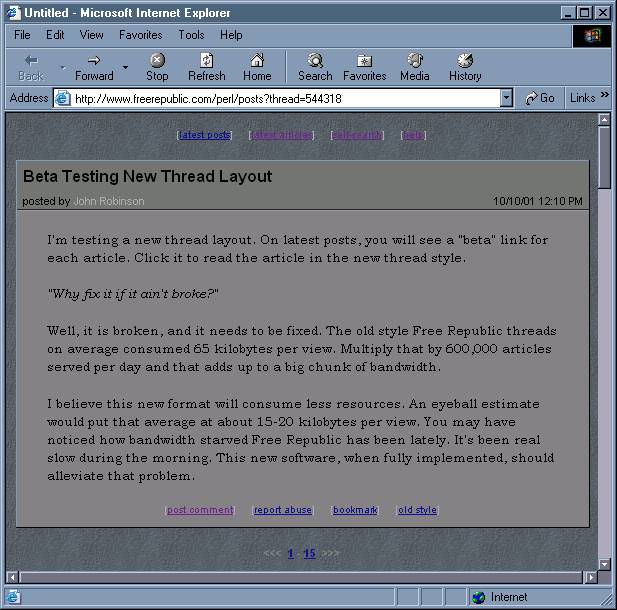
.fr_title
{
    padding-top: 1%;
    padding-bottom: 1%;
}

.fr_collapsed
{
    font: bold 12pt Arial;
    text-align: center;
}

.fr_collapsed A
{
    text-decoration: none;
    color: #aaaaaa;
}

.fr_collapsed A:hover
{
    color: white;
}

.fr_page
{
    font: bold 8pt/10pt Arial;
    color: gray;
    text-align: center;
}

.fr_page A:hover
{
    color: white;
}

.fr_page_here
{
    text-decoration: none;
    color: white;
}

.fr_page_goto
{
    text-decoration: none;
    color: gray;
}

.fr_normal
{
    font: bold 8pt/10pt Arial;
    background-color: gray;
    border-style: outset;
    border-width: 1;
    margin-bottom: 1em;
}

.fr_article .fr_header
{
    font: 8pt Arial;
    border-bottom: thin groove #999999;
    padding: 1px 6px;
}

.fr_comment .fr_header
{
    font: bold 8pt/10pt Arial;
    border-bottom: thin groove #999999;
    padding: 1px 6px;
}

.fr_normal .fr_header
{
    background-color: #777777;
}

.fr_normal .fr_header A
{
    text-decoration: none;
    color: #aaaaaa;
}

.fr_normal .fr_header A:hover
{
    text-decoration: none;
    color: white;
}

.fr_normal .fr_body
{
    font: 10pt Bookman Old Style, serif;
    margin-left: 30px;
    margin-right: 30px;
}

.fr_removed
{
    font: bold 8pt/10pt Arial;
    background-color: maroon;
    border-style: outset;
    border-width: 1;
    margin-bottom: 1em;
}

.fr_removed .fr_header
{
    font: bold 8pt/10pt Arial;
    background-color: maroon;
    border-bottom: thin solid #999999;
}

.fr_removed .fr_body
{
    font: 10pt Bookman Old Style, serif;
    margin-left: 30px;
    margin-right: 30px;
}

.fr_menu
{
    font: normal 8pt/10pt Arial;
    text-align: center;
    white-space: nowrap;
    margin-bottom: 1em;
    color: #aaaaaa;
}

.fr_menu B
{
    font-weight: normal;
}

.fr_menu A
{
    text-decoration: none;
    color: #dddddd;
}

.fr_menu A:hover
{
    text-decoration: none;
    color: white;
    /* font-weight: bold; */
}

.fr_copy
{
    font: italic 8pt/10pt Arial;
    text-decoration: none;
    color: gray;
}

.fr_default
{
    display: none;
}

.fr_quote
{
    border-top: ridge thin;
    border-bottom: ridge thin;
    padding-top: .5em;
    padding-bottom: .5em;
    font-style: italic;
}

BODY#forum
{
    background-image: url("http://www.freerepublic.com/bg/smblue_rock.gif");
}

.fr_body A:link {color:"#101090"; text-decoration: none }
.fr_body A:visited {color:"#702090"; text-decoration: none; font-style: italic }
.fr_body A:hover {text-decoration: underline}

.fr_hi
{
  BACKGROUND-COLOR: #eeee00;
}