FR Style sheets
for
IE5, IE5.5, IE 6,
Netscape 6.0, Netscape 6.1
(Opera 5?)
Totally easy for almost any user to try out!
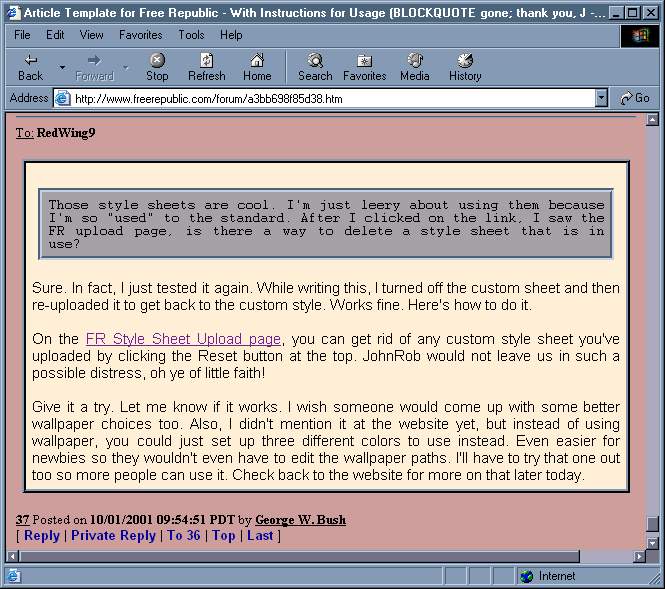
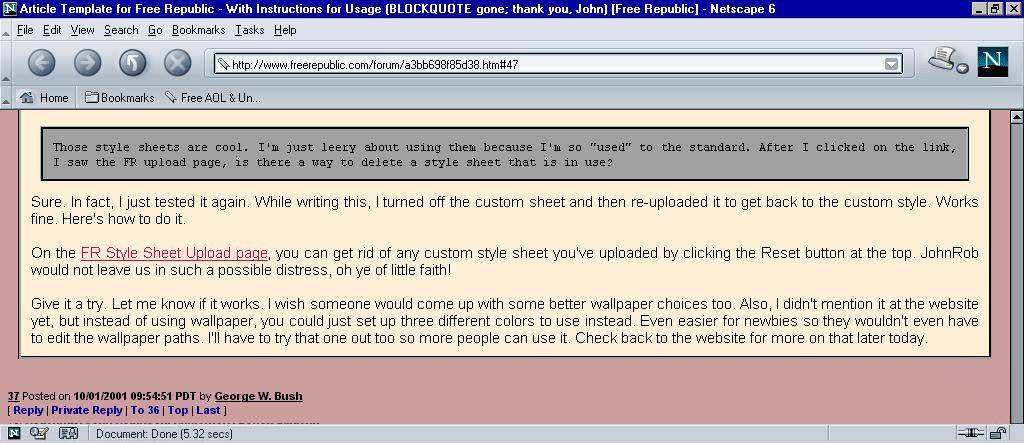
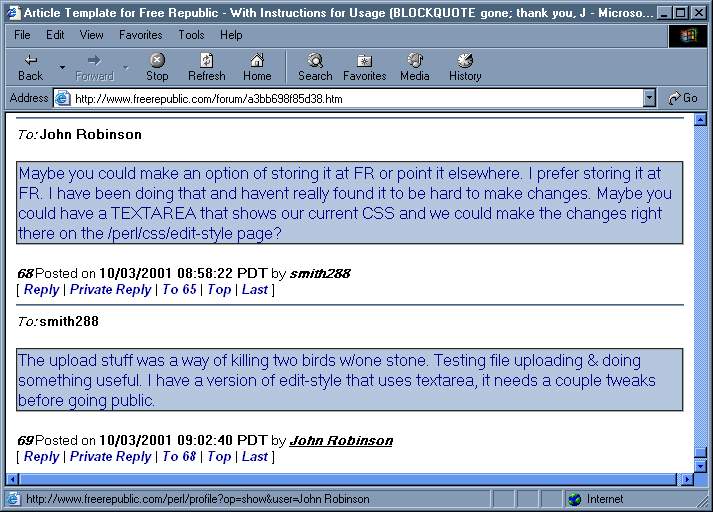
Netscape 6.1 picture
Here's the style sheet I (FR's George W. Bush) used for Internet Explorer 6.0:
BODY
{
    BACKGROUND-COLOR: #cC9F9F;
    scrollbar-face-color:#707080;
    scrollbar-arrow-color:#FFFFFF;
    scrollbar-track-color:#AAAABB;
    scrollbar-shadow-color:'';
    scrollbar-highlight-color:'';
    scrollbar-3dlight-color:'';
}
A:link {color:"#101090"; text-decoration: underline }
A:visited {color:"#702090"; text-decoration: underline; }
A:hover {color:"#800000"; font-style: normal;}
EM
{
    FONT-STYLE: normal;
    BACKGROUND-COLOR: #eeee00
}
DIV.body
{
    text-align: justify; text-justify: auto;
    margin-left: 1%;
    margin-right: 1%;
    padding-left: 1%;
    padding-right: 1%;
    padding-top: 1%;
    padding-bottom: 1%;
    background-color: #FFEFD5;
    FONT-FAMILY: "arial,helvetica";
    FONT-SIZE: 11pt;
    border-style: ridge;
}
DIV.body BLOCKQUOTE
{
    text-align: justify; text-justify: auto;
    margin-left: 1%;
    margin-right: 1%;
    background-color: #a0a0a0;
    padding-top: 1%;
    padding-bottom: 1%;
    padding-left: 1%;
    padding-right: 1%;
    border-style=groove;;
    FONT-FAMILY: "courier";
    FONT-STYLE: normal;
    FONT-SIZE: 9pt
}
Quick and Easy Instructions
For
IE 5, 5.5, 6.0!
iexplorecolor01.txt (the Internet Explorer style sheet)
Just right-click the link above and select Save Target As from the pop-up menu to download it to your hard drive. Make sure you remember where you saved it on the hard drive.
Next, click this link to upload your stylesheet to Free Republic. Just click the Browse button and maneuver to where you downloaded the style sheet and then select the iexplorecolor01.txt file you downloaded and then hit the Upload button on the page. Voila! Colored FR pages with a new look.
Quick and Easy Instructions
For
Netscape 6.0 and 6.1 (Opera 5?)
ns6color01.txt (the Netscape 6.x style sheet)
[Created and tested by FR's steveegg]
Just right-click the link above and select Save Link As from the pop-up menu to download it to your hard drive. Make sure you remember where you saved it on the hard drive.
Next, click this link to upload your stylesheet to Free Republic. Just click the Browse button and maneuver to where you downloaded the style sheet and then select the ns6color01.txt file you downloaded and then hit the Upload button on the page. Voila! Colored FR pages with a new look.
Note: the only difference between the two sheets is that Netscape doesn't allow "hovering" over a link and Netscape does not allow you to change the color of your scrollbars as IE does. Netscape users can use the Internet Explorer style sheets. In the future, we will probably offer only one style sheet for both. The extra "hover" command and scrollbar colors in IE are merely ignored by Netscape. This version is provided only so that Netscape users can feel secure that they are using a style sheet tested with Netscape 6.1.
Additional Fun and Easy Customization!
You can change your colors by opening the iexplorecolor01.txt file (ns6color01.txt for Netscape users) and locating the three lines that contain background-color and changing each color value to whatever you wish.
You can use this handy color chart to look up some useful RGB color numbers that you can use to get the color scheme that you want.
Make sure you don't put black text on a black background or something like that. Always remember that you can go back to that Style Sheet Upload page and hit Reset to undo all changes and revert back to the stand FR look.
For a little more fun with the borders in the stylesheet, you can change the border-style from inset and outset to other values. Permitted values are dotted, dashed, solid, double, groove, ridge, inset, outset. I like the ridge/groove even better than the inset/outset I used before. Play around and find the combos you like best.
Note: With the exception of "link hover" and scrollbar colors, NS6 and IE6 both support virtually the same style tags. So any tricks used in one can probably be used safely in the other.
I am using Internet Explorer 6. If you have any problems with earlier versions of IE, please FRmail me.
smith288's Style sheet
For
IE 5, 5.5, 6.0,
Netscape 6.0 and 6.1 (Opera 5?)

smith288color01.txt (IE 5 & 6, Netscape 6.x style sheet)
[Created and tested by FR's smith288 using Internet Explorer 6.
Follow the above directions for Netscape or Internet Explore to install it.]