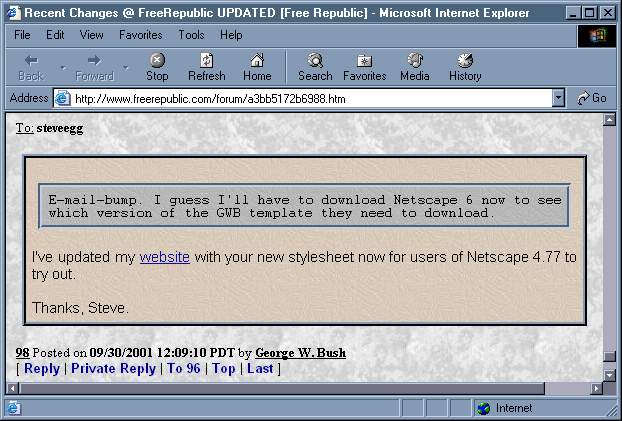
Here's an older version that doesn't use the 3d look but uses the marble6 wallpaper: frstyle01.jpg.
While I'm at it, here's another one that uses marble6 wallpaper with 3d: frstyle02.jpg.
By popular demand, here are the images I used. To save them, you can right-click on them and select Save Picture As from the pop-up menu. You can download the stylesheet, fr_css.txt, as well so you don't have to copy/paste. I included one other wallpaper that I used earlier for the page background, marble6.gif. After you save them to your hard drive, you will have to modify the path in the stylesheet. Mine is D:\Zips\Image\Wallpaper but you will have to change that.
For a little more fun with the borders in the stylesheet, you can change the border-style from inset and outset to other values. Permitted values are dotted, dashed, solid, double, groove, ridge, inset, outset. I like the ridge/groove even better than the inset/outset I used before. Play around and find the combos you like best.
Note: With the exception of "link hover", NS6 and IE6 both support virtually the same tags. So any tricks used in one can probably be used safely in the other.