 Insertion Date
2007-03-28
Total
Downloads55
Downloads
this week3
Times
Recommended0

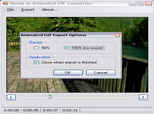
Open a video file (´File´ -> ´Open´), look for the position in the movie where you want the animated sequence to start (for this you use a scrolling bar at the bottom of the screen), and finally define the start and end instances. That done, you can now create the animated GIF from the ´Export´ -> ´Export to animated GIF...´ option.
NOTE: For Movie to Animated GIF Converter to work correctly, it needs Microsoft .NET Framework installed on your PC.