| The Sims |
| Inu-Yasha Paintings |
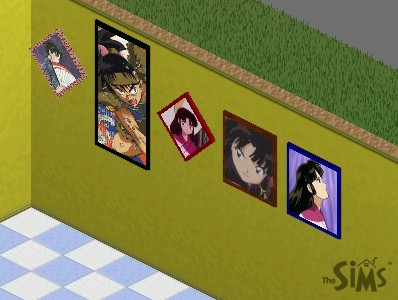
| Well in my spare time of boredum I have decided to create anime paintings for you to hang on the walls of your Sims houses, its kinda cool really. Just follow the instructions and hopefully it will work. |
| (Use only If you have the game The Sims (in any version)) |
| Instructions: 1. Click on the name of the painting you want and download the (zipped)file. 2. Unzip the file (open it) 3. Then go to C:\Program Files\Maxis\The Sims\Downloads 4. In Downloads create a file that says CherrySims 5. Then take the file from inside the zipped file and put it into the new folder CherrySims 6. And your done! Any problems feel free to E-mail me! |
 |
| 1 |
| 2 |
| 3 |
| 4 |
| 5 |
| 2. Koga |
| 3. Sango |
 |
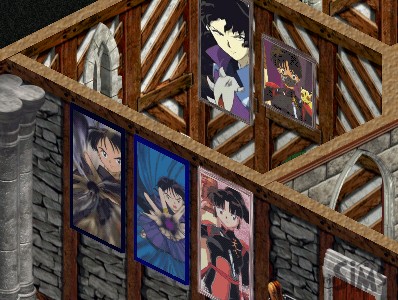 |
| 1. Demon Naraku |
| 1 |
| 2 |
| 3 |
| 4 |
| 5 |
|