|
|
|
|
|
|
|
|
|
|
|
|
|
|
|
|
|
|
|
|
|
|
|
|
|
|
|
|
Console Setup and commands |
|
|
|
Right for all you who dont no how to set up console, ill help you to set it up. (its not that hard)
( Also i no my desktop messy lolz =P) |
|
|
|
 |
|
Step (1) |
|
|
|
|
|
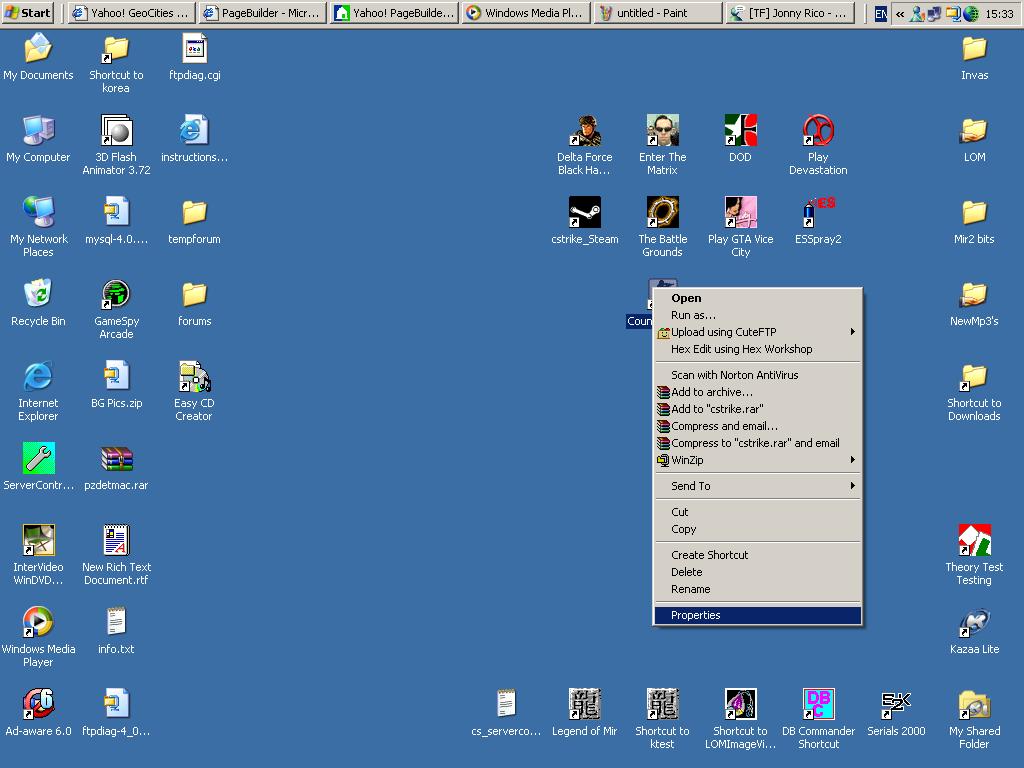
Move Your Mouse Over to your CS Shortcut, Press right mouse Button then scroll down to properites |
|
|
|
Help Pic (1) |
|
|
|
|
|
Step (2) |
|
|
|
|
|
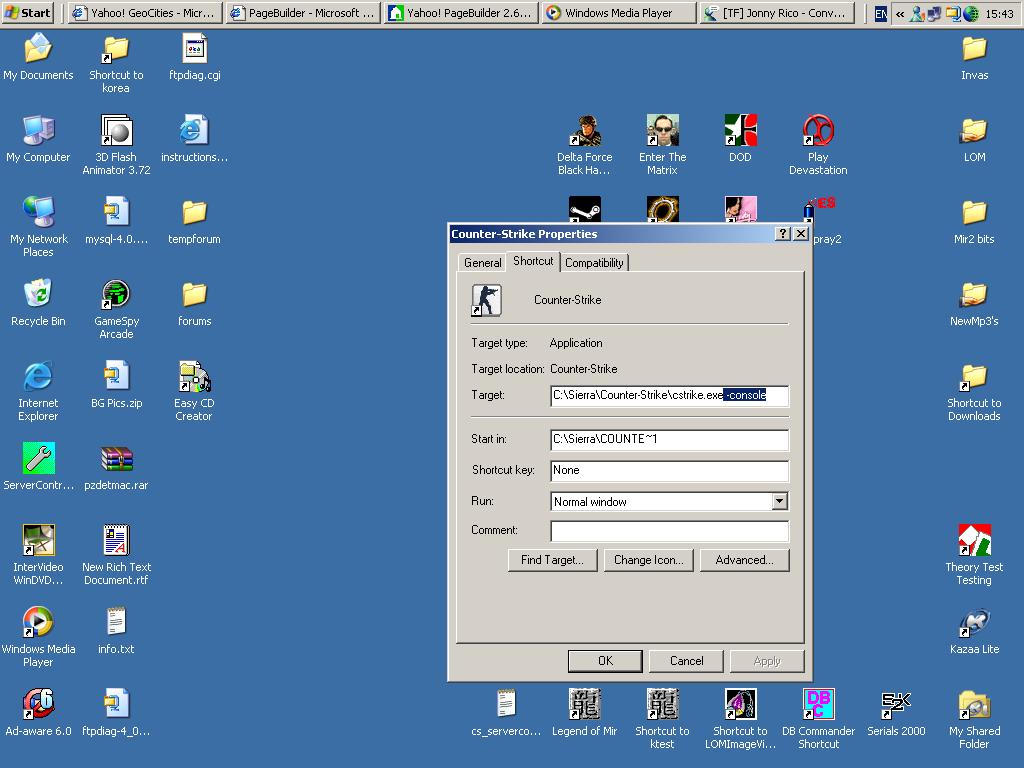
Then Add this to your Target Line -console
make sure there is a space after the .exe so it should look like this |
|
|
|
Help Pick (2) |
|
|
|
|
|
Step (3) |
|
|
|
|
|
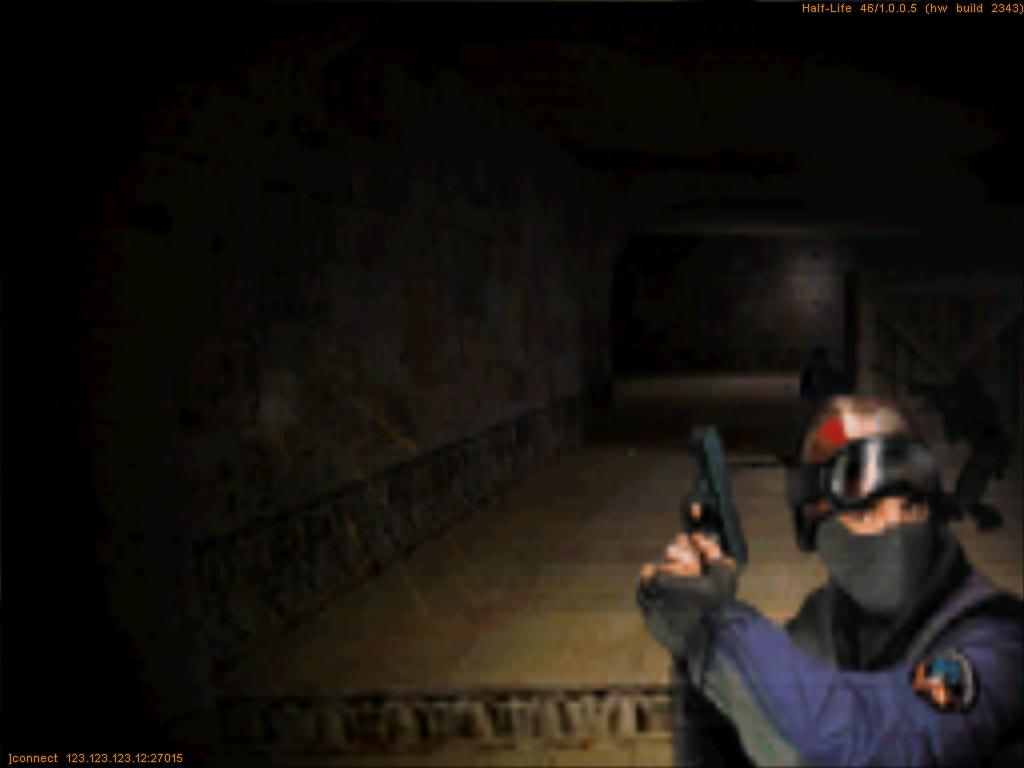
Right once you have done that you press apply then now when you go into game you will have an xtra menu now called "Console".
This is used for online play/also can be used to direct connection to servers by just typing there ip in if you want to see how its done look at link below
Here |
|
|
|
console commands vary from server to server
there is sum i no but most are in doc
Kill = kills your player
restart = restarts your game
exit = exits u off game
here is a link to doc of client commands have a read though
Link
|
|