|
|
|
|
the "let's make corduroy" tutorial
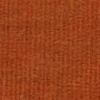
It's easy to make simple cord. All you need is a program that supports layers and has dodge and burn tools.
Of course this tutorial is suitable for all kinds of clothes ;)
i recommend using a not too small base.
So let's start out with making a simple skirt.
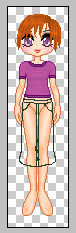 
Make a new layer and draw the outline of the skirt. Then make another new layer and fill in the outline with a brighter shade.
Then select the filling. Wasn't really hard for the start, hmm?
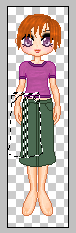 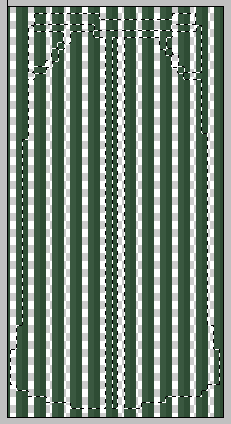
Now it's about time, that we make the cord. For this, start a new window and draw one vertical line,
one shade darker than the filling and next to it another vertical line, two shades darker than the filling.
Both are of 1 pixel width. Then copy and paste until the whole window is filled with those lines. You get
the idea by looking at the example on the right.
Once you're finished, you may save it as a .gif for later use.
After the pattern is finished, move the selection marquee from the doll over to the pattern window.
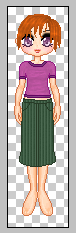
Copy and paste, move around until it fits into the outline - voila!
Maybe you chose too dark colours for the pattern- no problem! Play around with the transparency of the pattern
layer, until it looks right.
Then combine the filling and the pattern layers.
On to the next step. ;)
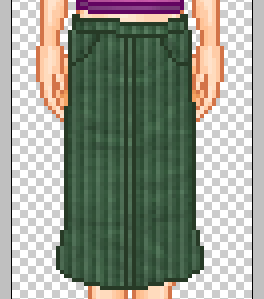
So what's left? Right! The shading!
I recommend to use only the dodge and burn tool for the shading. If you use the smudge tool, it could look
untidy.
If the skirt looks too shiny after the shading, play around with the contrast until it looks right to you.
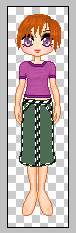
here's my result:
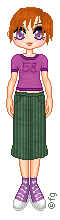
I hope this tutorial was useful for you. :)
Let me know, if anything is unclear.
And it would be great if you e-mailed me your result! ;)
base by Angy Chan
(the tutorial was made in december 2003)
|

|
|
|
|