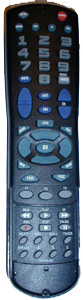
Programming Devices into the Millenium 4 Remote:
Note: These instructions assume you have already selected the proper device code(s).1. Turn on the device you want to program the remote for.
2. Press the appropriate device key on the remote.
3. Press and hold SETUP until the LED blinks twice, then release SETUP.
4. Enter in the correct code from the list. The LED should then blink twice.
5. Press POWER on the remote. The device should turn off. If it does not,
repeat steps 2-4.
Programming Volume Lock:
1. Press and hold SETUP until the LED blinks twice, then release SETUP.2. Enter 9 9 3. The LED will flash to indicate this was done correctly.
3. Press and release the mode button you want to lock the control for.
Programming for Cable STB or DBS receiver:
1. Turn on the Cable Converter or DBS receiver.- First, unlock the Cable key by doing the following:
2. Press CBL once. Press and hold SETUP until the LED blinks twice.
3. Enter 9 9 7. The LED will blink twice.
4. Press CH - once. The LED will blink twice.
- Then, program the Cable key for the receiver.
5. Press CBL once. Press and hold SETUP until the LED blinks twice.
6. Enter in the 4 digit code for the cable converter or DBS receiver.
7. Press POWER once. The unit should turn off. If not, repeat steps 5-6.
- Now you will need to lock the Cable key.
8. Press CBL once. Press and hold SETUP until the LED blinks twice.
9. Enter 9 9 7. The LED will blink twice.
10. Press CH + once. The LED will blink twice.
Searching for a Code:
1. Press and release the device key.2. Press and hold SETUP until the LED flashes twice, then release SETUP.
3. Enter in 9 9 1. The LED will flash twice.
4. Aim remote at device and slowly press POWER and the device key alternately until the device
turns off.
5. Once the device turns off, immediately stop and press the SETUP key to lock in the code.
Getting your Code:
1. Press and release the device key.2. Press and hold SETUP until the LED flashes twice, then release SETUP.
3. Enter in 9 9 0. The LED will flash twice.
4. Press 1 and count the flashes. This will be the first digit. If there are 0 flashes,
the digit is a 0.
5. Repeat Step 4 substituting 2, 3 and 4 to obtain the other 4 code digits.
6. Write the code down for future reference.
Reassigning a Device Key:
1. Press and hold SETUP until the LED flashes twice, then release SETUP.2. Enter in 9 9 2. The LED will flash twice.
3. Press the device key to be duplicated.
4. Press the key to be reassigned.