 |
|
|
|
|
|
|
|
|
|
|
|
|
|
|
|
|
|
|
|
|
|
|
|
|
WEEK 4 |
|
|
|
 |
|
|
|
|
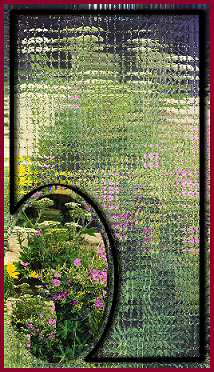
This week we learned some of the awesome new effects that psp8 has.
For the lesson to the right, I did change some of my settings cuz I like them better. I did save my Glass Mosaic settings as a preset but I'm not sure how to post a preset. Anyway..I named it Shower Door, thats what the blurred glass effect makes me think of. This was fun, i'll have to exsperiment more with it. |
|
|
|
|
|
|
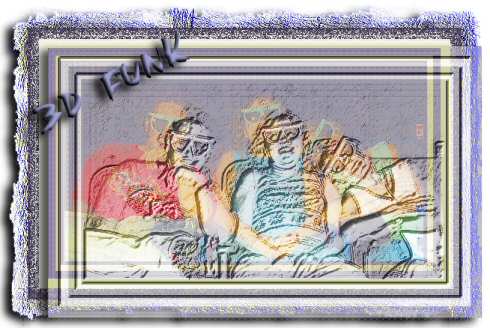
For this graphic we were learning to add more canvas area. I got real funky with this one. I kept adding to the canvas over and over. Increasing the size by 5 pixels and changing the colors from white to almost black. After I got a striped frame, I coped it..increased the canvas again then pasted my copy a little off centered from the original. Did a bunch of effects and blend modes on it..lol
We are suppose to be learning here, so thats what I was doing. The pic is of me, my daughter and her bf at a IMAX 3D theater. |
|
|
|
 |
|
|
|
|
|
 |
|
|
|
|
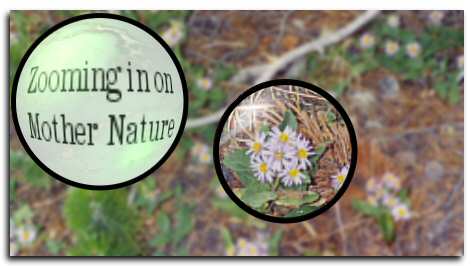
This is my Magnifying Lens effect. This is cool. The pic is from Glacier Park. I was trying to get a pic of the tiny flowers on the ground. This effect suits the pic perfect! |
|
|
|
|
|
 |
|
|
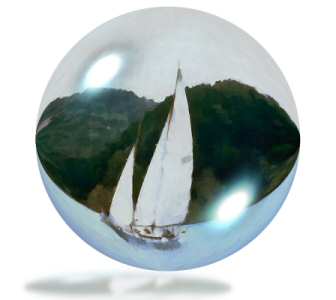
This is my Balls and Bubbles effect. Another awesome one. I took a pic of a sailboat and turned it into a watercolor image, then did the balls & bubble thing on it. I used my own settings for it though. After I was done messing with it, I copied it (I like to copy)..pasted it on a new layer..then used deform to shrink and flatten it..lowered the opacity wayyy down..blurred it ..reversed it..then used it as the bubbles reflextion. |
|
|
|
|
 |
|
|
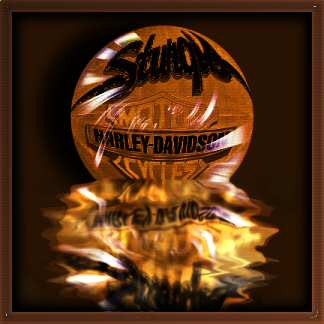
HARLEY DAVIDSON RULES! :)
Ok, Im cool. :) Believe it or not, This is a pic of the storefront for the harley shop in Sturgis SD. I did the balls and bubbles on it with a bump map and a environment map. From there I did tons of stuff..selections..puddle plugin..warp tool..soften tool..lighten darken tools..blinds effects..cut outs..you name it!..lol oh yeah! and copied it too so I could use the hard light blend mode. I think it turned out pretty cool. :) |
|
|
|
|
|
HOME BACK NEXT |
|
|
|
|