 |
|
|
|
|
|
|
|
|
|
|
|
|
|
|
|
|
|
|
|
|
|
|
|
|
|
WEEK3
Photo Enhancement with Adjustment Layers |
|
|
|
 |
|
|
|
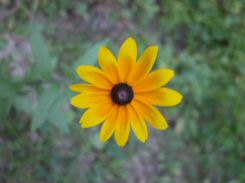
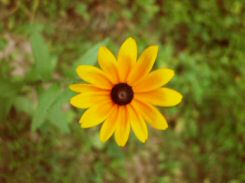
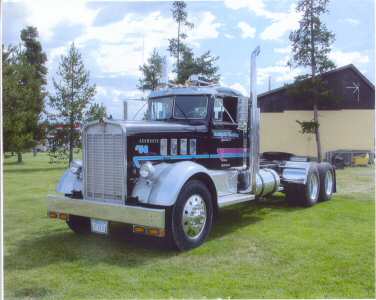
The pic to the left is the original one..the first one below has Brightness/Contrast layer added....... |
|
|
|
|
|
 |
|
|
|
|
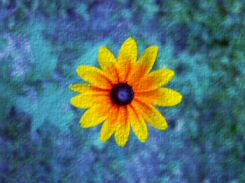
...the next one has the Curves layer added...hue/Saturation/Lightness layer...Levels...Manual Color Correction...and last but not least..Texture. |
|
|
|
|
|
|
 |
|
|
|
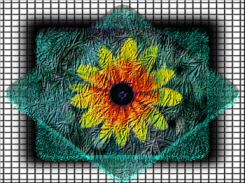
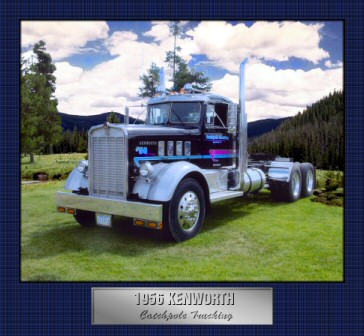
the one below is everything and then some. its alot of playing with Blend Modes and Masks |
|
|
|
|
|
 |
|
|
|
|
 |
|
|
|
 |
|
|
The truck is one that my dad restored and he asked me to make a graphic with it. so since we were learning enchancements this week i choice this pic to get started on it. It has several adjustment layers added. Brightness/Contrast..Hue/Saturation/Lightness.
I erased most of the background and added a new one. Did alot of push, smudge and blending the three photoes together. The background is acturaly two seperate pic..well..sorta..lol..its the same pic but mirrored backwards. I ran the Saturation Up/Down brush over the stripes on the truck to make them more vived and over the blue in the sky. Made a mat and title plate. |
|
|
|
|
|
HOME BACK NEXT |
|
|
|
|