Les Emulateurs
MiniForth
(c) fbroton 2004
English users can click here
Présentation
Outils
Téléchargement
Documentation
Contact
Présentation
Ce site présente des émulateurs/simulateurs
logiciels pour PC des systèmes FORTH développés par JPB sur le
site http://jpb.forth.free.fr/

Il en existe 2 versions:
MiniForth68k pour émuler
la carte Mini
Système FORTH dont le processeur est un 68000 de
Motorola (architecture CISC). Ce système est une version allégée devant fonctionner avec un
terminal ASCII externe.
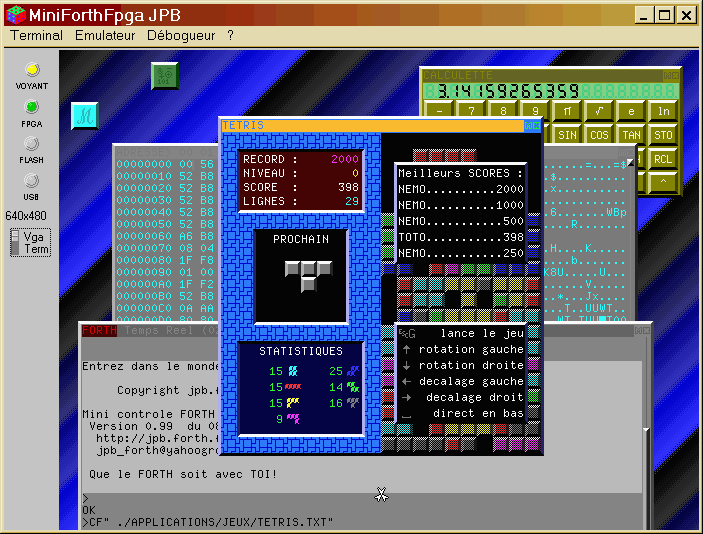
MiniForthFpga pour émuler
la nouvelle carte Coeur
FORTH dont le processeur est un CPU spécifique
optimisé FORTH à
architecture RISC. Ce CPU est pour l'instant intégré dans un FPGA avec ses
périphériques
(port série, timer) afin de constituer un système
autonome, performant, minimaliste sur une seule carte de taille réduite.
La carte a été
initialement réalisée par l'Ecole d'Ingénieurs de
d'Architectes de FRIBOURG (SUISSE) avec une
collaboration active de JPB FORTH et LF FORTH, notamment en ce qui concerne
les spécifications.
Ce système a encore
continué d'évoluer avec l'intégration réussie d'une sortie écran au
format VGA et dans le futur d'un port USB; les derniers développements
étant le fait de LF FORTH avec toujours l'appui des spécifications de JPB
FORTH. Le but d'avoir un port USB est de pouvoir connecter sur
une interface unique tous les périphériques commerciaux récents
disponibles à faible prix (claviers, souris, disques, flashs, scanners,
imprimantes, appareils photos numériques, ...).
Ces 2 émulateurs fonctionnent sur PC sous Windows 32bits (95/98/NT/2000/Millenium/XP) à au moins
300 MHz (conseillé 700 MHz). Ils sont d'une architecture très semblables et seules certaines fonctionnalités liées au hard différent.
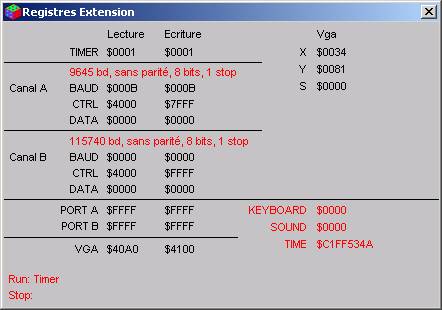
Ils permettent de visualiser à tout instant le contenu de la mémoire, des
registres et de mettre des points d'arrêt.
L'émulateur est indépendant du programme FORTH qu'il
fait fonctionner et de ce fait on peut récupérer de nouveaux noyaux du site
JPB FORTH et les faire tourner.
Outils
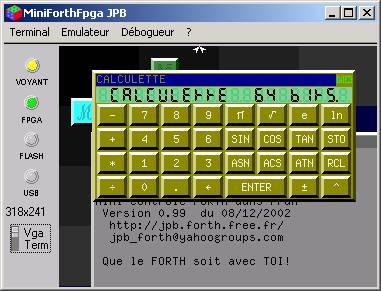
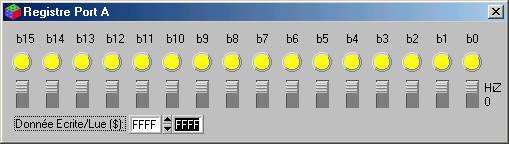
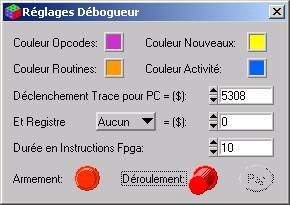
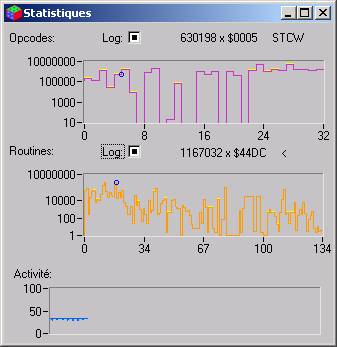
Voici quelques uns des outils que les émulateurs mettent à
votre disposition. Consultez la documentation pour avoir un descriptif plus exhaustif des
possibilités.


Téléchargement
Télécharger le fichier compressé au format zip de
MiniForth68k
(version courante V06).
Télécharger le fichier compressé au format zip de
MiniForthFpga (version courante V10).
Une fois chez vous, dézippez-le et conservez les
fichiers obtenus. Lancez alors setup.exe qui se chargera de tout. Si vous
installez une nouvelle version, vous n'êtes pas obligé de désinstaller
l'ancienne, mais supprimez le fichier .INI créé par le logiciel
dans son répertoire. Cela peut créer des incohérences entre les 2 versions.
Sous Windows NT/2000 vous aurez besoin d'être
administrateur lors de l'installation sur une machine.
Le kit d'installation comprend tout ce qu'il faut pour
démarrer le noyau JPB
FORTH en mode graphique multi-fenétré.
Vous pourrez ensuite télécharger
des applications sur le site de JPB FORTH et les exécuter
sur votre PC.
Documentation
Télécharger la documentation au format doc de Word de
MiniForth68k.
Télécharger la documentation au format doc de Word de
MiniForthFpga.
Consulter la documentation au format html de MiniForth68k.
Consulter la documentation au format html de MiniForthFpga.
Contact
Utilisez le groupe de discussion de jpb_forth pour
communiquer sur les thèmes qui pourront intéresser les autres membres au sujet
de l’émulateur (questions, points à éclaircir dans la documentation, bogues
trouvées, évolutions proposées) et proposer vos projets d’applications tant
matériels que logiciels:

Si vous êtes déjà inscrit, envoyez un message à
[email protected]
Pour toute remarque sur l'émulateur, vous pouvez aussi
directement me contacter sur [email protected] (surtout si c'est pour
envoyer de l'argent !)
D'ici là bonne découverte du FORTH sur émulateur PC et
pourquoi pas plus tard sur hardware JPB FORTH.
English Users
This website gives you the opportunity to test (thanks
to the emulators) the FORTH systems presented on the site http://jpb.forth.free.fr/
There is 2
versions of this emulator only working on a
PC under Windows 32 bits
(like Win95, 98, NT,...). Sorry for that, but there's no specific version for Linux,
Sun or Mac OS. I hope that if you're interested by the FORTH systems of JPB
FORTH, you'll probably make an effort to find a PC near you !
With a PC Emulator, it's possible to see them running on Mac OS (9 and X).!
One version is for the 68000 FORTH board (Mini FORTH
System), and another one is for the FPGA FORTH board (also knew as FORTH Core). The
second one is more interesting because of its graphic display (VGA standard
size) and windowing system with a mouse.
To download the 68000
version, click here MiniForth68k
(current version V06).
To download the FPGA
version, click here MiniForthFpga (current version V10).
Once downloaded, unzipped the files. Keep these files as
an installation kit. Run setup.exe. Select the menu Terminal/Réglages Terminal. You'll find an
item Langue. Select English. Everything in the software should appear in english for you
nom.
Sorry for that, but the welcome message of the ROM still stays in french. I
can't do anything for you! (contact JPB) Now you can type a command in the
terminal or FORTH window. For example:
VLIST
Sorry for that too, but the documentation isn't
translated today. If I receive a lot of request I try to do something or if
someone is interested, I can help him by doing a part of the job. But my
english isn't very good, so a translation by myself shouldn't be a gift for
english spoken people...
There is a documentation for each version of the
emulator (see the documentation part and follow the links) .
In fact, I think the software is intuitive enough for a first sight. Only the trace
possibilities should require some explanations before using it. But it has no
interest for people discovering FORTH. It's only for debugging.
To contact us, a discussion group (jpb_forth) has been created into
Yahoo Groups:
If you're already registred you can send an email to
[email protected]
For specific questions about the emulators, you can
contact me at [email protected]
By then, have a good time with emulators and don't
forget to download examples files from the site http://jpb.forth.free.fr/ If you'll write something new, let's
know.

