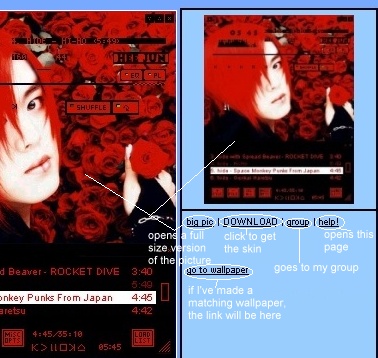
DOWNLOADING:
There are two ways of downloading the skin/s you want. As shown in the picture, you can click on the "DOWNLOAD" button under the skin. OR, you can click on the "GROUP" button which will take you to my yahoo group. To download from there you will have to join the group [yahoo have recently changed their service regarding groups *boo! hiss*] but, if you get a bandwidth message after trying the "DOWNLOAD" button, you can always try the group.
When you download the skin it will be in a .zip file. You should save this file in your winamp skins folder. If you've never downloaded a skin before and don't know where this is, it should be in your winamp folder. This is usually in: WINDOWS\Program Files\Winamp. If it's not, either do a search on your computer for 'winamp' or open winamp, go to skins, click skins browser, click set skins directory and it should show you where the folder it's looking at is. That's probably not very clear, but if you have any problems you can always email me [[email protected]] and I'll help you.
Once you have it in the right folder you have a choice. You can leave it as a .zip file or you can unzip it.