|
Tutorial Cracking : Desktop Icon Toy v3.3
|
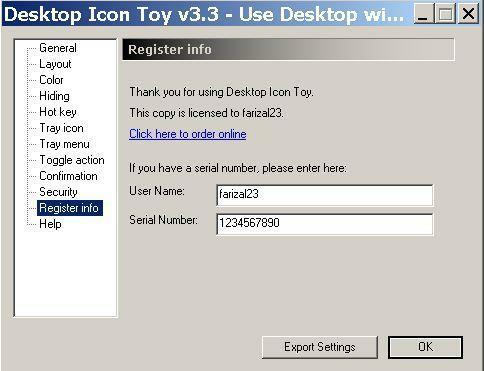
Target : Desktop Icon Toy v3.3
Tool : OllyDebug DeFixeD
Desktop Icon Toy is an easy to use desktop icon enhancement tool, which allows you to make many funny but useful patterns out of your windows desktop icons. You can change and restore their layout with just a couple of quick mouse clicks.
Langkah Pertama
Jalankan Desktop Icon Toynya, kita lihat...!
Muncul peringatan "unregistered..." didesktop.
Masukkan registernya dengan Username dan serial palsu.
Muncul "Sorry,... ".
Catat pesannya.
Meluncur ke sasaran :
Buka file DesktopIconToy.exe dengan OllyDebug DeFixeD.
Di "CPU - main thread, module DesktopI".
Klik kanan "Search for" trus "All Referenced Text Strings".
Geser keatas terus klik kanan pilih "Search For Text".
Pada "Enter Text to Search For" masukkan kata "Sorry", hilangkan tanda di case sensitive dan tandai entire scope.
Ketemunya
00407B7D PUSH 0043917C UNICODE "Sorry, your free license is only valid for ver 2.9",LF,"Please re-install ver 2.9"
Klik dua kali
00407AE2 74 0A JE SHORT 00407AEE
00407AE4 C64424 14 00 MOV BYTE PTR SS:[ESP+14],0
00407AE9 E9 9D000000 JMP 00407B8B
.
.
.
00407B79 75 3D JNZ SHORT 00407BB8
00407B7B 53 PUSH EBX
00407B7C 53 PUSH EBX
00407B7D 68 7C914300 PUSH 0043917C UNICODE "Sorry, your free license is only valid for ver 2.9",LF,"Please re-install ver 2.9"
Dialamat "00407AE2" kita buat lompat.
Langsung ganti "JE" dengan "JMP".
Jangan lupa disimpan hasilnya.
Selesai sudah.....
|