
Faras Ghani, 26 years
old, born and bred in Karachi, a resident of London and Manchester at times and currently pursuing
a journalism career in London.
My interests
lie in football, cricket, bird-watching, photography, eating, sleeping,
random theories and coming up with crazy ideas.
I can be found
on msn (yung_foo0),
on facebook, on twitter, on blogspot or by plain email (farasghani[at]yahoo.com) |
|
 |
Point, shoot and click
With the pleasant influx and recent success of free online video storing and sharing resources such as YouTube and Google Video, even the most novice of users with the most antiquated of hardware is gearing up to be the next Spielberg. Be it a VHS camcorder from the stone-ages, a flashy DV camcorder, or even a mobile phone with a camera, all and sundry want to have a visual presence online. Family gatherings, birthdays, stunts and pranks; all are preserved on different media and transferred online for the world to view and admire.
However, post-recording, a few smart users, have made use of video editing software to produce a semi-professional, or even an easy-on-the-eyes-and-brain output. A video editing software not only allows the recorded file to be edited (cut and pruned) in order to omit the unwanted parts, it also has special effects, transitions and the ability to add text and titles on offer. A wise use of all these functions results in commendable results complementing the work done beforehand. Even Hollywood producers have ditched expensive editing equipment for such software saving them huge sums of money and time as well as making editing less tedious and having the extra effects and a catalog of variety at their disposal.
Majority of these programs are easy to use and understand while being aimed at the amateur “editor” allowing an easy grasp of the technique on hand. However, there does exist the professional video editing software for the experts in the industry. In light of the varied requirements out there, we examine the painless, the sophisticated and the most arduous of video editing software that caters to the average Joe as well as the expert Joe.
Windows Movie Maker 2.0
Easily the most straightforward of video editing software in the market, Windows Movie  Maker 2.0 (WMM) offers simple drag-and-drop features that allow media files (video, audio or photos) to be imported and dropped straight onto the storyboard or timeline for editing. Also on offer is the option of importing media straight from external sources such as a webcam or a microphone. This program comes free with 29 video effects including grayscale and grain for that special touch as well as vertical and horizontal flips and mirror images. Also provided are over 50 transitions that allow smooth interchange between scenes or while making a slideshow of your holiday snaps. WMM 2.0 has an in-built AutoMovie function that allows users to import the video that needs editing and apply flips, slides, transitions, titles, end credits and audio beats according to the user’s requirements. On-screen options allow quick access to shortcuts for capturing a movie, and editing and saving it in different formats for local storage or on a CD, sending via email, uploading it to a remote server or even sending it to a DV camera. Also on hand are movie-making tips that provide guidance from capturing and editing to inserting effects, transitions and saving the final piece. WMM 2.0 is a simple yet effective video editing software for beginners and intermediate users. It offers all the functions and options to produce a decent quality movie from scratch or edit a pre-recorded one. It doesn’t offer the most-exciting and thrilling results but does the job in a humble manner and is not the most difficult of software to learn and adapt to. Most importantly, WMM 2.0 comes free with Windows XP SP2. Maker 2.0 (WMM) offers simple drag-and-drop features that allow media files (video, audio or photos) to be imported and dropped straight onto the storyboard or timeline for editing. Also on offer is the option of importing media straight from external sources such as a webcam or a microphone. This program comes free with 29 video effects including grayscale and grain for that special touch as well as vertical and horizontal flips and mirror images. Also provided are over 50 transitions that allow smooth interchange between scenes or while making a slideshow of your holiday snaps. WMM 2.0 has an in-built AutoMovie function that allows users to import the video that needs editing and apply flips, slides, transitions, titles, end credits and audio beats according to the user’s requirements. On-screen options allow quick access to shortcuts for capturing a movie, and editing and saving it in different formats for local storage or on a CD, sending via email, uploading it to a remote server or even sending it to a DV camera. Also on hand are movie-making tips that provide guidance from capturing and editing to inserting effects, transitions and saving the final piece. WMM 2.0 is a simple yet effective video editing software for beginners and intermediate users. It offers all the functions and options to produce a decent quality movie from scratch or edit a pre-recorded one. It doesn’t offer the most-exciting and thrilling results but does the job in a humble manner and is not the most difficult of software to learn and adapt to. Most importantly, WMM 2.0 comes free with Windows XP SP2.
Ratings:
Ease of use 4/5
Functions 2/5
Ulead VideoStudio 10
Ulead VideoStudio 10, even with its dull and unattractive user-interface, is another simple 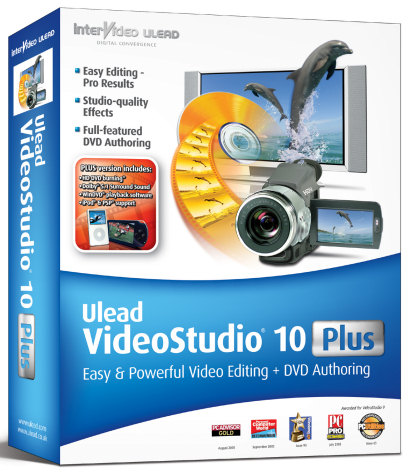 video editing software that does the job for the amateur and intermediate users. The editing screen displays quick-access tabs on the top for options such as capture, edit, effect, title, audio and share. This is a time-saving feature that reduces the need to go searching in the drop-down menu for that essential function. The viewing screen is relatively larger than other programs and although that helps with fine-tuning and editing, it takes up more of your system resources and thus slows down tasks considerably. The options within the tabs allow importing and implementing with a few clicks of the mouse thus again saving precious time that can be utilised elsewhere. Similar to other video editing software, Ulead VideoStudio 10 offers free transitions that allow a smooth switch between scenes and photos. Also included in the software are over 45 video filters such as the anti-shake filter that stabilizes the video for better looking movies. The enhance-lighting filter lightens clips that are too dark and the fish eye filter applies a rounded, bubble-like distortion to video clips. The Movie Wizard, aimed at users new to video editing, allows selection of attractive themes and uses pan and zoom to automatically create entertaining slideshows. The Audio tab on the screen lets users not only record their own sound to be integrated with the video, but also has the option of importing music from an audio CD to act as background sound to the video. Users can also edit recorded or imported audio before dragging it onto the timeline. Ulead VideoStudio 10 is quite easy to use and understand for beginners. Its selection of video effects and transitions is limited but ample for the target audience. The ability to send the final production to various media such as CD, mobile device and DV tape makes it a useful software nonetheless. video editing software that does the job for the amateur and intermediate users. The editing screen displays quick-access tabs on the top for options such as capture, edit, effect, title, audio and share. This is a time-saving feature that reduces the need to go searching in the drop-down menu for that essential function. The viewing screen is relatively larger than other programs and although that helps with fine-tuning and editing, it takes up more of your system resources and thus slows down tasks considerably. The options within the tabs allow importing and implementing with a few clicks of the mouse thus again saving precious time that can be utilised elsewhere. Similar to other video editing software, Ulead VideoStudio 10 offers free transitions that allow a smooth switch between scenes and photos. Also included in the software are over 45 video filters such as the anti-shake filter that stabilizes the video for better looking movies. The enhance-lighting filter lightens clips that are too dark and the fish eye filter applies a rounded, bubble-like distortion to video clips. The Movie Wizard, aimed at users new to video editing, allows selection of attractive themes and uses pan and zoom to automatically create entertaining slideshows. The Audio tab on the screen lets users not only record their own sound to be integrated with the video, but also has the option of importing music from an audio CD to act as background sound to the video. Users can also edit recorded or imported audio before dragging it onto the timeline. Ulead VideoStudio 10 is quite easy to use and understand for beginners. Its selection of video effects and transitions is limited but ample for the target audience. The ability to send the final production to various media such as CD, mobile device and DV tape makes it a useful software nonetheless.
Ratings:
Ease of use 4/5
Functions 3/5
Adobe Premiere Pro 2.0
A quick glance across the welcome screen and one can safely say that the “Pro” in Adobe 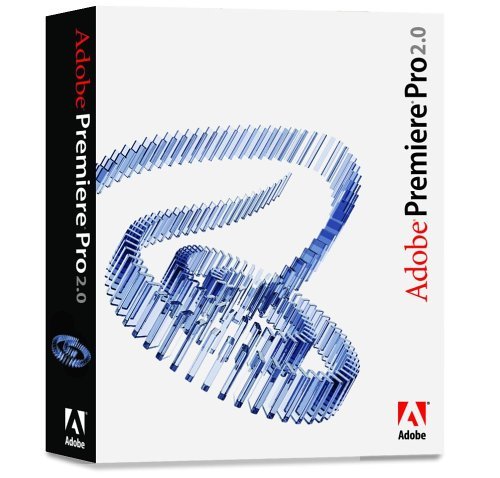 Premiere Pro 2.0 stands for professional and nothing else. This program has a huge variety of functions and options oozing out from wherever you go. Along with the usual importing, video effects, transition and title options, there are a million and a half buttons which, together with the dual-screen display right from the start, can be tad of-putting for the explorer of a user. But then again, this program is for the professionals. Users can capture and edit virtually any format, from DV to uncompressed HD, and output to tape, DVD and the web. Embedding videos into PDF, authoring DVDs straight from the timeline and the enhanced colour-correction tools are just some of the new features in this program. Multicam editing enables editing multiple-camera shoots quickly and easily. View multiple video tracks from a multicam shoot, and edit by switching between tracks in real time. Because of the intense strain it puts on the CPU, a minimum requirement of a 1.4ghz processor with 512 MB RAM and a 1,280x1,024 video display with 32-bit color adapter is recommended. The menus, the tabs and the on-screen options and displays are a bit daunting to begin with and will take a while for a new user to navigate through. Premiere Pro 2.0 stands for professional and nothing else. This program has a huge variety of functions and options oozing out from wherever you go. Along with the usual importing, video effects, transition and title options, there are a million and a half buttons which, together with the dual-screen display right from the start, can be tad of-putting for the explorer of a user. But then again, this program is for the professionals. Users can capture and edit virtually any format, from DV to uncompressed HD, and output to tape, DVD and the web. Embedding videos into PDF, authoring DVDs straight from the timeline and the enhanced colour-correction tools are just some of the new features in this program. Multicam editing enables editing multiple-camera shoots quickly and easily. View multiple video tracks from a multicam shoot, and edit by switching between tracks in real time. Because of the intense strain it puts on the CPU, a minimum requirement of a 1.4ghz processor with 512 MB RAM and a 1,280x1,024 video display with 32-bit color adapter is recommended. The menus, the tabs and the on-screen options and displays are a bit daunting to begin with and will take a while for a new user to navigate through.
Adobe Premiere Pro 2.0 has an on-screen tab that allows mixing of all the different layers of audio a user has inserted along with the option of recording your own voice. Easier to use than its predecessor and most other professional video editing software out there on the shelves, Adobe Premiere Pro 2.0 can easily be labelled as the most scalable, competent, and clear-cut video-editing software available.
Ratings:
Ease of use 3/5
Functions 5/5
iMovie HD 6
iMovie HD 6 is more of Mac’s reply to Windows Movie Maker than a prettier version of 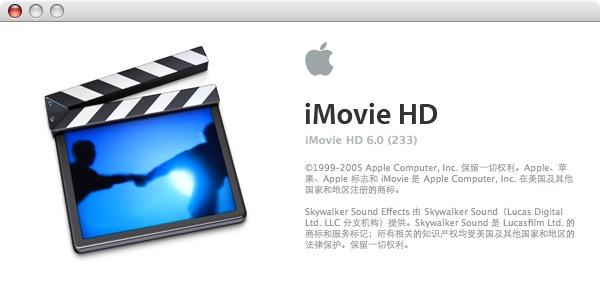 Adobe Premiere. The light grey and turquoise combination (typical of Mac software) does go light on the eyes as compared to its Windows counterpart. On-screen options include one-touch buttons to display the video clips, photos, audio, effects, titles and transitions collection that can be dragged on top the imported video for effective integration. Bearing the largest screen-out of all the programs reviewed, iMovie helps with the pan and zoom options that, as before, are on hand right above the timeline. The iMovie themes contain a collection of professionally designed, including video and graphic, overlays and advanced transitions for that expert touch. As well as offering numerous video effects, iMovie HD 6 comes complete with a sound studio built in while offering eight new audio effects, including noise reduction, reverb, pitch change, as well as a handy graphic equalizer. Bringing versatility into action, iMovie lets you open multiple projects at the same time and lets you copy and paste or drag and drop video clips, audio clips, and photos from one project into another. You can even use iMovie to create video podcasts, complete with chapter markers and live URLs. They say pretty don’t pay the rent, however, if you’re a low-budget film-maker, this pretty, yet effective, piece of software will help you pay the rent and have ample left over for some late night side serving. Adobe Premiere. The light grey and turquoise combination (typical of Mac software) does go light on the eyes as compared to its Windows counterpart. On-screen options include one-touch buttons to display the video clips, photos, audio, effects, titles and transitions collection that can be dragged on top the imported video for effective integration. Bearing the largest screen-out of all the programs reviewed, iMovie helps with the pan and zoom options that, as before, are on hand right above the timeline. The iMovie themes contain a collection of professionally designed, including video and graphic, overlays and advanced transitions for that expert touch. As well as offering numerous video effects, iMovie HD 6 comes complete with a sound studio built in while offering eight new audio effects, including noise reduction, reverb, pitch change, as well as a handy graphic equalizer. Bringing versatility into action, iMovie lets you open multiple projects at the same time and lets you copy and paste or drag and drop video clips, audio clips, and photos from one project into another. You can even use iMovie to create video podcasts, complete with chapter markers and live URLs. They say pretty don’t pay the rent, however, if you’re a low-budget film-maker, this pretty, yet effective, piece of software will help you pay the rent and have ample left over for some late night side serving.
Ratings:
Ease of use 4/5
Functions 3/5
Final Cut Pro 4.5
Dubbed as the premier choice for professional editors, Final Cut Pro 4.5 delivers nonlinear editing, 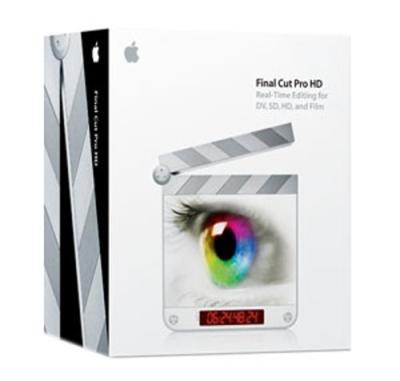 support for virtually any video format from DV, IMX and uncompressed SD to HDV, XDCAM HD, DVCPRO HD, uncompressed HD, and extensibility and interoperability. Similar to its high-end PC counterpart, Adobe Premiere Pro 2.0, Final Cut Pro 4.5 has exhaustive menus and functions to offer. There are things literally hidden behind locked doors in this program. Final Cut Pro 4.5 lets multiple editors share captured media using a consolidated storage pool in order to implement multiple-edits. Real-time multi-camera editing tools for DV, SD and HD lets users simultaneously play back and view shots from multiple sources and cut between them in real time. Multiclips, a new type of clip that allows grouping together of multiple sources as separate angles and cut between them, allows up to 128 angles. Final Cut Pro 4.5 applies speed changes in real time with frame blending. In addition, the Time Remap tool lets you speed up, slow down, reverse or ramp playback speed over time. On the audio side, this software lets you capture and output to up to 24 channels and also use external audio control surfaces to mix and record multiple fader automations simultaneously. This program delivers over 150 filters and transitions and real-time high-definition effects. Although not the easiest of software to grasp, even if you have spent good part of a week bug-eyed in front of the screen, Final Cut Pro 4.5 really is a professional’s haven. A word of advice: Don’t touch this software if your aim is to create a slideshow out of your holiday snaps or edit that weekend house party that you recorded on your mobile phone. support for virtually any video format from DV, IMX and uncompressed SD to HDV, XDCAM HD, DVCPRO HD, uncompressed HD, and extensibility and interoperability. Similar to its high-end PC counterpart, Adobe Premiere Pro 2.0, Final Cut Pro 4.5 has exhaustive menus and functions to offer. There are things literally hidden behind locked doors in this program. Final Cut Pro 4.5 lets multiple editors share captured media using a consolidated storage pool in order to implement multiple-edits. Real-time multi-camera editing tools for DV, SD and HD lets users simultaneously play back and view shots from multiple sources and cut between them in real time. Multiclips, a new type of clip that allows grouping together of multiple sources as separate angles and cut between them, allows up to 128 angles. Final Cut Pro 4.5 applies speed changes in real time with frame blending. In addition, the Time Remap tool lets you speed up, slow down, reverse or ramp playback speed over time. On the audio side, this software lets you capture and output to up to 24 channels and also use external audio control surfaces to mix and record multiple fader automations simultaneously. This program delivers over 150 filters and transitions and real-time high-definition effects. Although not the easiest of software to grasp, even if you have spent good part of a week bug-eyed in front of the screen, Final Cut Pro 4.5 really is a professional’s haven. A word of advice: Don’t touch this software if your aim is to create a slideshow out of your holiday snaps or edit that weekend house party that you recorded on your mobile phone.
Ratings:
Ease of use 2/5
Functions 5/5
VideoWave 7
Roxio’s VideoWave 7 is part of the all-in-one media suite called Easy Media Creator 7. In light of 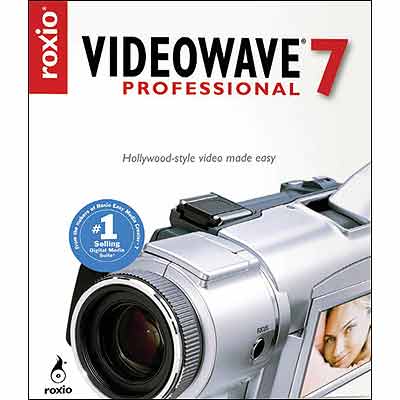 that, VideoWave 7 strictly is not a professional video editing software but a keen media-freak’s relatively cheap and useful method of editing and producing neat videos and slideshows. Offering three main editing modes, VideoWave 7 ensures that its user-list includes both amateurs and semi-professionals: Cinemagic automatically creates music video-like productions, Storybuilder is a theme-based “guided editing” program, and the Production Editor is a free-form video editor with storyline and timeline views. This software is loaded with Smart Scan, a feature that scans the DV tape at high speeds, presents a list of scenes with thumbnails for your inspection, and then captures the selected scenes. The timeline offers a multi-tiered interface allowing several videos and audio files to be edited and integrated simultaneously. Double-clicking on any frame in storyboard view will allow fine-tuning, panning, zooming and text-on-video options. Transitions included with the program have an amusing mix of 2D and 3D effects with the user in control of the transition duration for every instance. Graphics overlays provide fun effects like frames over photos or a video camera-like view over your video complete with a flashing record light. Create slideshows with automatic image cropping, rotating, resizing and red-eye reduction, along with pan and zoom effects. Easy to use with hands-on options from video effects and transitions to creating DVDs, VideoWave 7 is a strong contender to become the premiere choice of the enthusiasts not bothering with the complications of Adobe Premiere Pro or the Final Cut Pro. that, VideoWave 7 strictly is not a professional video editing software but a keen media-freak’s relatively cheap and useful method of editing and producing neat videos and slideshows. Offering three main editing modes, VideoWave 7 ensures that its user-list includes both amateurs and semi-professionals: Cinemagic automatically creates music video-like productions, Storybuilder is a theme-based “guided editing” program, and the Production Editor is a free-form video editor with storyline and timeline views. This software is loaded with Smart Scan, a feature that scans the DV tape at high speeds, presents a list of scenes with thumbnails for your inspection, and then captures the selected scenes. The timeline offers a multi-tiered interface allowing several videos and audio files to be edited and integrated simultaneously. Double-clicking on any frame in storyboard view will allow fine-tuning, panning, zooming and text-on-video options. Transitions included with the program have an amusing mix of 2D and 3D effects with the user in control of the transition duration for every instance. Graphics overlays provide fun effects like frames over photos or a video camera-like view over your video complete with a flashing record light. Create slideshows with automatic image cropping, rotating, resizing and red-eye reduction, along with pan and zoom effects. Easy to use with hands-on options from video effects and transitions to creating DVDs, VideoWave 7 is a strong contender to become the premiere choice of the enthusiasts not bothering with the complications of Adobe Premiere Pro or the Final Cut Pro.
Ratings:
Ease of use 4/5
Functions 4/5
© Faras Ghani 2009.
Published in Spider
October 2006
|
|
Books &
Authors
Cafe reviews
Cricket
Exhibitions
Fashion
Film
IT & computers
Music
Phones & gadgets
Politics
Pharmacy
Social issues
Stage
Travelogue
Photography
Concerts
Cricket
Events
Fashion
Friends
Me, the great
Portraits
Politics
Products
Stage
Street photography
Travel
|
|
|
|
|
life as a
journo
I started writing at the age of 15 - much later than few I
know involved in the field of journalism - as a contributor
to an e-newsletter. I wasn't very good at it but kept
pursuing it, so much so that I was forced to change career
paths; landing into print journalism from computer science.
I have written on topics ranging from sports, politics and
news to IT, fashion, entertainment and the world of pharmacy.
Landing free concert passes, chance to
interview celebs and sports personalities and travelling around
the globe on company expense, I am in love with the world of
journalism.
Click here to view
some of my contribution and payback, to this world. |
my travelling experience
Pakistan - Karachi, Thatta, Islamabad, Pindi, Lahore, Peshawar,
Gilgit, Murree, Faisalabad, Hyderabad, Multan
England - London, Manchester, Birmingham, Southampton, Portsmouth,
Oxford, Salisbury, Coventry, Warwick, Sutton, Winchester,
Liverpool, Bradford, Preston, Wigan, Suffolk, Stockport,
Bolton, Bath, Brighton, Horsham
Wales - Cardiff
Scotland - Edinburgh, Glasgow
Ireland - Dublin
France - Paris
Spain - Reus, Barcelona
Turkey - Istanbul
USA - New York, Philadelphia, Lancaster, Swarthmore, Chicago, St
Louis, Columbia, San Diego, OC, LA, Las Vegas, Washington DC
UAE - Dubai, Abu Dhabi, Sharjah
Jump to my travel photos |
the interest in photography
An
interest in photography developed randomly and grew into a hobby that I started
dedicating more than a few minutes to.
Covering cricket matches, fashion
shows, music concerts and
randomly walking around with a camera, I have taken,
and
edited, a few photos that I like.
As before, comments welcome and appreciated.
Jump to
my photography page, portfolio, some decent pictures,
and cricket.
|
publications and employers
England
The Sun, Cricinfo, Asian News, Asian Woman, IWTV, Student Direct,
LiverFM, ALL FM, City Life, Sensazn, AMG, Cricket Bloggers
Pakistan
Cricinfo, Dawn, Spider, Images, Dawn Magazine, Books & Authors, Sci-tech
world, Star, Newsline, Herald, Xpoze, The News, getIT.pk, The Review, Right Solution
Also, IBM, Financial Times, Superdrug,
Woolworth's, Ultima Thule, Exxon Mobil, GSK, Big Picture, Gekko,
Frontline Focus, Barclaycard, 3G Hutchsion, JD Sports and many
more. |
|
|
|